
KeyStep mk2
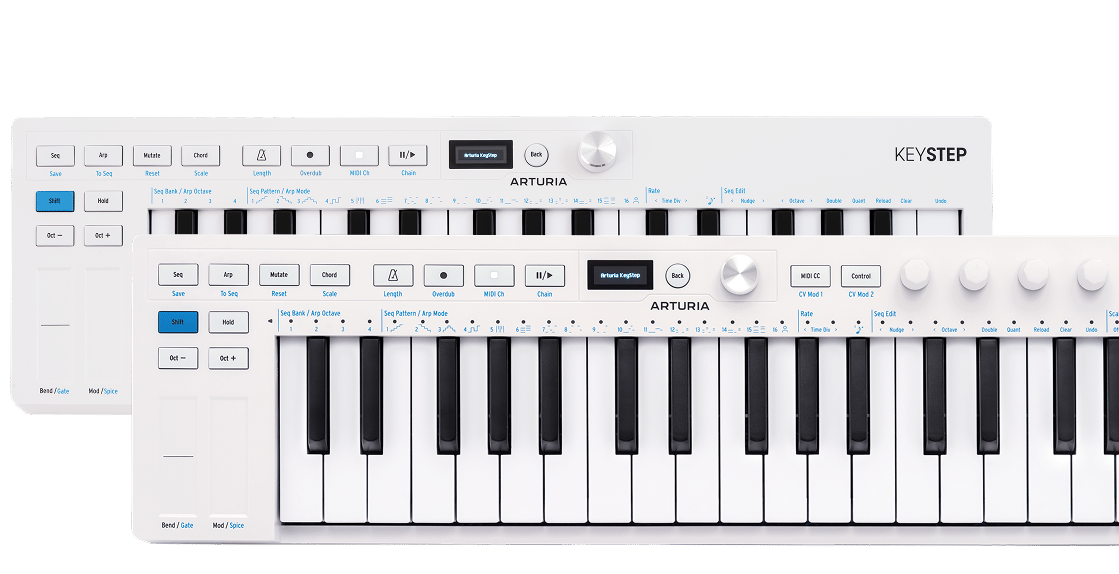
Un nouveau genre de clavier portatif
An important update has been released:
Make sure to → update your KeyStep 37 mk2 to get the latest stability improvements and performance enhancements.
KeyStep mk2
Tutoriels
Découvrez les astuces, techniques et fonctionnalités qui font de cette interface votre meilleure alliée créative. Ce tour d'horizon complet vous dévoile tout le potentiel du KeyStep mk2 pour ne rien manquer de ses capacités.
Tutoriels | Overview | KeyStep mk2
Join Brendan for an introductory tour of KeyStep mk2. Discover its core features from advanced sequencing and generative sound creation to OLED control and deep CV/MIDI/USB-C connectivity - a centrepiece for hybrid setups and keeping your ideas evolving.
Tutoriels | Overview | KeyStep 37 mk2
Join Leona for an overview of KeyStep 37 mk2 - the expanded compact controller and creative sequencer for hybrid setups. Learn its core features and deeper mutate control as well as what sets it apart from KeyStep mk2: 37 Slimkeys with aftertouch, expanded physical controls and RGB feedback for deeper control of parameters and generative features.
KeyStep mk2
Tutoriels
Tutoriels | How to Mutate | KeyStep mk2
Join Matt Paull for a focused look at KeyStep Mk2’s Mutate feature - a creative tool for transforming sequences and arpeggios into evolving musical ideas. Learn how to shape variations, lock everything to scale, record automation, and push your patterns into new directions for fast, inspired compositions.
Tutoriels | How to control external gear | KeyStep 37 mk2
Join Leona for a quick guide to controlling external gear with KeyStep 37 mk2. Learn how to connect and play software instruments via USB, sequence desktop synths over MIDI, and unlock deeper hands-on control of semi-modular hardware with CV, Gate, and assignable modulation outputs. From straightforward DAW integration to hybrid setups, see how KeyStep 37 mk2 adapts to every stage of your workflow.

KeyStep mk2
Manuels
KeyStep mk2 FR Manual
Versionfr - 1.0.0|6.52 Mo|12/4/2025
KeyStep 37 mk2
Manuels
KeyStep 37 mk2 FR Manual
Versionfr - 1.0.0|7.53 Mo|4/27/2026

Midi Control Center
Logiciel
Manuels
Midi Control Center FR Manual
Versionfr - 1.0.0|1.69 Mo|9/7/2017
Encore besoin d’aide ?
Notre équipe d’assistance sera ravie de vous aider si vous avez des questions concernant l’utilisation des instruments d’Arturia. Vous pouvez la contacter à partir de cette page :
Demandez de l’aide