
Pure SUB
Le synthétiseur de design des basses
1. Téléchargez et installez l’Arturia Software Center (ASC)
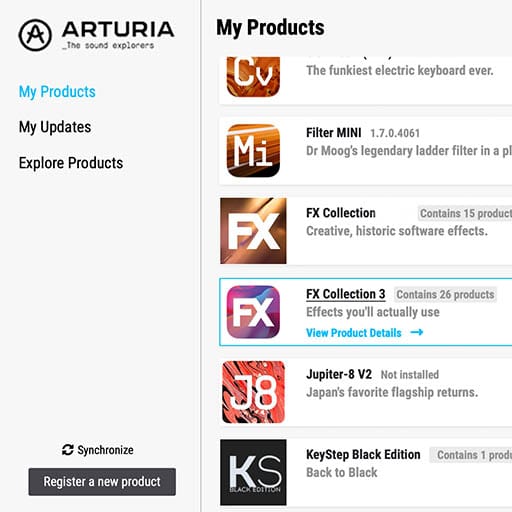
L’Arturia Software Center (ASC) vous sert à activer, installer et mettre à jour vos instruments virtuels d’Arturia sur vos ordinateurs.
Vous pourrez accéder aux logiciels que vous possédez, ainsi qu’aux versions d’essai des autres plug-ins d’Arturia.
2. Connectez-vous à l’Arturia Software Center
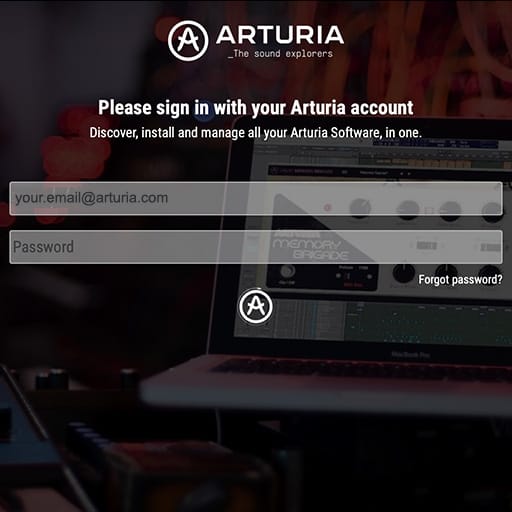
Saisissez la même adresse e-mail et le même mot de passe que pour votre compte My Arturia. Vous pourrez alors retrouver votre licence de produit dans le panneau principal.
Si vous ne possédez pas de compte My Arturia, cliquez sur « Créer un compte » et suivez les instructions.
Si vous utilisez un ordinateur hors ligne, veuillez suivre la procédure décrite dans ce cet article.
Si vous avez acheté votre licence logicielle sur le site Internet d’Arturia, elle sera automatiquement enregistrée dans votre compte. Sinon, cliquez sur le bouton « Enregistrer un nouveau produit » en haut de la fenêtre principale.
3. Installez et activez votre produit dans l'ASC
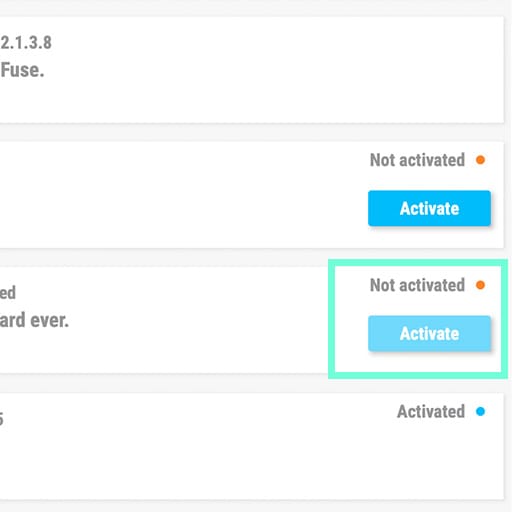
Trouvez votre logiciel dans la liste et cliquez sur le bouton « Install » pour lancer le processus d’installation en tâche de fond.
Il vous sera demandé de définir les dossiers de destination lors de la première utilisation.
Votre produit restera en mode démo jusqu’à ce qu’il soit activé. Pour ce faire, cliquez sur le bouton « Activer ». Votre tout nouvel effet sera alors activé.
Vous pouvez dorénavant l’utiliser sans restriction sur un maximum de cinq ordinateurs simultanés. Pour ce faire, répétez cette opération sur vos autres ordinateurs.
4. Lancez votre plug-in
Votre produit n'est pas disponible en version logicielle autonome.
Il doit être utilisé au sein d'un DAW (station de travail audionumérique).
Cliquez sur les icônes pour découvrir comment sélectionner et utiliser votre nouvel effet dans les principaux DAW :
Explorez, expérimentez, profitez !

Ableton Live

Bitwig

Cubase

FL Studio

Logic Pro X
Pro Tools

Studio One
Digital Performer
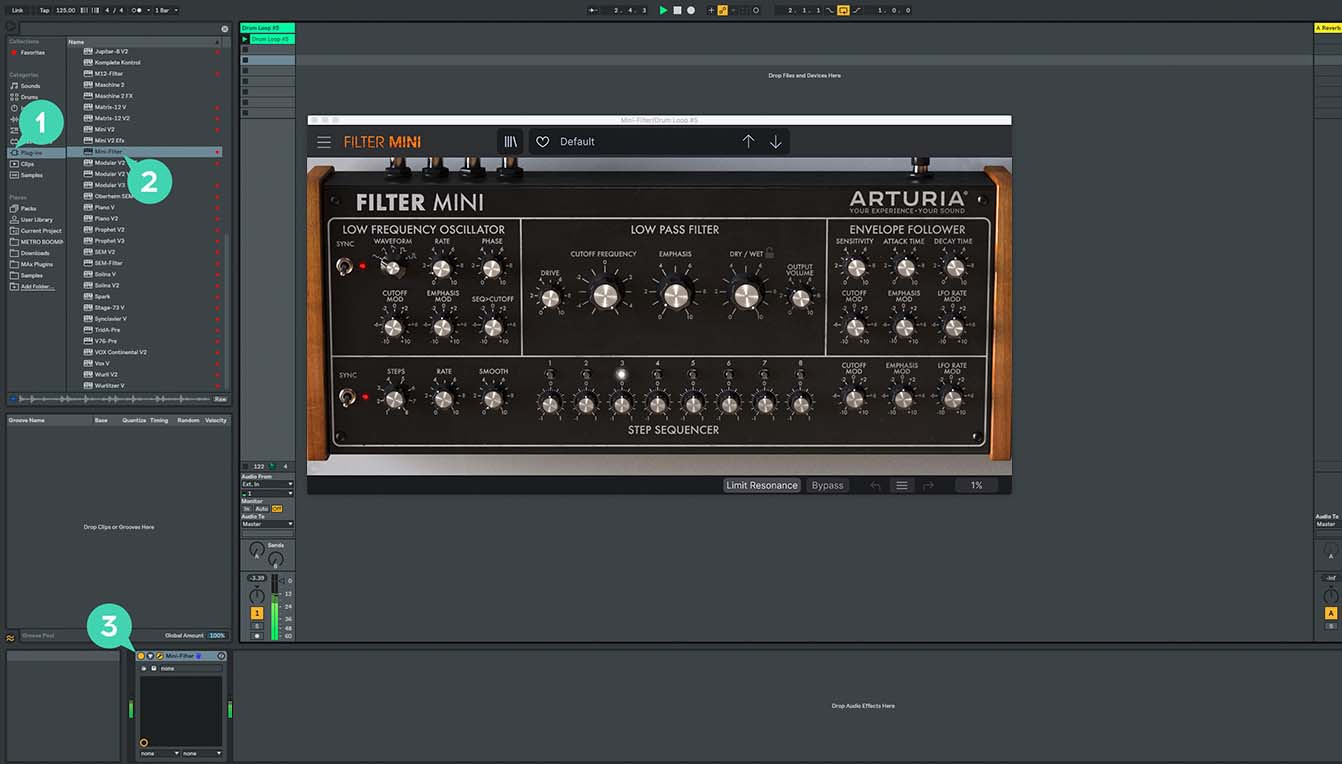
Pour Ableton Live
1/ Ouvrez le navigateur et cliquez sur la section « Plug-ins ».
2/ Choisissez l’effet virtuel que vous souhaitez dans le dossier VST ou Audio Unit*.
3/ Glissez-le sur votre piste ou votre retour d’effet.
Pure SUB
Tutoriels
Tutoriels | Pure SUB | Overview
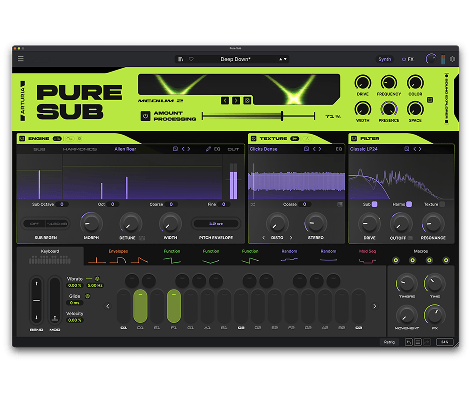
Join Joe Sheldrick for a walkthrough of Pure SUB, exploring its dedicated sound-design stages, bass-focused processing and intuitive modulation workflow. Discover how 300 presets, the 33-mode SUB Processor and a 12-slot FX Rack take you from clean foundations to deep, hard-hitting and evolving bass.
Pure SUB
Tutoriels
Tutoriels | Pure SUB | How to Make a Wide Reese Bass
Joe explores Pure SUB’s dedicated Reese engine to create a wide, aggressive bass from its Unisaw waveform. Detune, Morph modulation and moving phaser notches generate beating, swirling movement before EQ and compression bring the spectrum under control.
Tutoriels | Pure SUB | How to Make a Classic House Bass
Follow Joe as he builds a classic house bass by combining a solid sub foundation with the House Starter waveform and focused low-pass filtering. See how subtle SUB Processor drive, multiband compression and EQ add punch, presence and control without compromising the low end.
Tutoriels | Pure SUB | How to Make a Heavy Dubstep Wobble
Joe constructs a heavy dubstep wobble from a clean sub foundation, using key-tracked Functions to animate harmonic Morph and filter Drive. Explore how white-noise texture, Rage Diode filtering, Smooth Clip distortion and multiband compression create raw, aggressive movement.
Tutoriels | Pure SUB | How to Make a Punchy 808 Bass
See how Joe transforms a clean sub foundation into a modern, punchy 808 using layered pitch transients, subtle harmonics and Corrosion noise. Filter drive, SUB Processor character and tape saturation preserve its physical weight while helping the sound translate across different playback systems.
Tutoriels | Pure SUB | How to Make an Evolving DnB Bass
In this walkthrough, Joe creates a deep DnB bass that gradually evolves while maintaining a stable low-end foundation. Amp, Pitch and Mod envelopes combine with Function modulation, filter drive and subtle delay to introduce harmonic movement and controlled atmospheric depth.
Pure SUB
Logiciel
Manuels
Pure SUB FR Manual
Versionfr - 1.0.0|30.05 Mo|9/2/2026
Encore besoin d’aide ?
Notre équipe d’assistance sera ravie de vous aider si vous avez des questions concernant l’utilisation des instruments d’Arturia. Vous pouvez la contacter à partir de cette page :
Demandez de l’aide