Get FX Collection 6 PRO for an exclusive intro price  → Check the offers
ARTURIA

zh

产品

声音商城社区支援

Efx REFRACT

Versatile Unison Effect

Dramatic
unison

Based on super unison architecture, Efx REFRACT delivers instantaneous size and character to your sound. Whether marking key moments or making sweeping transformations - bring any track to life with flare and multi-effect dispersion.
Effortless impact

Move from unfiltered stems to a wide and powerful sound with multiple voices. This can be particularly effective for building tension and emphasizing salient moments in a composition.

Spread your sound

Efx REFRACT’s super unison architecture duplicates the signal up to 8 stereo voices. This can be used to spread and broaden any sound, and is the method behind the magic of this versatile multi-effect.
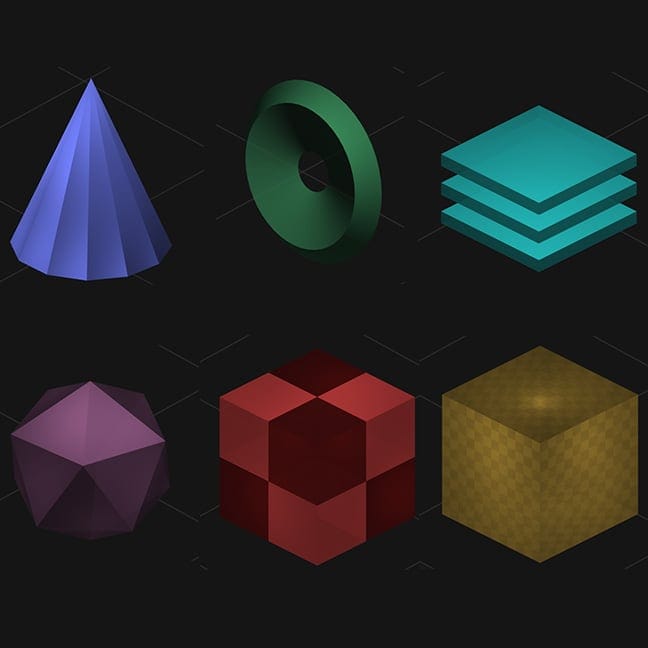
Geometric sound design

With an animated and responsive visual interface, weave various FX combinations together for a dispersion pathway that fits your wildest imaginations. Easily select the voices, filters, Mode FX, and LFO and watch the geometry evolve, along with your sound.
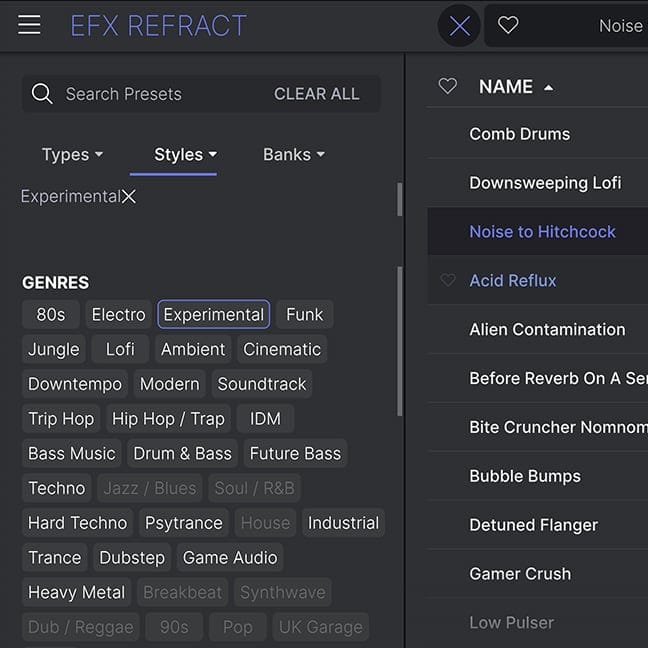
Expressive presets

Efx REFRACT comes with a host of presets to convey its multi-effect capabilities. Explore unique combinations of sonic dispersion and Mode FX, from Delay and Distortion to Texture and Transition.

Multi-effect
magic

Efx REFRACT takes any audio source and spreads it across a dynamic and modifiable FX chain, allowing you to add energy, movement and power to your heart’s content.
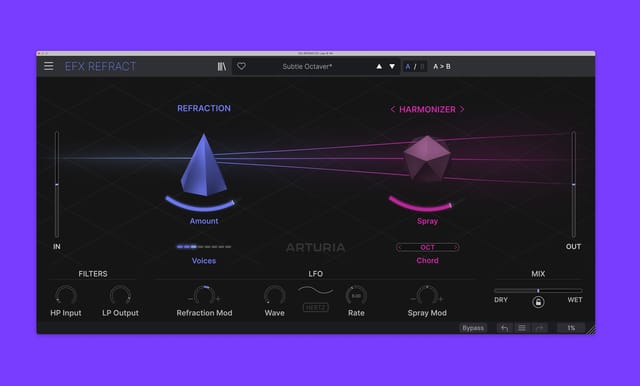
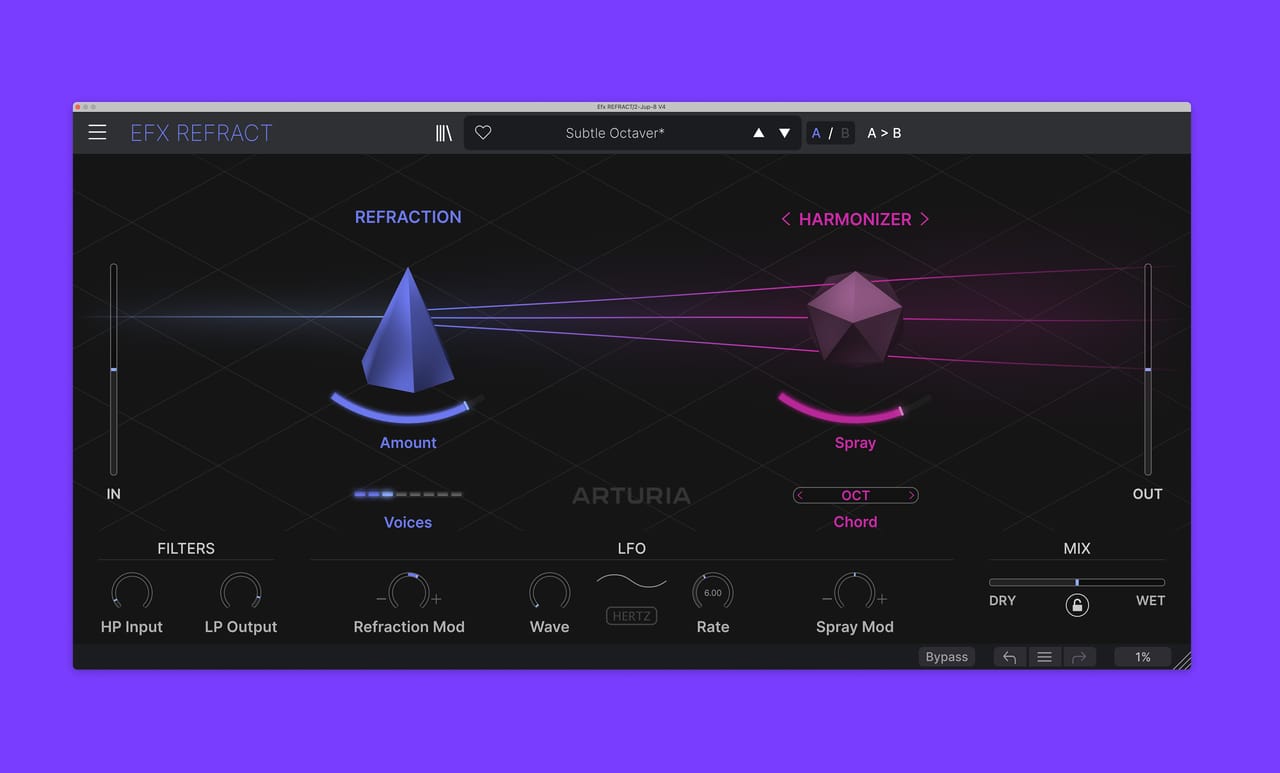
Overview

Efx REFRACT

1

Refraction

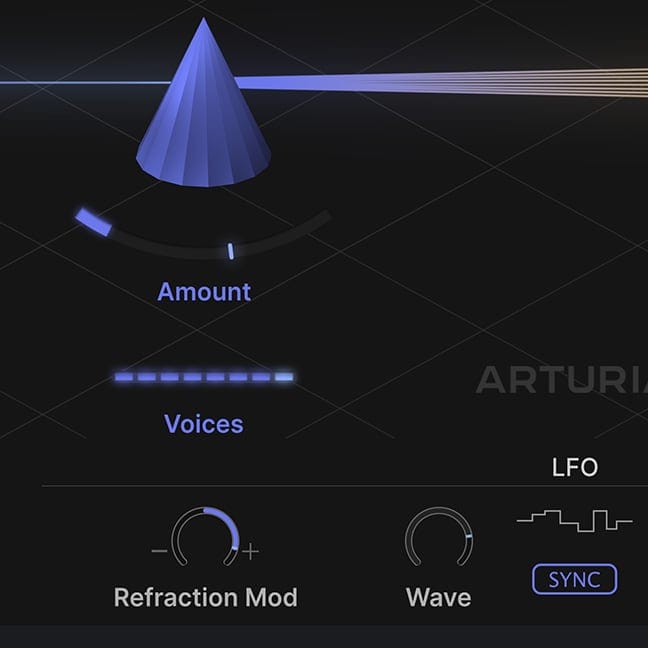
The Refraction section of the plugin takes your input and can duplicate it up to 8 stereo voices. The Refraction ‘Amount’ then increasingly detunes and modulates each voice against one another to widen them. You can use this on its own to thicken and widen an input sound without additional FX.

2

Mode FX

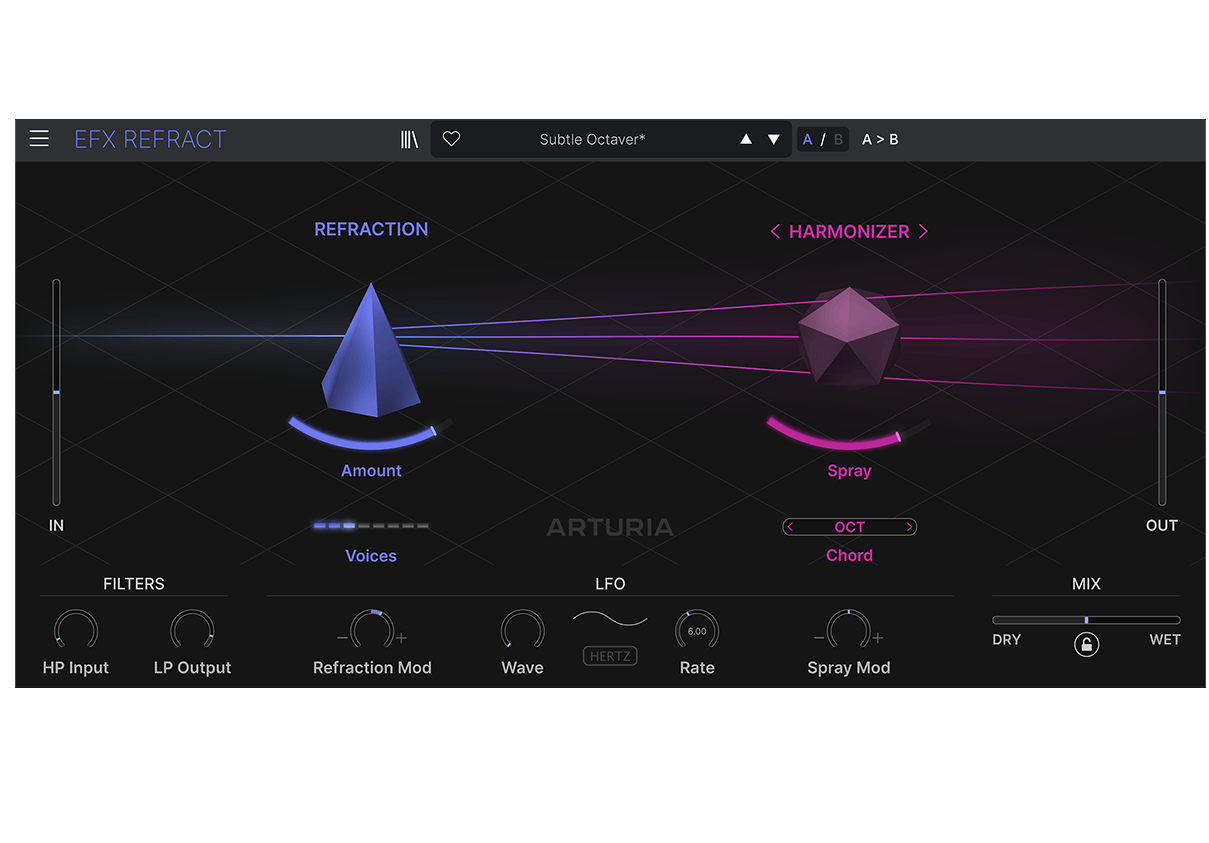
The plugin comes with five additional Mode FX (BandPass Filter/Comb Filter/Bitcrusher/Distortion/Harmonizer) which are added onto each Refracted voice and processed individually, before being recombined at the output. This unique approach allows for novel, wild and creative results with only a few simple controls.

3

FX Dispersion

The Refraction ‘Amount’ disperses the chosen Mode Effect on each of the ‘Voices’. Play around with the relationship between the Refraction Amount and Voices, and how setting them impacts the Mode FX controls.

4

滤波器

Use the ‘Input HP’ to filter out some of the low frequencies from your input, which can help clean up the Distortion & Bitcrusher modes, and use the ‘Output LP’ to tame the Effect’s high frequencies and remove some harshness to get smoother results.

5

LFO

Use the LFO ‘Wave’ to smooth things out or create choppy chaotic modulations. Experiment with the LFO rate to change the dynamics of the refraction amount.

Overview

Efx REFRACT

1

Refraction

The Refraction section of the plugin takes your input and can duplicate it up to 8 stereo voices. The Refraction ‘Amount’ then increasingly detunes and modulates each voice against one another to widen them. You can use this on its own to thicken and widen an input sound without additional FX.

2

Mode FX

The plugin comes with five additional Mode FX (BandPass Filter/Comb Filter/Bitcrusher/Distortion/Harmonizer) which are added onto each Refracted voice and processed individually, before being recombined at the output. This unique approach allows for novel, wild and creative results with only a few simple controls.

3

FX Dispersion

The Refraction ‘Amount’ disperses the chosen Mode Effect on each of the ‘Voices’. Play around with the relationship between the Refraction Amount and Voices, and how setting them impacts the Mode FX controls.

4

滤波器

Use the ‘Input HP’ to filter out some of the low frequencies from your input, which can help clean up the Distortion & Bitcrusher modes, and use the ‘Output LP’ to tame the Effect’s high frequencies and remove some harshness to get smoother results.

5

LFO

Use the LFO ‘Wave’ to smooth things out or create choppy chaotic modulations. Experiment with the LFO rate to change the dynamics of the refraction amount.

Overview

Efx REFRACT

1

Refraction

The Refraction section of the plugin takes your input and can duplicate it up to 8 stereo voices. The Refraction ‘Amount’ then increasingly detunes and modulates each voice against one another to widen them. You can use this on its own to thicken and widen an input sound without additional FX.

2

Mode FX

The plugin comes with five additional Mode FX (BandPass Filter/Comb Filter/Bitcrusher/Distortion/Harmonizer) which are added onto each Refracted voice and processed individually, before being recombined at the output. This unique approach allows for novel, wild and creative results with only a few simple controls.

3

FX Dispersion

The Refraction ‘Amount’ disperses the chosen Mode Effect on each of the ‘Voices’. Play around with the relationship between the Refraction Amount and Voices, and how setting them impacts the Mode FX controls.

4

滤波器

Use the ‘Input HP’ to filter out some of the low frequencies from your input, which can help clean up the Distortion & Bitcrusher modes, and use the ‘Output LP’ to tame the Effect’s high frequencies and remove some harshness to get smoother results.

5

LFO

Use the LFO ‘Wave’ to smooth things out or create choppy chaotic modulations. Experiment with the LFO rate to change the dynamics of the refraction amount.

1

2

3

4

5

The sound
of unison

Unison refers to a process of multiplication, where the same sound or note is duplicated and played in parallel.

Like a string section in an orchestra, which has a wonderfully rich sound as a result of many instruments playing at once, unison replicates this for a chorus-like effect; with slight differences in phase leading to a sound that is more filled-out and enriched.

Efx REFRACT takes this approach of using multiple voices to enlarge and extend the width of a sound, which you can choose to do with or without the addition of powerful Mode FX.

5 FX
modes

Choose to refract on its own, which can be used to enrich and widen a sound. Or disperse one of the powerful Mode FX, and unlock the uniquely expressive potential of Efx REFRACT.

BANDPASS
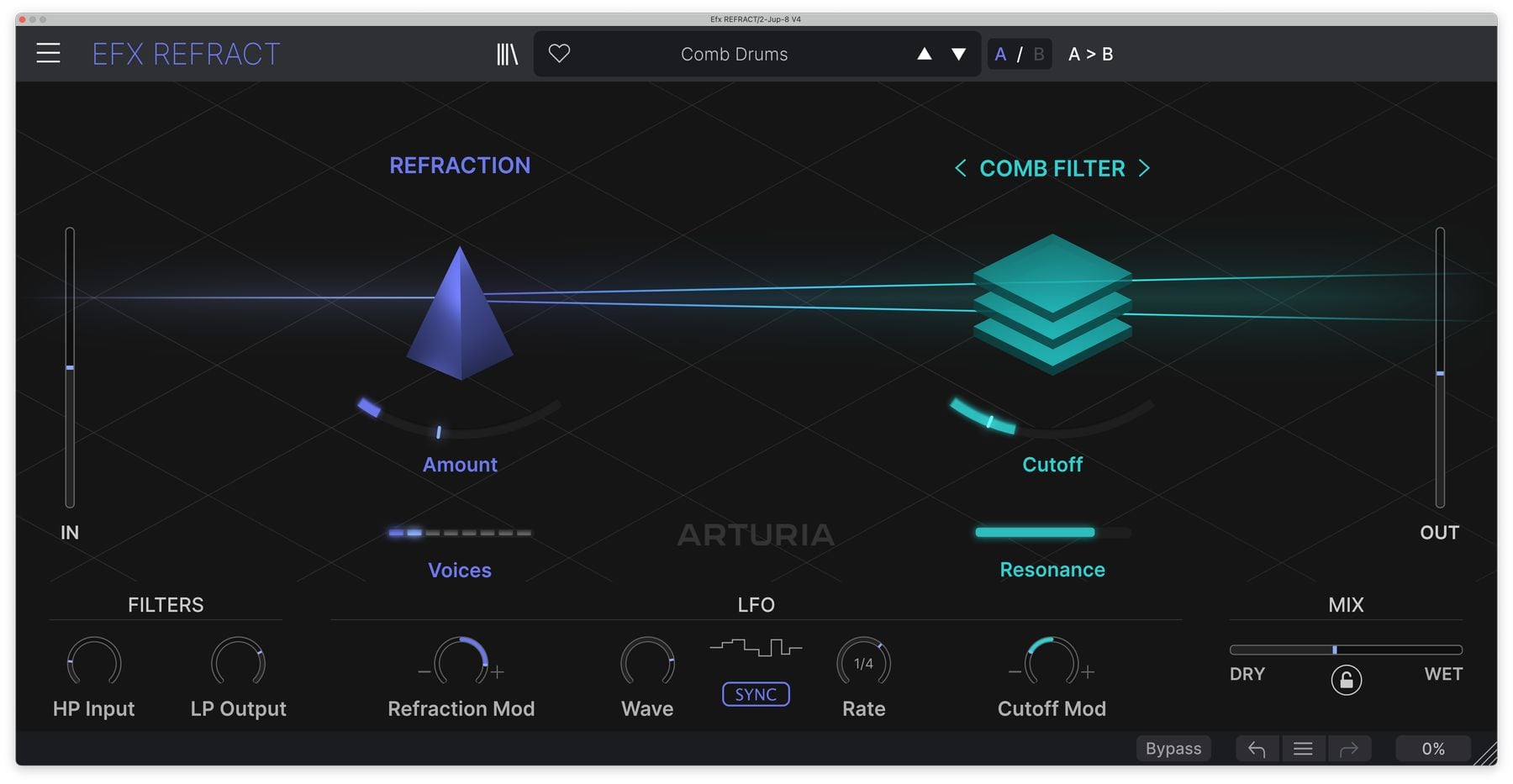
COMB FILTER
BITCRUSHER
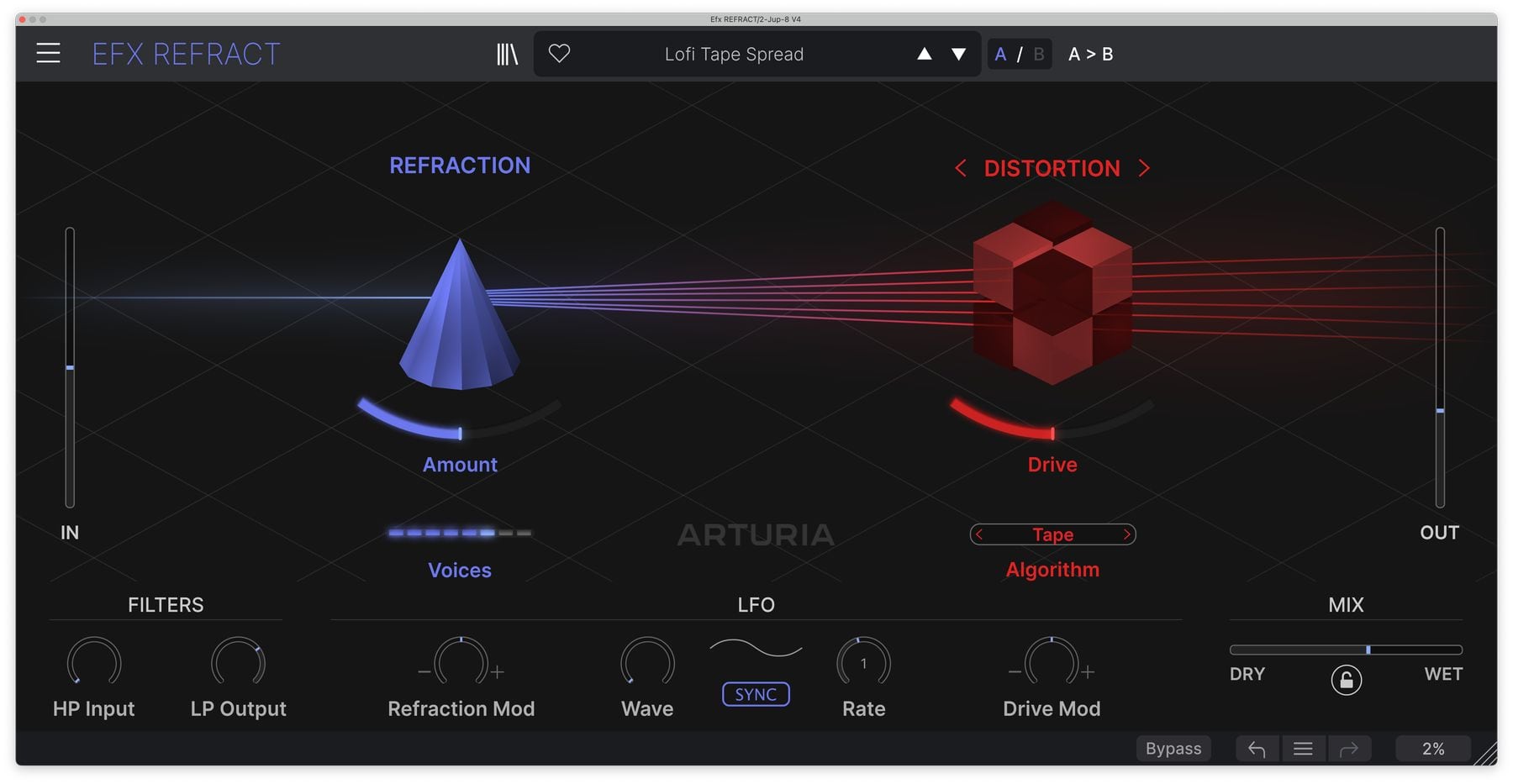
DISTORTION
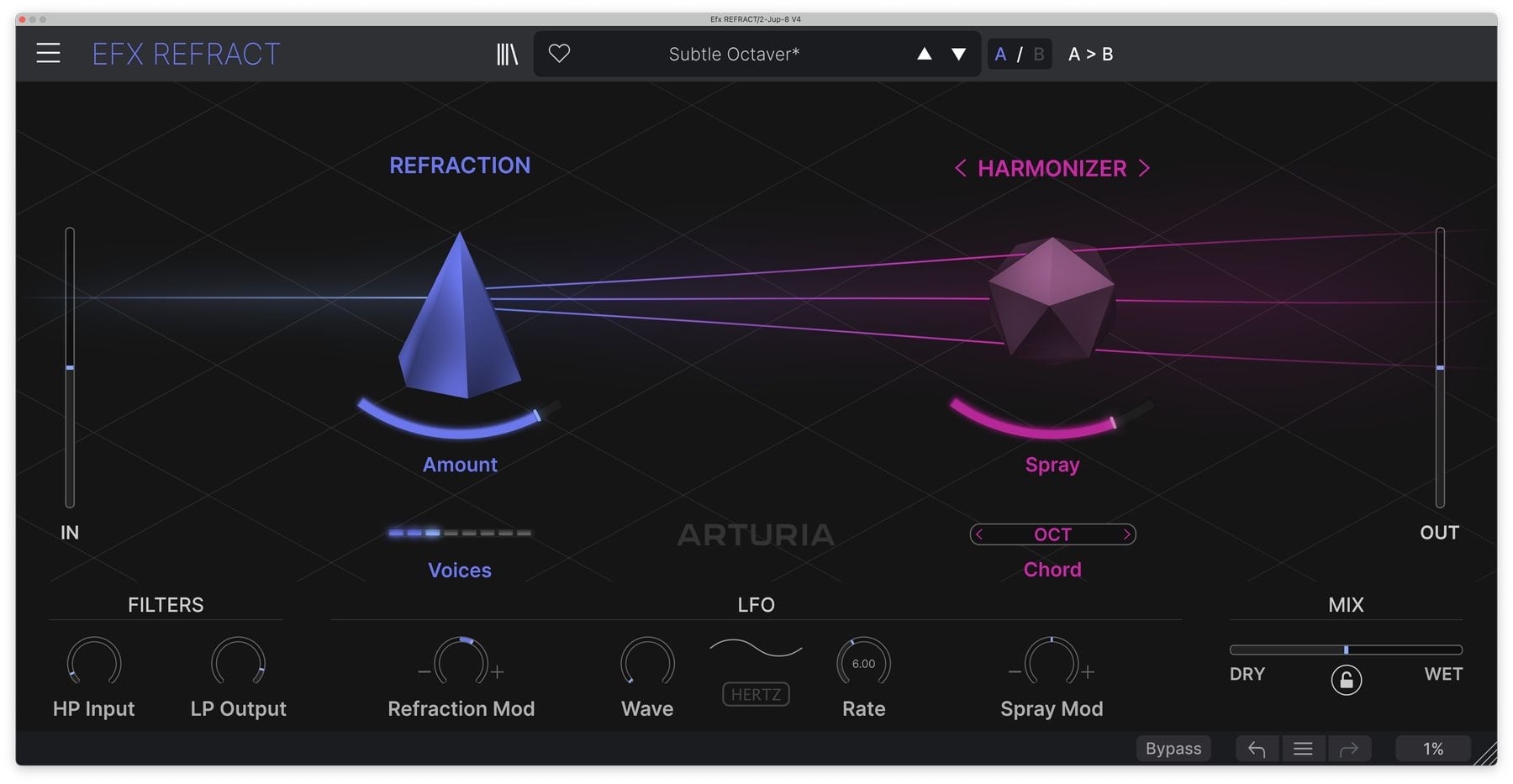
HARMONIZER

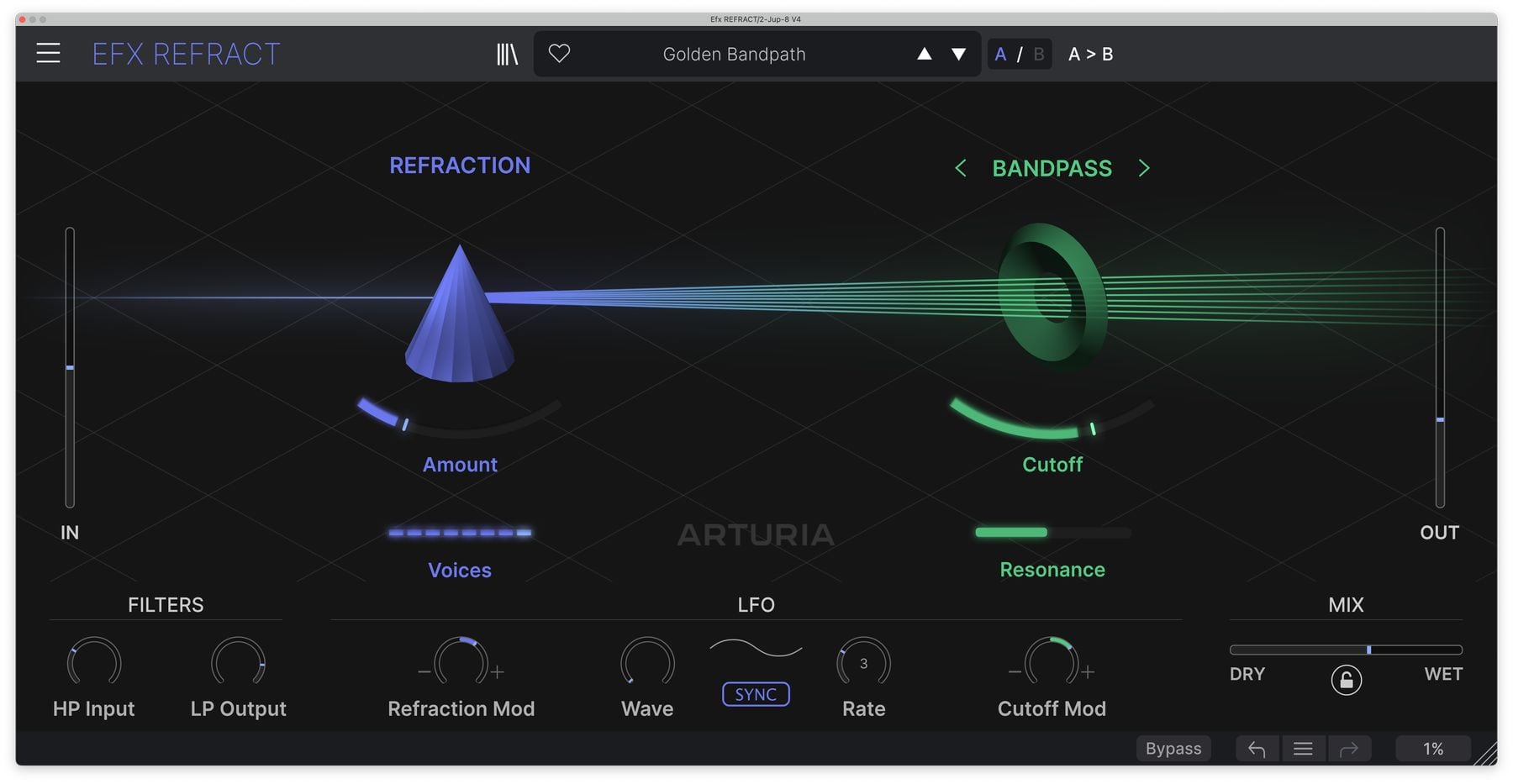
Use the Bandpass filter for a classic attenuation effect, allowing you to create sweeping moods and muted atmospheres. Each dispersion voice will have a different Cutoff frequency centred around the ‘Cutoff’ control, creating a filtered widening effect.

Use the Comb Filter for subtle and wild metallic-like reverb textures. With a high ‘Resonance’, play with the ‘Cutoff’ and Refraction ‘Amount’ values to change the size of your reverb, and use the ‘Output LP’ filter to tame the top-end.

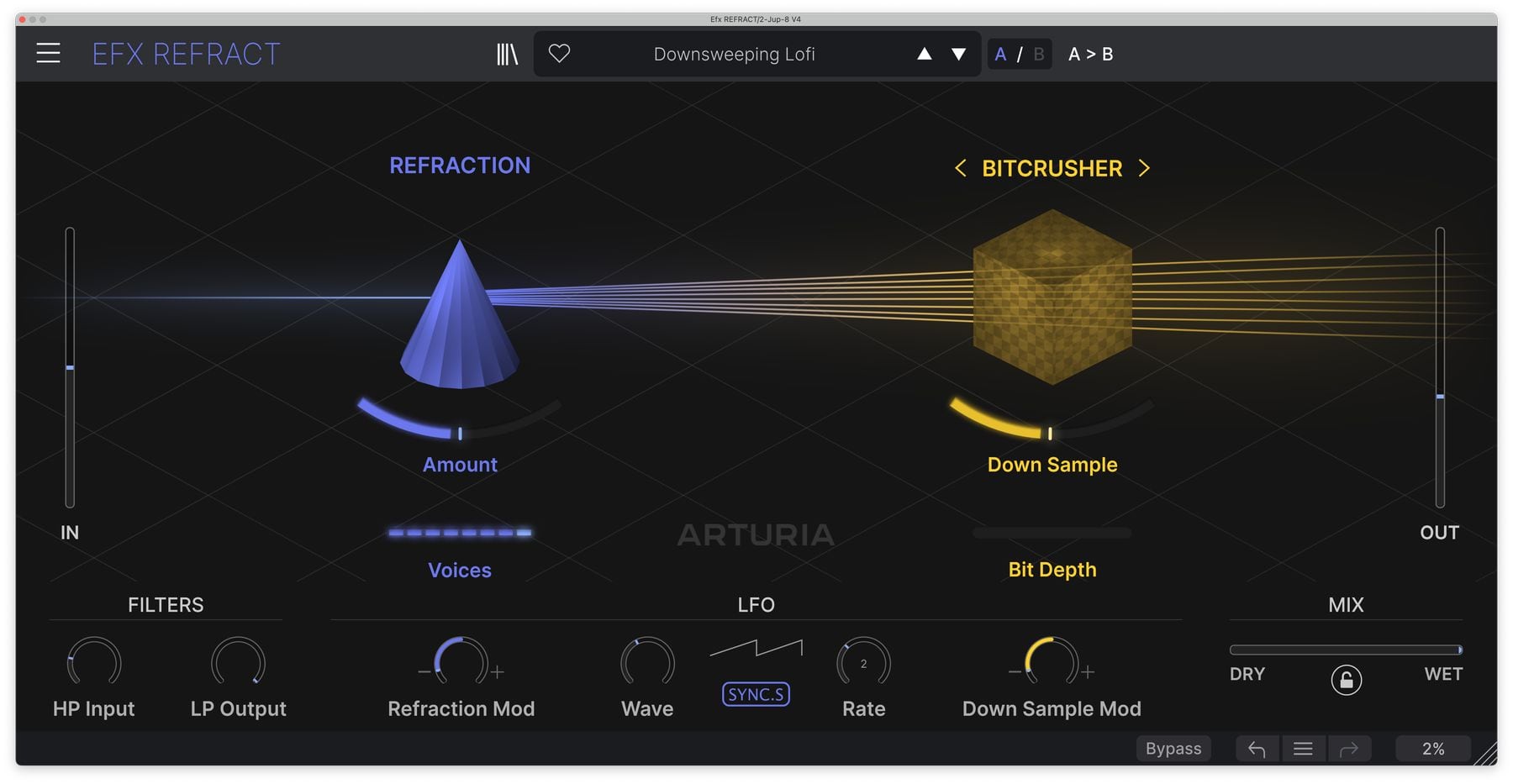
Use the Bitcrusher for resolution deforming effects. Adjust the voice number to explore the tonal variations of a downsampled signal - with added voices progressively increasing tonality.

For waveform warp, use the Distortion mode to add drive and gravel to your sound. Explore the refraction levels and notice how the sense of activity and chaos changes.

For surreal shimmers and atonal showers, the Harmonizer adds unique pitch and spray to the dispersed voices. Go from alien detuning with just a few voices or a cacophony of sound with the voice number turned up.

Preset
library

需要一些快速的运动、变化或纹理吗? Efx MOTIONS的预设库包含从混音增强到运动中的纯混乱的所有内容 - 您只需点击一下即可。

Comb Drums

Granular Tape

Buzzin Top

Like A Phaser

Bandpass Breakdown

Bandpass on

Artist
Corner

Blu2th

Producer

"Instant movement in a pleasant and synced way. I was immediately inspired. New go to for sure."

Included in
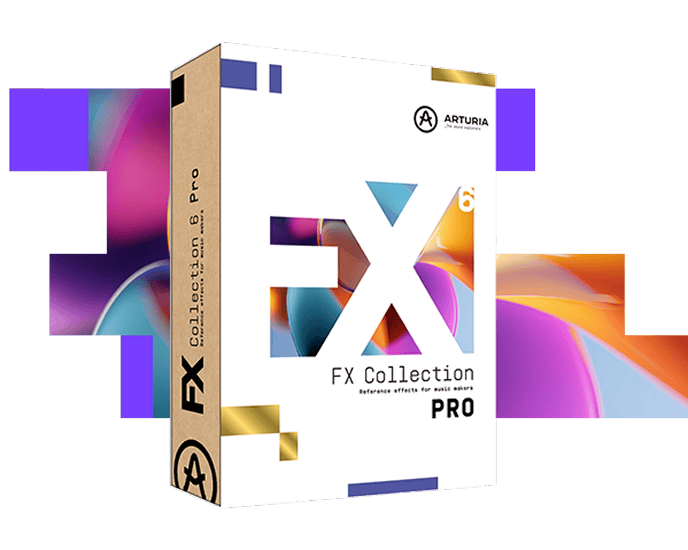
FX Collection PRO

Reference effects for music makers

This effect is part of FX Collection Pro, a complete production toolkit comprising 39 meticulously crafted effects spanning classic studio emulations and bold, modern processors. From shaping your sounds to sculpting mixes and finishing tracks - discover everything you need to bring your music to life.
The features
you need
DAW 适用

Whatever your workflow - mixing, sound design, or production, all plugins integrates smoothly into your setup, support major DAWs, running on Windows and macOS in the formats producers rely on every day.

ASC

Arturia软件中心允许你在一个地方下载、组织和更新所有的Arturia软件,并在多个设备上管理所有的许可证。保持简单的工作流。

可调整大小的GUI

Scale every interface to fit your session. Go full visual immersion when you want detail, or shrink the UI to save screen real estate and keep your project in focus.

Real-time control

Every parameter in every FX Collection plugin can be mapped to your favorite MIDI controller for instant, hands-on control of your mix. Sweep a filter, crank a preamp, or warp your modulation on the fly.

应用内教程

Every plugin in FX Collection comes with built-in tutorials, guiding you step-by-step through the crucial parameters, adjustments, and mixing hacks to get the most out of your sound. The tutorial panel also explains the controls you’re using in real-time - so you’ll never miss a tweak.

プリセットブラウザ

FX Collection’s streamlined preset browser lets you filter, organize, and save your favorite presets for instant recall. Search by instrument type, genre, production technique, and much more - so you can quickly find the tweak you need and save valuable creative time!

Gallery

bandpass
bitcrusher
comb
disto
harmonizer
efx-refract-magnetic-mag-best-granular-plugin-2023

Main Features

Super Unison refraction engine with up to 8 stereo voices

Dynamic and responsive user interface with real-time 3D graphics

5 Mode FX to choose from, each with specific controls, for a wide range of creative results

  • Bandpass

  • Comb Filter

  • Bitcrusher

  • Distortion

  • Harmonizer

4 Distortion Algorithms

12 Harmonizer Chords

Simple control scheme that represents complex multi-parameter mapping and unique dispersion effect

Input and output filters

Pre-configured LFO with synced rates

47 built-in presets

A/B Comparison

All manufacturer and product names mentioned on this page are trademarks of their respective owners, which are in no way associated or affiliated with Arturia. The trademarks of other manufacturers are used solely to identify the products of those manufacturers whose features and sound were studied during the development. All names of equipment, inventors, and manufacturers have been included for illustrative and educational purposes only, and do not suggest any affiliation or endorsement by any equipment inventor or manufacturer.