
ARTURIA

zh

产品

声音商城社区支援

Using the MIDI Control Center

The MIDI Control Center lets you update your controllers to the latest firmware, ensuring seamless integration with your software range. It also allows you to customize controls and adjust MIDI settings.
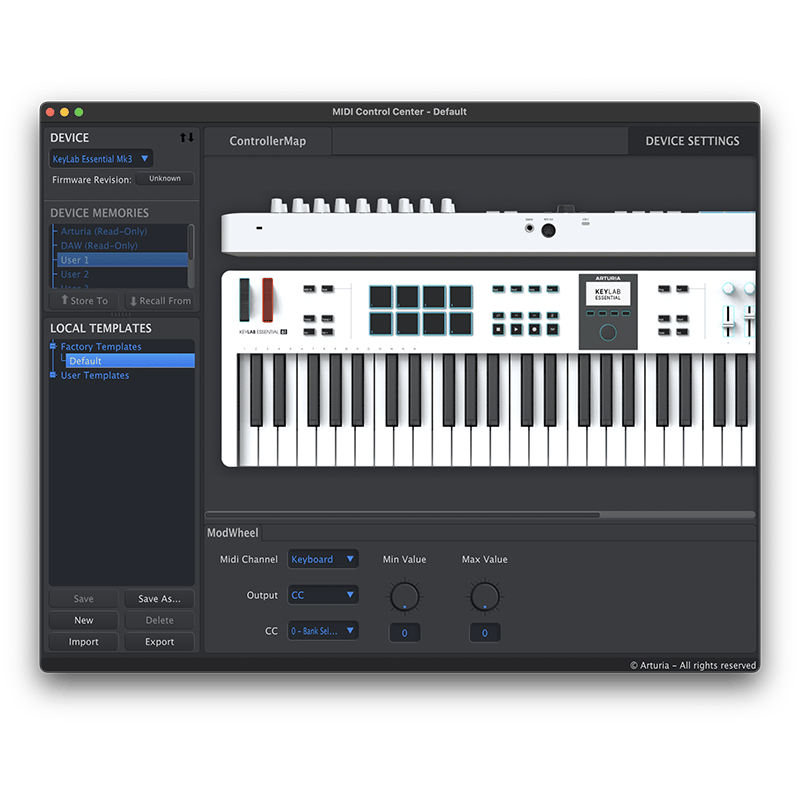
The MIDI Control Center

The MIDI Control Center (MCC) has been specially designed to manage different aspects of your controller, such as device settings, firmware updates, device memories, local templates and the MIDI console.

Arturia’s controllers come with a range of features to support your workflow and creative expression. This involves both compatibility features for reliable integration with all your software, as well as providing unique customisation options so you can have full control of your controller’s parameter mapping.

That’s where the MIDI Control Center comes in, by helping you keep everything up-to-date and letting you take full command of the configuration of your hardware with a range of utilities.

Create custom templates

You can use the MIDI Control Center to create custom templates (User Maps), where you can configure the Type and Value of the MIDI message sent by each control.

Update to the latest firmware

The MIDI Control Center allows you to update to the latest firmware. This ensures seamless software integration across the board, alongside other improvements.

Access your device settings

The Device Settings panel provides an overview of the settings of your product. You can also use the MIDI Console to display the MIDI messages sent from your controller to your computer.

有疑问?

无论您有何需求,我们都能提供帮助。请在此处查看 ASC 和乐器安装的完整常见问题(FAQ)。