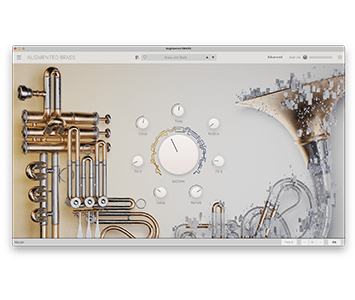
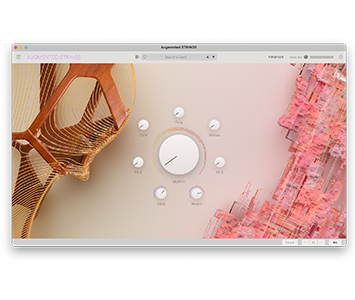
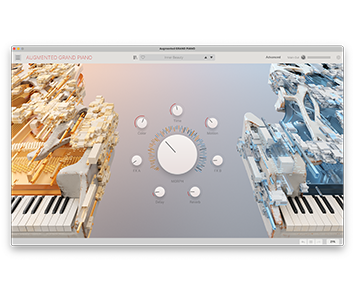
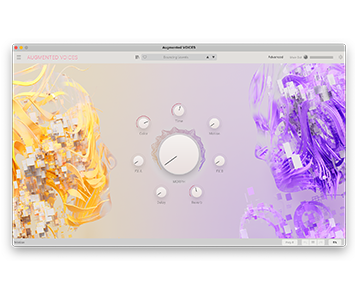
_Augmented BRASS

Acoustic instruments reinvented

Augmented BRASS delivers a rich variety of expressive, unique, and powerful brass sounds for modern production and composition, uniting beautifully recorded samples, bold synth engines, and seamless morphing between them.

pigments7-offer-dk-en

_Main features

Virtual Instruments playable in a DAW (Live, FL Studio, Logic,...) or standalone with a MIDI keyboard.

Dynamic hybrid brass instrument

2 Layers within each preset; each layer contains 2 customizable sound sources

Detailed brass sample library with expressive and contemporary articulations

  • Chamber recordings
  • Orchestral recordings
  • Processed recordings (tape, outboard, distortion, and more)
  • Additional brass-style samples (synths, drones, textures, and more)

Flexible synth engines

  • Virtual analog with our award winning TAE® technology
  • Granular engine producing Warp, glitch and stretch sounds
  • Harmonic engine based on additive synthesis
  • Wavetable engine with look up table for more abrasive digital sounds
  • Simpler (impacts, noise, and more)

Morph control moves between Layers A and B, and/or affecting up to 8 custom destinations

7 additional macros: Time, Color, Motion, FX A, FX B, Reverb, Delay

2 LFOs, 2 Function Generators, 2 Random Generators, 4 Keyboard modulation sources, dedicated Vibrato & Tremolo

2 FX slots per layer with 14 FX including ParamEQ, Bitcrusher, BL-20 Flanger, and more

Dedicated Delay and Reverb sends with 5 spatial/time-based algorithms

Built-in 16-step arpeggiator

Keyboard Offset feature

Over 300 factory presets included

_Platform specifications and compatibility

  • Win 10+ (64bit)
  • 4 GB RAM
  • 4 cores CPU, 3.4 GHz (4.0 GHz Turbo-boost)
  • 3GB free hard disk space
  • OpenGL 2.0 compatible GPU
  • ARM processors not supported on Windows

Required configuration

Works in Standalone, VST, AAX, Audio Unit, NKS (64-bit DAWs only).

Works in Standalone, VST, AAX, Audio Unit, NKS (64-bit DAWs only).

Work with Arturia Software Center

An elegant and simple solution to help you install, activate, and update your Arturia software instruments.

All manufacturer and product names mentioned on this page are trademarks of their respective owners, which are in no way associated or affiliated with Arturia. The trademarks of other manufacturers are used solely to identify the products of those manufacturers whose features and sound were studied during the development. All names of equipment, inventors, and manufacturers have been included for illustrative and educational purposes only, and do not suggest any affiliation or endorsement by any equipment inventor or manufacturer.

_Resources and documentation

Access helpful documentation, updates, and extras to enhance your product experience.

_Frequently Asked Questions

What payment methods are available?

How does the quick purchase option work?

What is the Express Checkout?

How can I order VAT free (Tax-exempt)?

Secured paymentSecured payment
UPS deliveryUPS delivery
Apple Pay
Google Pay
PayPal
Alipay