Rotary CLS-222

Movimiento estéreo giratorio

Rotary CLS-222 reinventa el emulador clásico de altavoz giratorio Dynacord® en forma de plug-in creativo que va de remolinos estéreo sedosos hasta patrones giratorios sincronizado: mejora tu sonido con mayor amplitud, inercia y personalidad analógica en cuestión de segundos.
Send your
sound spinning

Bring your sound full circle with the instantly recognizable sound of the rotary effect; discover the iconic spinning character heard on countless records, or explore the wilder side of stereo movement with bonus creative features. What goes around…

Definitive rotary emulation

The sought-after analog box that delivered the full-tilt Leslie sound without the need for a spinning box - brought to life in all its stereo analog detail, right in your DAW.

Classic to chaotic

Capture that classic rotation for ultra-smooth stereo sheen, or opt for dizzying compound mayhem & synchronized modulation to explore your stereo field in a whole new way.

Spin any sound in stereo

The rotary effect pairs perfectly with keys and guitars, but Rotary CLS-222 is built to experiment with any sound for everything from psychedelic beats to dense ambient soundscapes.

Creative upgrades

Push Rotary CLS-222 into creative territory beyond its hardware predecessor with thoughtful upgrades like a valve preamp, separate bass & treble speeds, an interactive visualizer, and more.

Un vistazo
de cerca

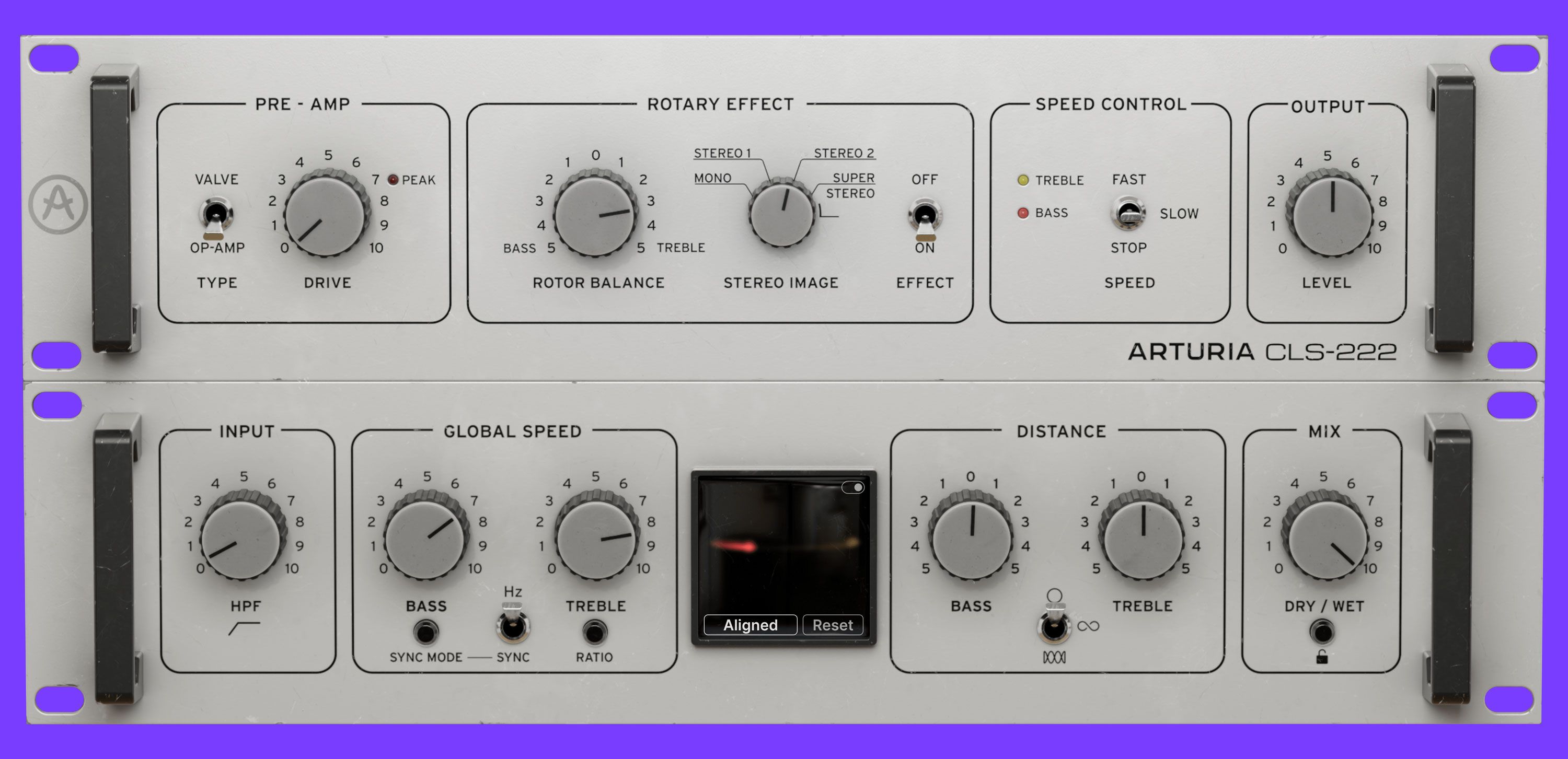
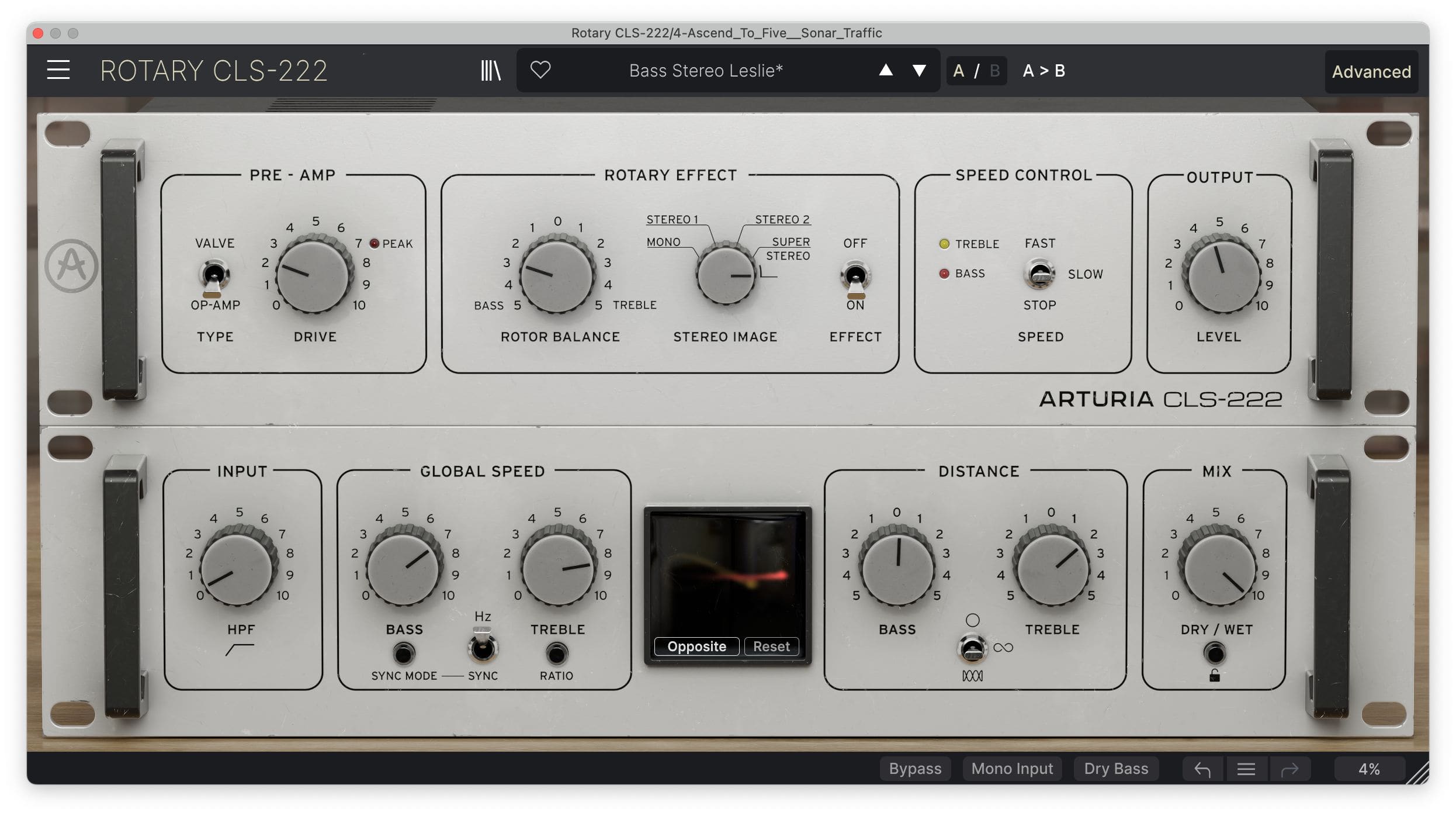
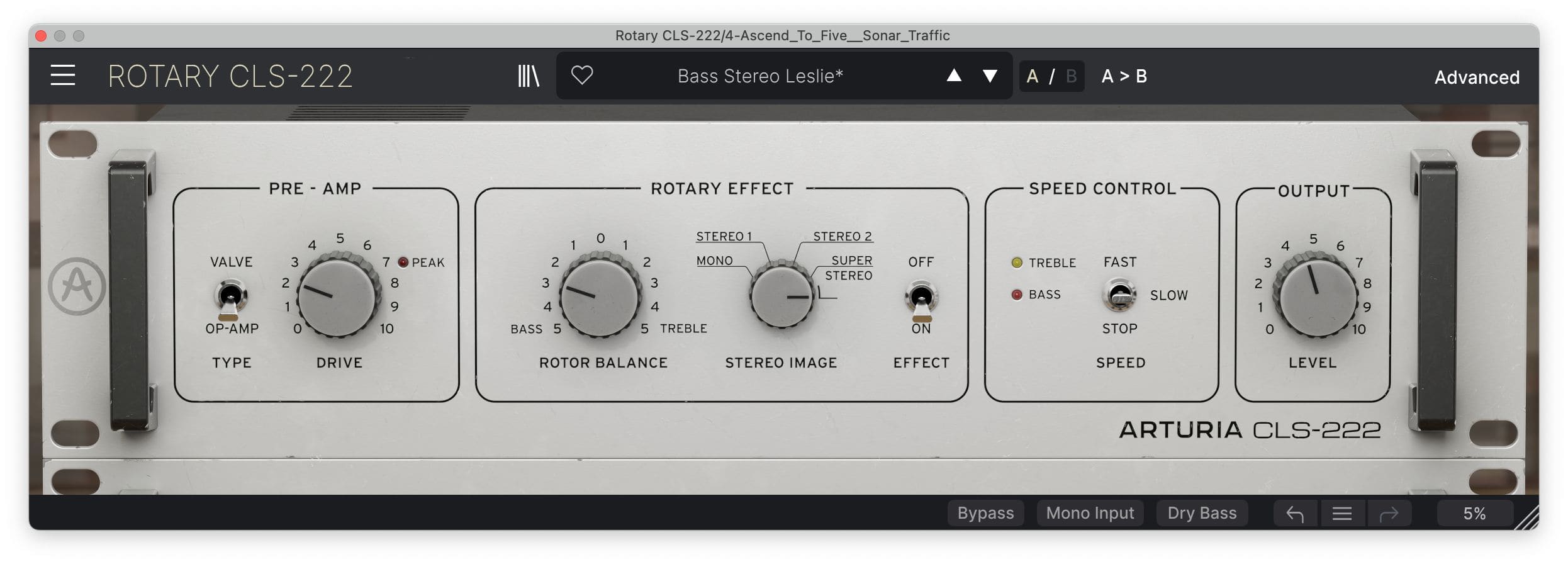
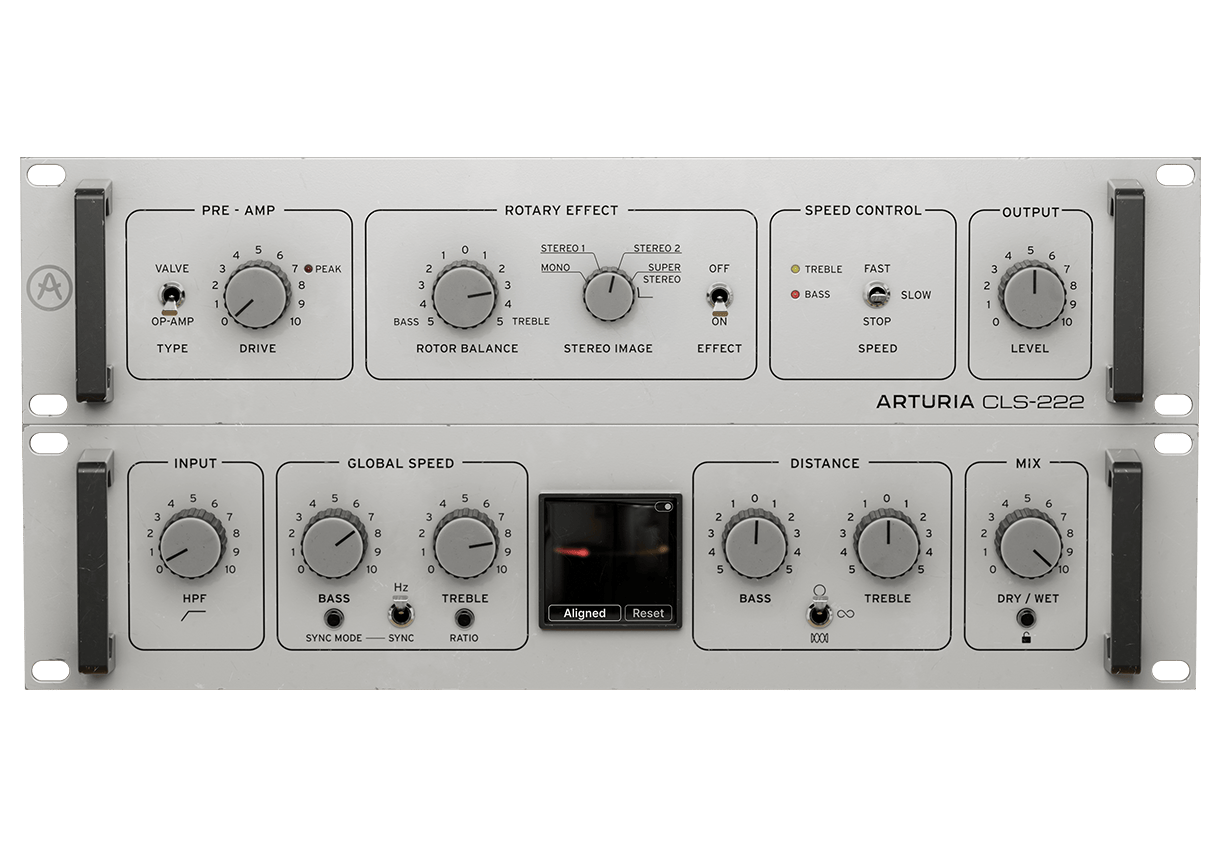
Discover Rotary CLS-222's main controls for rapid stereo results, or head to the Advanced panel to get adventurous with deeper creative control.

Overview

Panel avanzado

1

Pre-amps

Push the authentically-modeled Op-amp circuit for aggressive crunch, or opt for something gradually warmer with the additional Valve option.

2

Rotor Balance

Adjust the balance between the Bass and Treble rotors to sculpt your modulated sound into the right shape for your mix.

3

Stereo Image

Continuously adjust the width of Rotary CLS-222’s sound, from simple mono through to 120% ‘Super Stereo’.

4

Speed Control

Rev it up to Fast mode, which is 10x the Hz rate or 8x the synched rate; wind it down to ‘Slow’ for smooth, classic keys sounds; or freeze Rotary CLS-222‘s motion in ‘Stop‘ mode

5

Salida

Set the output level of Rotary CLS-222’s wet signal for extra control over your mix balance.

6

Input filter

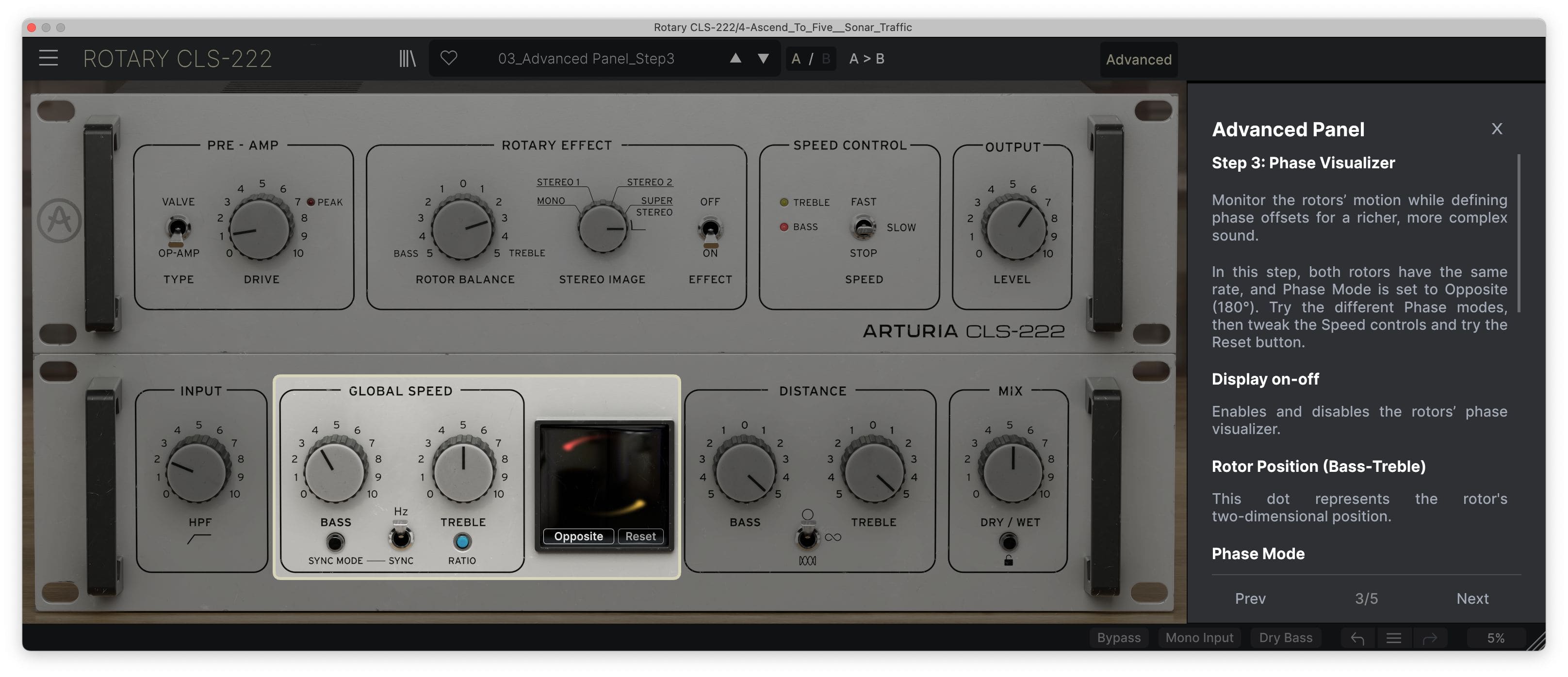
A simple high-pass filter; carve out as much or as little low end as you want before your sound enters the circuitry.

7

Global Speed controls

Separately control the emulated rotors for Bass and Treble frequencies, choose between Hz and Sync modes, and even set the Treble rotor to spin at a ratio rate linked to the Bass rotor for unique compound modulation.

8

Visualizador

See your modulated signal’s behavior in real-time, plus choose from 4 phasing options to customize the interplay between the two emulated rotors.

9

Distance controls

Tweak the size and shape of the emulated rotation to go from subtle circular swirls to dramatic Comb motion.

10

Mezcla de efecto

Blend your dry signal with Rotary CLS-222’s modulated output.

Overview

Panel avanzado

1

Pre-amps

Push the authentically-modeled Op-amp circuit for aggressive crunch, or opt for something gradually warmer with the additional Valve option.

2

Rotor Balance

Adjust the balance between the Bass and Treble rotors to sculpt your modulated sound into the right shape for your mix.

3

Stereo Image

Continuously adjust the width of Rotary CLS-222’s sound, from simple mono through to 120% ‘Super Stereo’.

4

Speed Control

Rev it up to Fast mode, which is 10x the Hz rate or 8x the synched rate; wind it down to ‘Slow’ for smooth, classic keys sounds; or freeze Rotary CLS-222‘s motion in ‘Stop‘ mode

5

Salida

Set the output level of Rotary CLS-222’s wet signal for extra control over your mix balance.

6

Input filter

A simple high-pass filter; carve out as much or as little low end as you want before your sound enters the circuitry.

7

Global Speed controls

Separately control the emulated rotors for Bass and Treble frequencies, choose between Hz and Sync modes, and even set the Treble rotor to spin at a ratio rate linked to the Bass rotor for unique compound modulation.

8

Visualizador

See your modulated signal’s behavior in real-time, plus choose from 4 phasing options to customize the interplay between the two emulated rotors.

9

Distance controls

Tweak the size and shape of the emulated rotation to go from subtle circular swirls to dramatic Comb motion.

10

Mezcla de efecto

Blend your dry signal with Rotary CLS-222’s modulated output.

Overview

Panel avanzado

1

Pre-amps

Push the authentically-modeled Op-amp circuit for aggressive crunch, or opt for something gradually warmer with the additional Valve option.

2

Rotor Balance

Adjust the balance between the Bass and Treble rotors to sculpt your modulated sound into the right shape for your mix.

3

Stereo Image

Continuously adjust the width of Rotary CLS-222’s sound, from simple mono through to 120% ‘Super Stereo’.

4

Speed Control

Rev it up to Fast mode, which is 10x the Hz rate or 8x the synched rate; wind it down to ‘Slow’ for smooth, classic keys sounds; or freeze Rotary CLS-222‘s motion in ‘Stop‘ mode

5

Salida

Set the output level of Rotary CLS-222’s wet signal for extra control over your mix balance.

6

Input filter

A simple high-pass filter; carve out as much or as little low end as you want before your sound enters the circuitry.

7

Global Speed controls

Separately control the emulated rotors for Bass and Treble frequencies, choose between Hz and Sync modes, and even set the Treble rotor to spin at a ratio rate linked to the Bass rotor for unique compound modulation.

8

Visualizador

See your modulated signal’s behavior in real-time, plus choose from 4 phasing options to customize the interplay between the two emulated rotors.

9

Distance controls

Tweak the size and shape of the emulated rotation to go from subtle circular swirls to dramatic Comb motion.

10

Mezcla de efecto

Blend your dry signal with Rotary CLS-222’s modulated output.

1

2

3

4

5

6

7

8

9

10

Sound
in orbit

The classic sound of an organ revving up or a guitar solo spinning around your head - propelled into the 21st Century and beyond.

The stop-start rotary sound is one of the most unique and recognizable forms of modulation - and now it’s yours to explore. Hear it in action below and get a taste of what it can do for your projects. Essential & authentic rotary configurations; contemporary & abstract settings to get your sound moving; Rotary CLS-222 comes loaded with a preset library full of mix-ready sounds to suit your style of production.

Drums

Drums affected with the Slow Wide Leslie effect.

Guitar

Picked guitar affected with the Fast Stereo Leslie effect.

Jazz Organ Fast

A jazz organ harmony with the Classic Fast Leslie effect.

Jazz Organ Slow

A jazz organ harmony with the Classic Slow Leslie effect.

Rock Organ

A minor ascending organ with the steady "Rock Rotary" preset applied.

Voice

A vocal line with the Classic Slow Leslie effect.

Artist
Corner
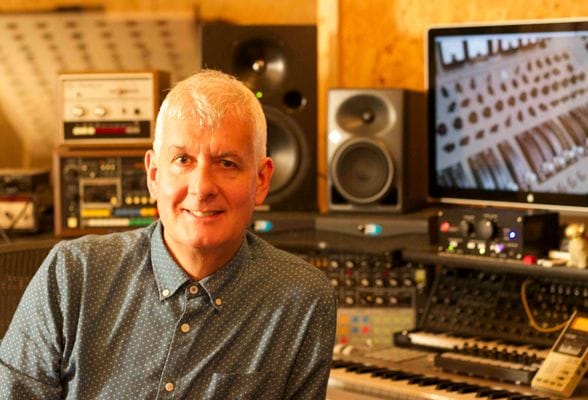
Steve Levine

Producer / Engineer (Culture Club / Beach Boys)

"It's the “character” of the Rotary CLS-222 that is really cool. It's really wonderful at widening the stereo image very subtle way. The setting that spins the rotors in opposite directions is truly mind blowing. This is not just another Leslie effect but a creative tool for the creative producers."
Vive la
révolution

Most creative effects that we use today started life as physical manipulations of recording equipment.

Delay was sound recorded to tape and played back at varied intervals; flanger was two reels playing the same recording, with one reel being subtly pressed to slow it down; the rotary effect consisted of motorized speaker drivers, spun on an axis and recorded with static microphones.

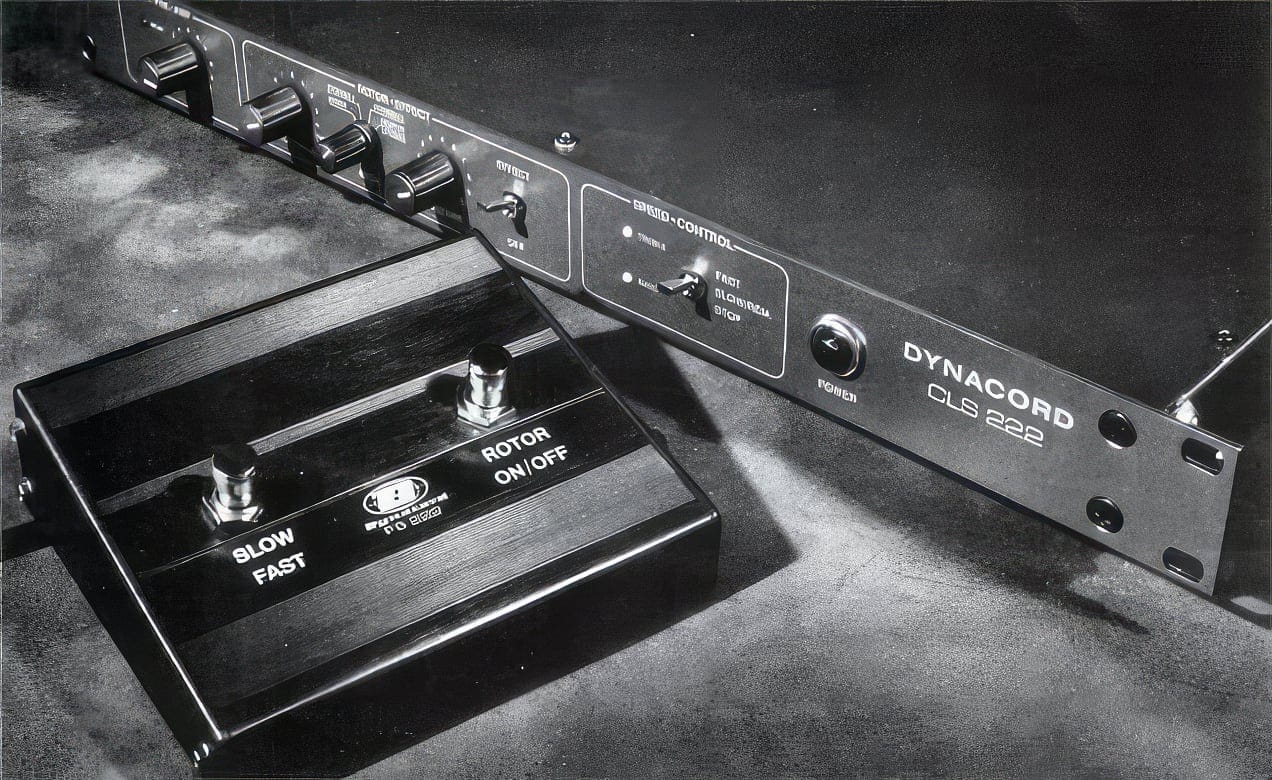
Inevitably, these heavy, unpredictable mechanisms moved aside for more practical solutions. In the case of the Leslie rotary speaker effect, that practical solution was the Dynacord® CLS-222.

The German-designed CLS-222 was an analog rotary simulator, known for its authentic sound, brilliant stereo spread, and simple controls. It became a staple in studios and on stages, famously used by the likes of David Gilmour, Eric Clapton, The Prodigy, and beyond.

Rotary CLS-222 spins this relic up-to-speed for modern production, perfect for both adding that vintage touch to your mixes and getting experimental in glorious stereo - how it’s used is up to you.

Included in
FX collection

Effects you'll actually use

This effect is part of FX Collection, a suite of essential audio effect plugins empowering musicians, producers, and artists to get creative with their production. From iconic recording gear modeled with breathtaking accuracy, to cutting-edge contemporary effects, the collection includes the most fought-after studio tools, rare guitar pedals, modern mix enhancers, and beyond. Elevate your production and add color to your mix like never before.

Las funciones
que necesitas

Listos para tu DAW

Da igual de qué forma uses estos plugins: por el tono fantástico de su reverb, por los previos llenos de textura o por sus capacidades increíbles para diseño de sonido. Tendrás la tranquilidad de saber que son totalmente compatibles con tu equipo actual. Estos plugins funcionan con los principales DAW, tanto en Windows como en MacOS.

ASC

Arturia Software Center te permite descargar, organizar y actualizar todo tu software de Arturia en un sólo lugar, además de gestionar tus licencias en varios dispositivos. Así de sencillo.

Interfaz gráfica redimensionable

Tanto si quieres la inmersión visual completa de nuestras emulaciones de efectos clásicos como si prefieres ocupar el menor espacio posible en pantalla, las interfaces de todos tus plugins de Arturia se pueden redimensionar al tamaño que mejor te vaya.

Control en tiempo real

Todos los parámetros de cualquier plugin de la FX Collection se pueden asignar a tu controlador MIDI favorito para tener un control instantáneo y directo de tu mezcla. Haz un barrido de filtro, dale caña a un previo o transforma la modulación al momento.

Tutoriales integrados en la app

Todos los plugins de la FX Collection incluyen tutoriales integrados que te guían paso a paso por los parámetros y opciones fundamentales, y te enseñan truquitos de mezcla para sacar el máximo partido de tu sonido. El panel de tutoriales también te explica los controles que estás utilizando en tiempo real para que no se te escape ni un ajuste.

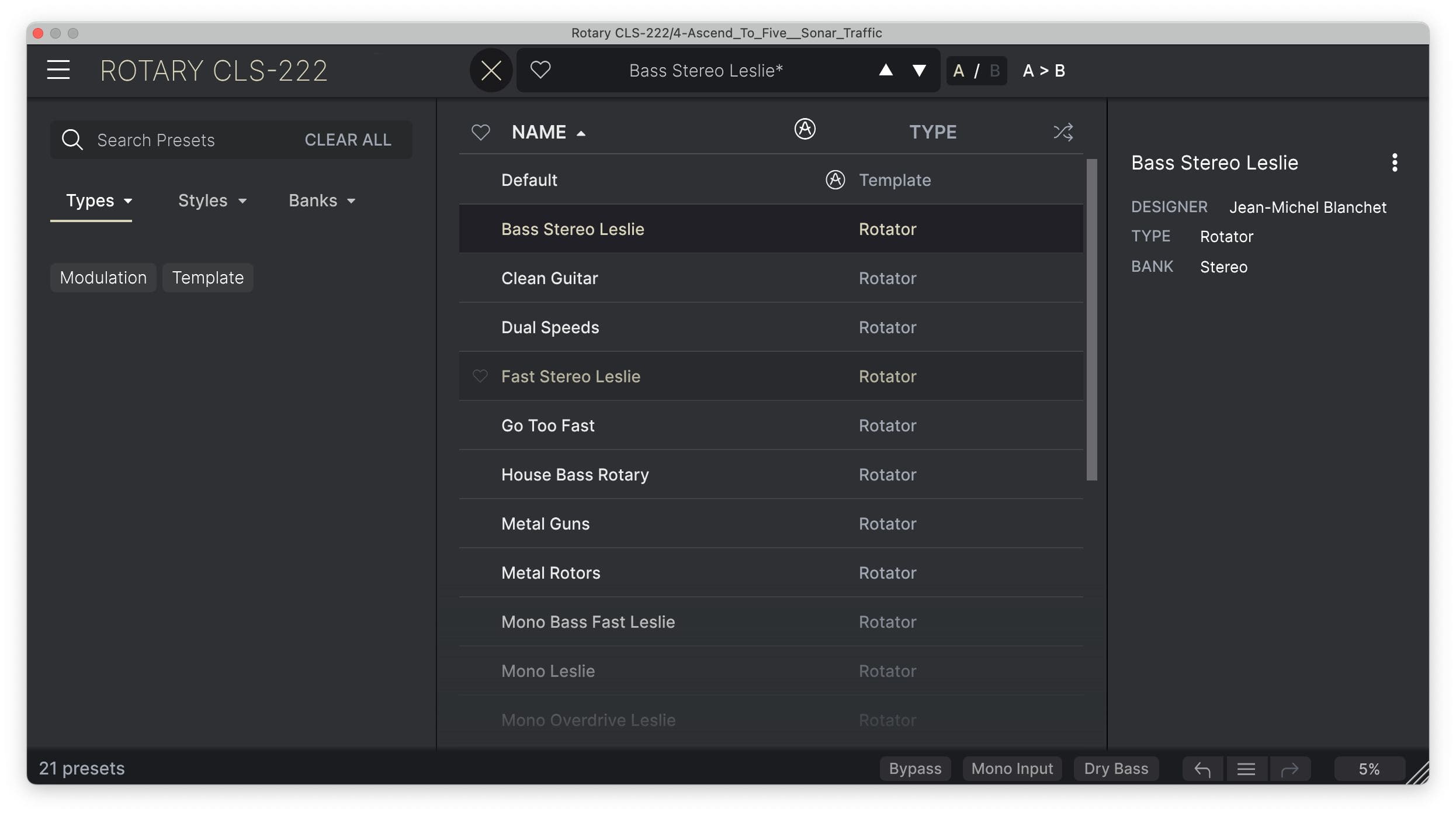
Explorador de presets

El explorador simplificado de presets de la FX Collection te permite filtrar, organizar y guardar tus presets favoritos para recuperarlos al instante. Busca por tipo de instrumento, género musical, técnica de producción y mucho más: podrás encontrar rápidamente el ajuste que necesitas y ahorrar un valioso tiempo que está mejor empleado en la parte creativa.

Basado en TAE®

La tecnología exclusiva de modelado analógico que hace que nuestras emulaciones sean indistinguibles de los originales.

Limitando con precisión las características de los osciladores analógicos, los filtros y el recorte suave, podemos conseguir un asombroso detalle a nivel de componentes y el auténtico sabor analógico a partes iguales.
Gallery

main
advanced
library
tuto

Main Features

Classic studio rotary effect emulation

Modeled Op-amp pre-amp circuit

Additional valve pre-amp circuit

Continuous stereo width control, from mono to 120% stereo

Fast, Slow, and Stop modes with ramping in between

Advanced panel with additional features

  • Input high-pass filter

  • Separate speeds for Bass and Treble, Hz or sync

  • Optional treble-to-bass ratio setting

  • Visualizer with 4 phasing options

  • Multi-shape distance controls for Bass and Treble

  • Dry/wet

Optional summed mono input and ‘Dry Bass’ setting

Built-in preset library

A/B comparison

NKS-ready

Platform Specifications

Windows

  • Win 10+ (64bit)

  • 4 GB RAM

  • 4 cores CPU, 3.4 GHz (4.0 GHz Turbo-boost)

  • 1 GB free hard disk space

  • OpenGL 2.0 compatible GPU

  • ARM processors not supported on Windows

Required configuration

  • Works in Standalone, VST, AAX, Audio Unit, NKS (64-bit DAWs only).

Apple

  • Mac OS 11+

  • 4 GB RAM

  • 4 cores CPU, 3.4 GHz (4.0 GHz Turbo-boost) or M1 CPU

  • 1 GB free hard disk space

  • OpenGL 2.0 compatible GPU

Work with ASC

  • An elegant and simple solution to help you install, activate, and update your Arturia software instruments.