Rotary CLS-222

回転するステレオモーション

Rotary CLS-222は、Dynacord®ロータリースピーカーエミュレーターを再構築したクリエイティブなプラグインで、シルキーでスムーズなステレオの回転感から、同期するパターン的なスピンまで、サウンドにさらなる広がりと動き、アナログのキャラクターをわずか数秒で実現できます。
Send your
sound spinning

Bring your sound full circle with the instantly recognizable sound of the rotary effect; discover the iconic spinning character heard on countless records, or explore the wilder side of stereo movement with bonus creative features. What goes around…

Definitive rotary emulation

The sought-after analog box that delivered the full-tilt Leslie sound without the need for a spinning box - brought to life in all its stereo analog detail, right in your DAW.

Classic to chaotic

Capture that classic rotation for ultra-smooth stereo sheen, or opt for dizzying compound mayhem & synchronized modulation to explore your stereo field in a whole new way.

Spin any sound in stereo

The rotary effect pairs perfectly with keys and guitars, but Rotary CLS-222 is built to experiment with any sound for everything from psychedelic beats to dense ambient soundscapes.

Creative upgrades

Push Rotary CLS-222 into creative territory beyond its hardware predecessor with thoughtful upgrades like a valve preamp, separate bass & treble speeds, an interactive visualizer, and more.

各部を
より詳しく

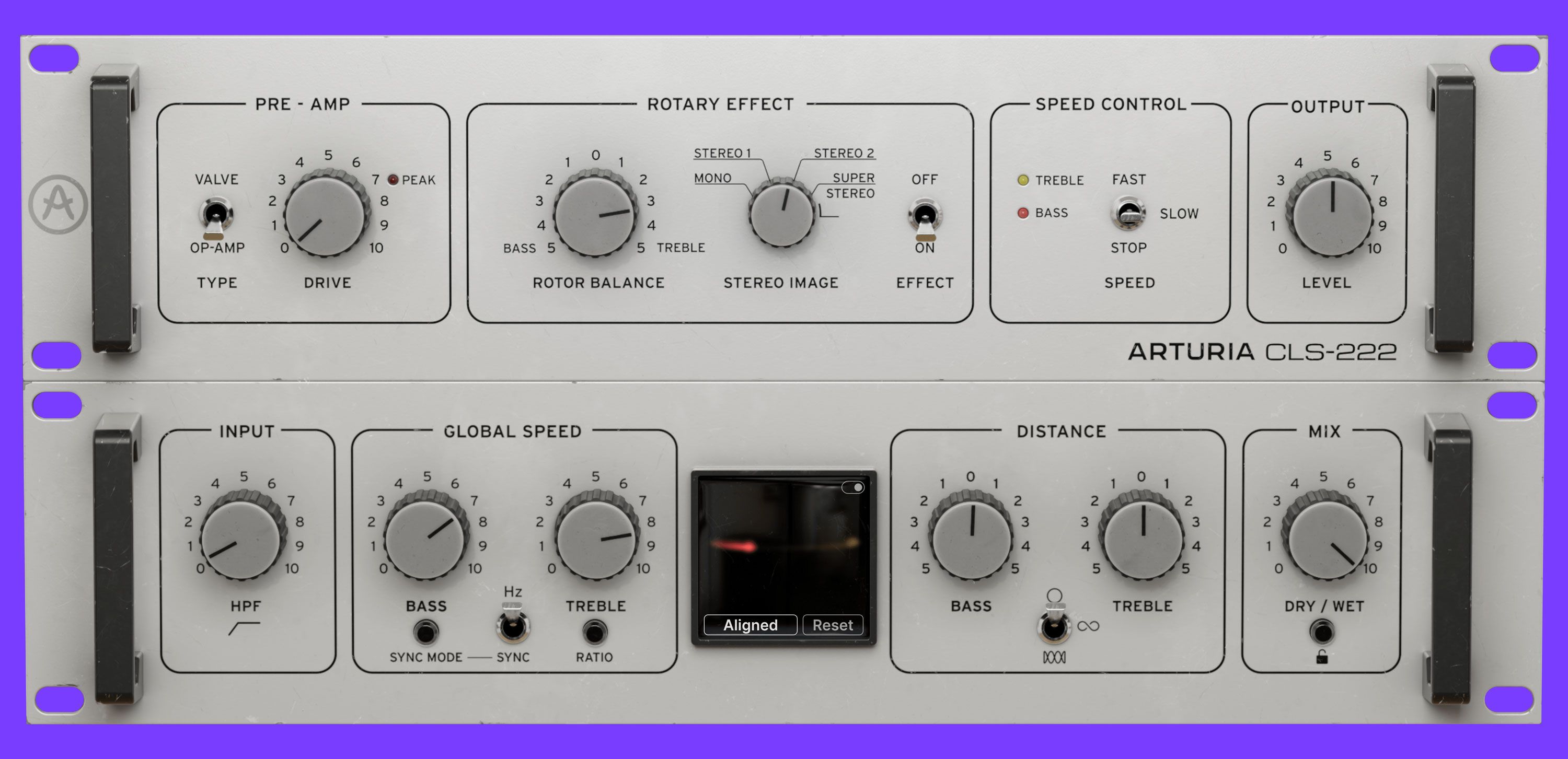
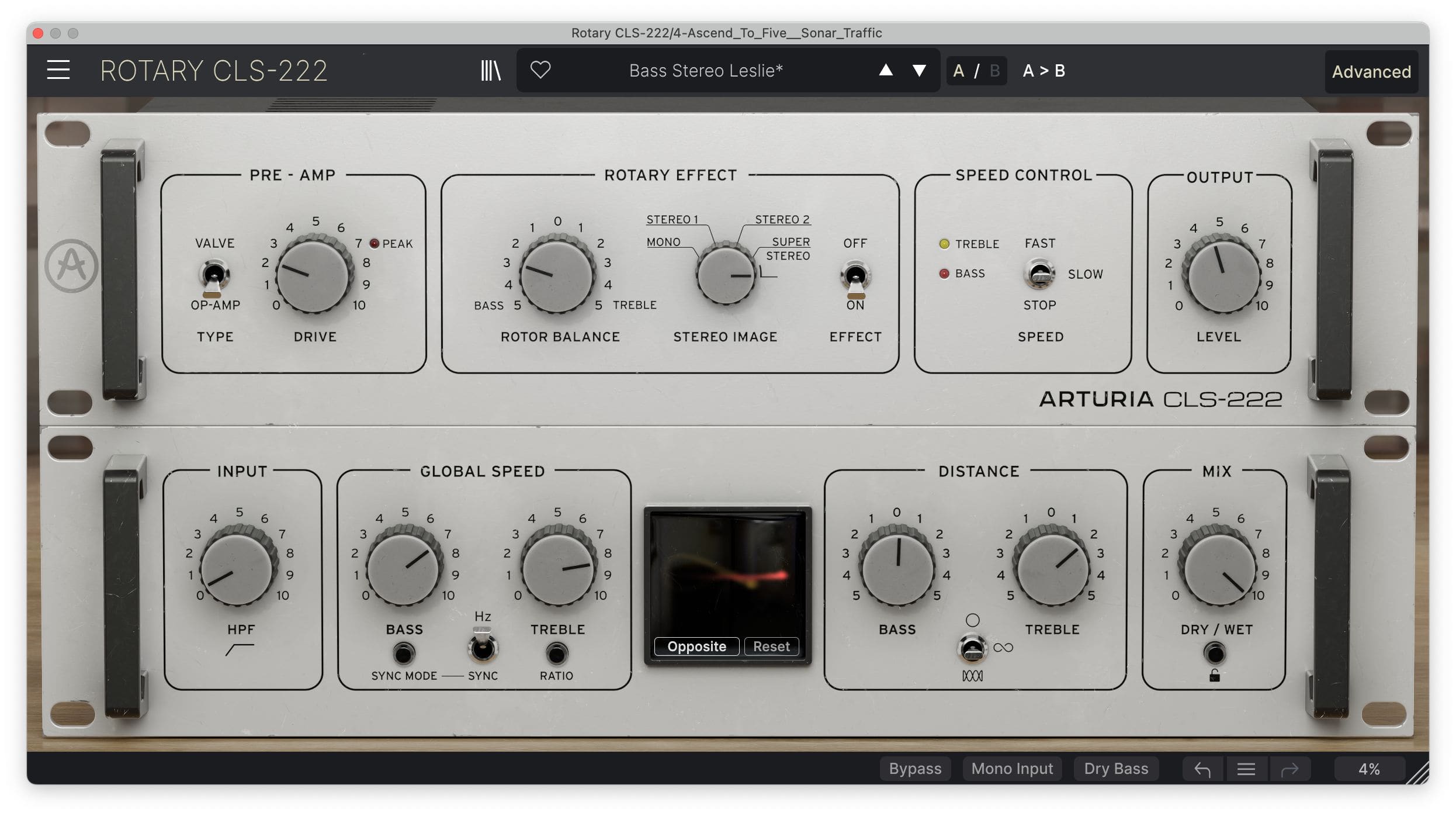
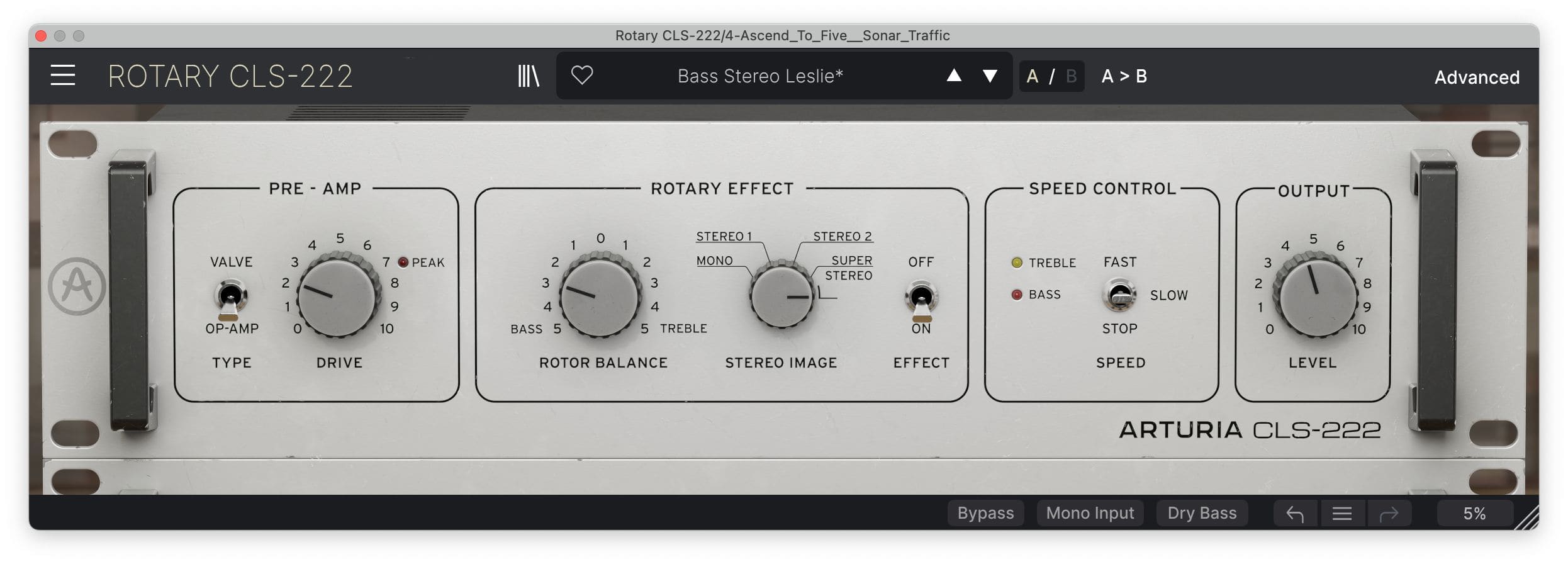
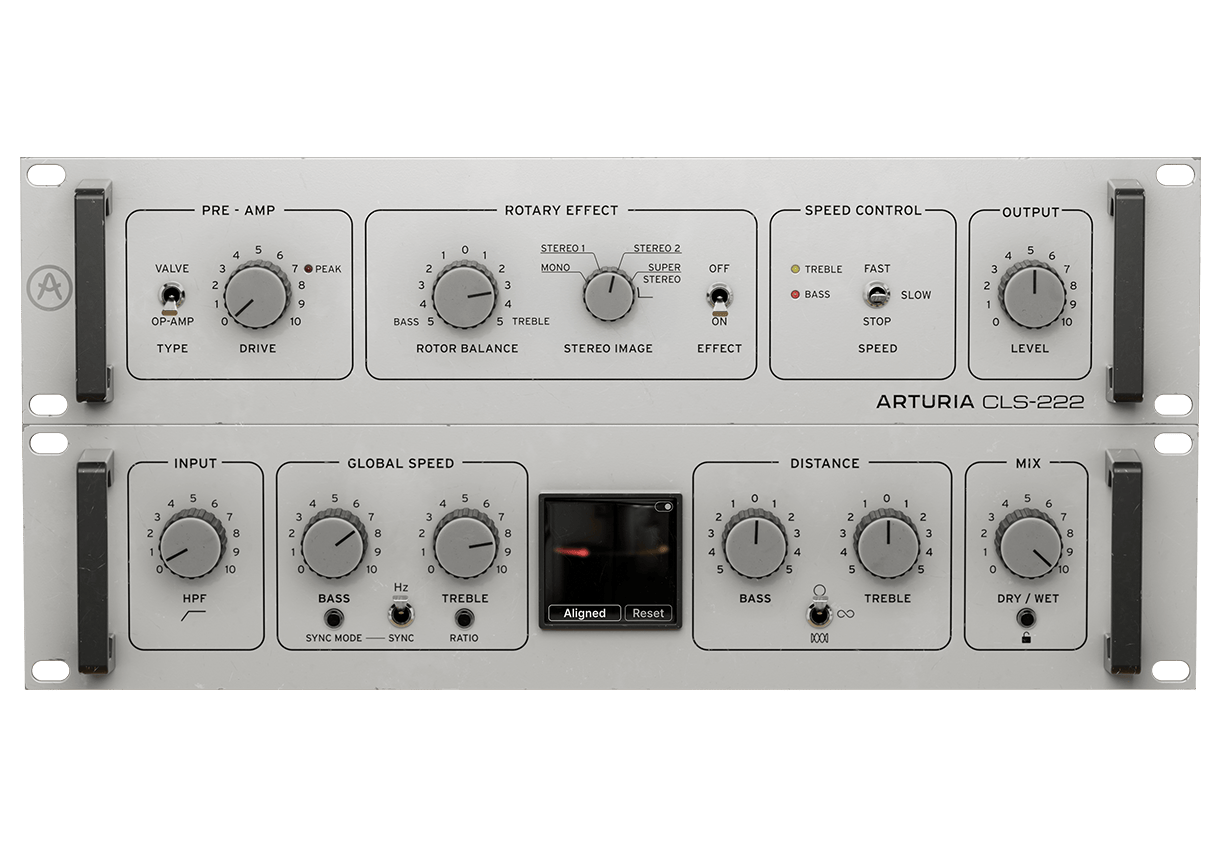
Discover Rotary CLS-222's main controls for rapid stereo results, or head to the Advanced panel to get adventurous with deeper creative control.

Overview

アドバンスト・パネル

1

Pre-amps

Push the authentically-modeled Op-amp circuit for aggressive crunch, or opt for something gradually warmer with the additional Valve option.

2

Rotor Balance

Adjust the balance between the Bass and Treble rotors to sculpt your modulated sound into the right shape for your mix.

3

Stereo Image

Continuously adjust the width of Rotary CLS-222’s sound, from simple mono through to 120% ‘Super Stereo’.

4

Speed Control

Rev it up to Fast mode, which is 10x the Hz rate or 8x the synched rate; wind it down to ‘Slow’ for smooth, classic keys sounds; or freeze Rotary CLS-222‘s motion in ‘Stop‘ mode

5

アウトプット

Set the output level of Rotary CLS-222’s wet signal for extra control over your mix balance.

6

Input filter

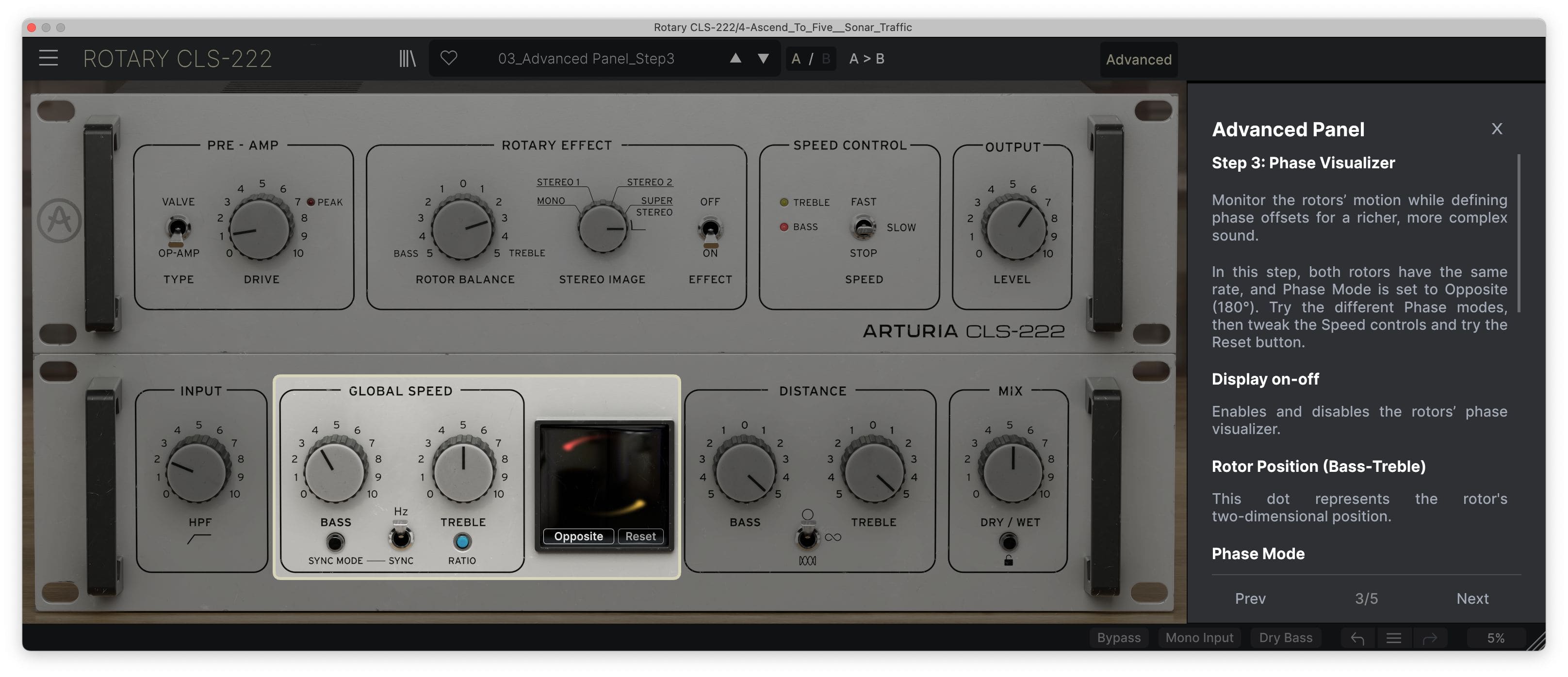
A simple high-pass filter; carve out as much or as little low end as you want before your sound enters the circuitry.

7

Global Speed controls

Separately control the emulated rotors for Bass and Treble frequencies, choose between Hz and Sync modes, and even set the Treble rotor to spin at a ratio rate linked to the Bass rotor for unique compound modulation.

8

ビジュアライザー

See your modulated signal’s behavior in real-time, plus choose from 4 phasing options to customize the interplay between the two emulated rotors.

9

Distance controls

Tweak the size and shape of the emulated rotation to go from subtle circular swirls to dramatic Comb motion.

10

Dry/Wetノブ

Blend your dry signal with Rotary CLS-222’s modulated output.

Overview

アドバンスト・パネル

1

Pre-amps

Push the authentically-modeled Op-amp circuit for aggressive crunch, or opt for something gradually warmer with the additional Valve option.

2

Rotor Balance

Adjust the balance between the Bass and Treble rotors to sculpt your modulated sound into the right shape for your mix.

3

Stereo Image

Continuously adjust the width of Rotary CLS-222’s sound, from simple mono through to 120% ‘Super Stereo’.

4

Speed Control

Rev it up to Fast mode, which is 10x the Hz rate or 8x the synched rate; wind it down to ‘Slow’ for smooth, classic keys sounds; or freeze Rotary CLS-222‘s motion in ‘Stop‘ mode

5

アウトプット

Set the output level of Rotary CLS-222’s wet signal for extra control over your mix balance.

6

Input filter

A simple high-pass filter; carve out as much or as little low end as you want before your sound enters the circuitry.

7

Global Speed controls

Separately control the emulated rotors for Bass and Treble frequencies, choose between Hz and Sync modes, and even set the Treble rotor to spin at a ratio rate linked to the Bass rotor for unique compound modulation.

8

ビジュアライザー

See your modulated signal’s behavior in real-time, plus choose from 4 phasing options to customize the interplay between the two emulated rotors.

9

Distance controls

Tweak the size and shape of the emulated rotation to go from subtle circular swirls to dramatic Comb motion.

10

Dry/Wetノブ

Blend your dry signal with Rotary CLS-222’s modulated output.

Overview

アドバンスト・パネル

1

Pre-amps

Push the authentically-modeled Op-amp circuit for aggressive crunch, or opt for something gradually warmer with the additional Valve option.

2

Rotor Balance

Adjust the balance between the Bass and Treble rotors to sculpt your modulated sound into the right shape for your mix.

3

Stereo Image

Continuously adjust the width of Rotary CLS-222’s sound, from simple mono through to 120% ‘Super Stereo’.

4

Speed Control

Rev it up to Fast mode, which is 10x the Hz rate or 8x the synched rate; wind it down to ‘Slow’ for smooth, classic keys sounds; or freeze Rotary CLS-222‘s motion in ‘Stop‘ mode

5

アウトプット

Set the output level of Rotary CLS-222’s wet signal for extra control over your mix balance.

6

Input filter

A simple high-pass filter; carve out as much or as little low end as you want before your sound enters the circuitry.

7

Global Speed controls

Separately control the emulated rotors for Bass and Treble frequencies, choose between Hz and Sync modes, and even set the Treble rotor to spin at a ratio rate linked to the Bass rotor for unique compound modulation.

8

ビジュアライザー

See your modulated signal’s behavior in real-time, plus choose from 4 phasing options to customize the interplay between the two emulated rotors.

9

Distance controls

Tweak the size and shape of the emulated rotation to go from subtle circular swirls to dramatic Comb motion.

10

Dry/Wetノブ

Blend your dry signal with Rotary CLS-222’s modulated output.

1

2

3

4

5

6

7

8

9

10

Sound
in orbit

The classic sound of an organ revving up or a guitar solo spinning around your head - propelled into the 21st Century and beyond.

The stop-start rotary sound is one of the most unique and recognizable forms of modulation - and now it’s yours to explore. Hear it in action below and get a taste of what it can do for your projects. Essential & authentic rotary configurations; contemporary & abstract settings to get your sound moving; Rotary CLS-222 comes loaded with a preset library full of mix-ready sounds to suit your style of production.

Drums

Drums affected with the Slow Wide Leslie effect.

Guitar

Picked guitar affected with the Fast Stereo Leslie effect.

Jazz Organ Fast

A jazz organ harmony with the Classic Fast Leslie effect.

Jazz Organ Slow

A jazz organ harmony with the Classic Slow Leslie effect.

Rock Organ

A minor ascending organ with the steady "Rock Rotary" preset applied.

Voice

A vocal line with the Classic Slow Leslie effect.

Artist
Corner
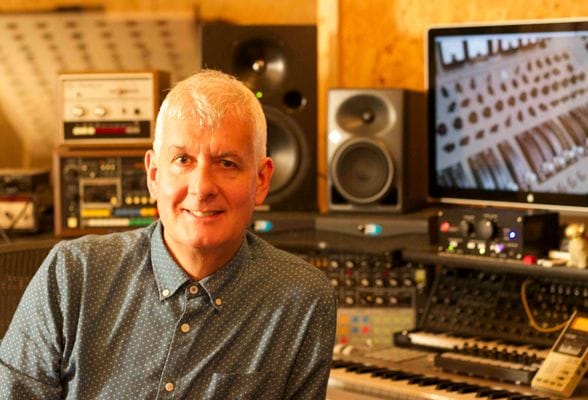
Steve Levine

Producer / Engineer (Culture Club / Beach Boys)

"It's the “character” of the Rotary CLS-222 that is really cool. It's really wonderful at widening the stereo image very subtle way. The setting that spins the rotors in opposite directions is truly mind blowing. This is not just another Leslie effect but a creative tool for the creative producers."
Vive la
révolution

Most creative effects that we use today started life as physical manipulations of recording equipment.

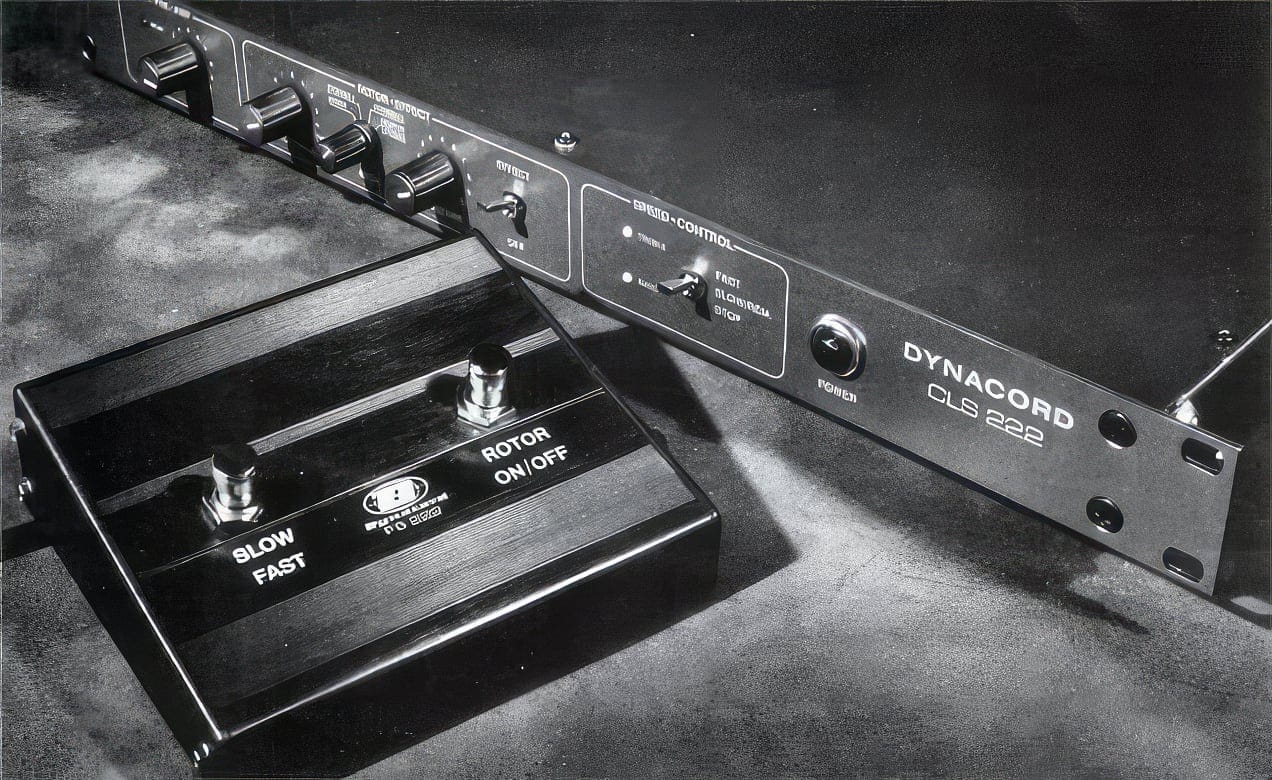
Delay was sound recorded to tape and played back at varied intervals; flanger was two reels playing the same recording, with one reel being subtly pressed to slow it down; the rotary effect consisted of motorized speaker drivers, spun on an axis and recorded with static microphones.

Inevitably, these heavy, unpredictable mechanisms moved aside for more practical solutions. In the case of the Leslie rotary speaker effect, that practical solution was the Dynacord® CLS-222.

The German-designed CLS-222 was an analog rotary simulator, known for its authentic sound, brilliant stereo spread, and simple controls. It became a staple in studios and on stages, famously used by the likes of David Gilmour, Eric Clapton, The Prodigy, and beyond.

Rotary CLS-222 spins this relic up-to-speed for modern production, perfect for both adding that vintage touch to your mixes and getting experimental in glorious stereo - how it’s used is up to you.

Included in
FX collection

Effects you'll actually use

This effect is part of FX Collection, a suite of essential audio effect plugins empowering musicians, producers, and artists to get creative with their production. From iconic recording gear modeled with breathtaking accuracy, to cutting-edge contemporary effects, the collection includes the most fought-after studio tools, rare guitar pedals, modern mix enhancers, and beyond. Elevate your production and add color to your mix like never before.

主な特長

DAW対応

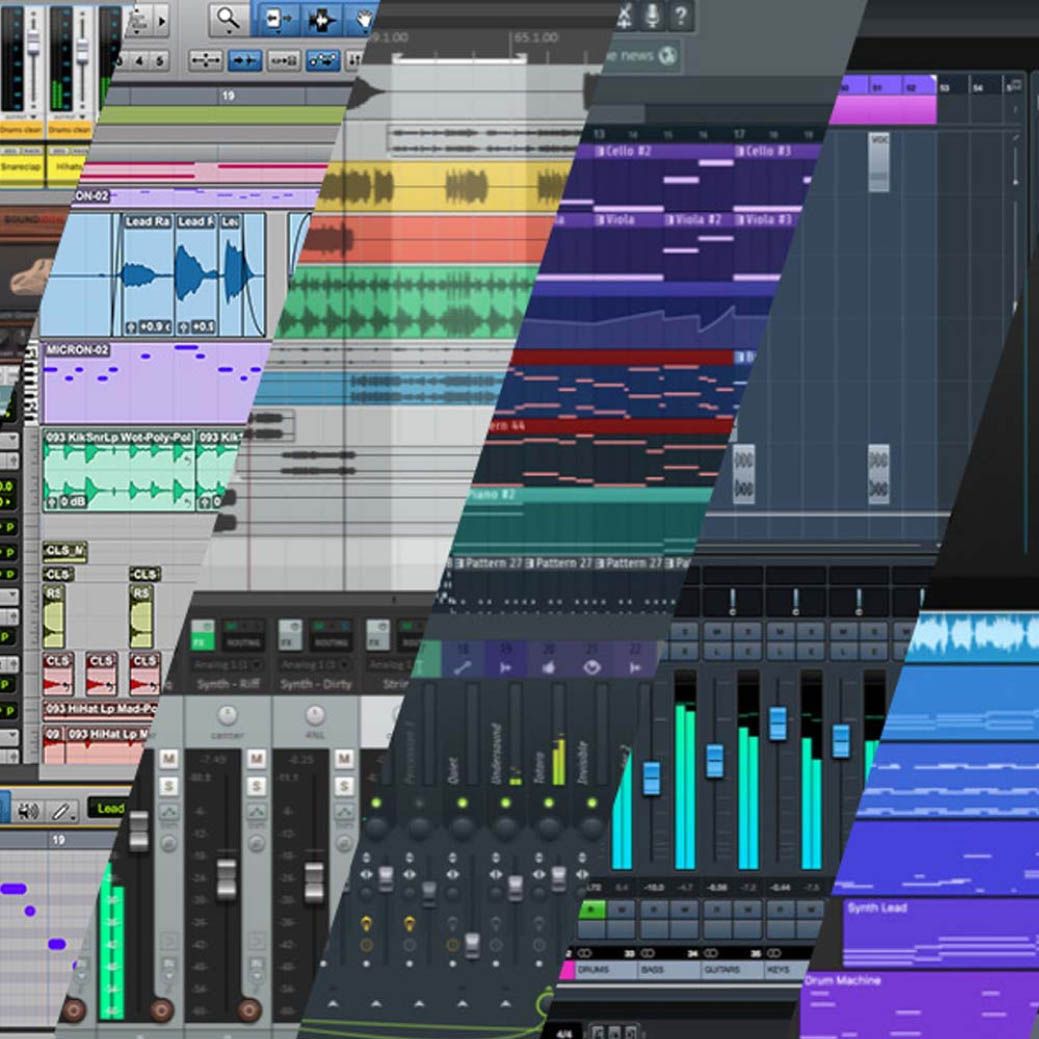
プラグインをどのように使用するか:リバーブの素晴らしいトーン、硬質なプリアンプ、そして素晴らしいサウンド・デザイン能力など、これらのプラグインをどのように使うにせよ、これらのプラグインは、主要DAWのすべてと互換性があり、WindowsとMacOSの両方で動作します。ご安心ください。

ASC

Arturia Software Centerでは、すべてのArturiaソフトウェアタイトルのダウンロード、整理、アップデートを全て管理することができます。何事も可能な限りシンプルに。

リサイズ可能なGUI

Arturiaの定番エフェクト・エミュレーションの視覚的な没入感を存分に味わいたい方にも、貴重なスクリーン面積を節約したい方にも、Arturiaの全プラグインのインターフェイスは、個々のニーズに合わせたサイズへ変更できます。

リアルタイム・コントロール

FX Collectionプラグインのすべてのパラメーターをお気に入りのMIDIコントローラーにマッピングすれば、ミックス時に全て手元でパラメーターをコントロールできます。フィルターをスウィープさせたり、プリアンプで大きめに増幅させたり、モジュレーションをワープさせたりなど、その場でリアルタイムでのコントロールが可能となります。

アプリ内チュートリアル

FX Collectionに内蔵されているプラグインには全てチュートリアルが内蔵されており、サウンドを最大限に引き出すための重要なパラメーターやその調整方法、そしてミックスに役立つテクニックを段階的に解説しています。チュートリアル・パネルでは、使用中のパラメーターをリアルタイムに解説してくれるので、重要なポイントを見逃すこともありません。

プリセット・ブラウザ

FX Collectionの効率的なブリセット・ブラウザでは、お気に入りのプリセットをフィルタリング、整理、登録して、すぐに呼び出すことができます。インストゥルメントの種類、ジャンル、プロダクション・テクニックなどで検索することができるため、検索に無駄な時間を割くことをせず、エディットやクリエイティブな作業に貴重な時間をより費やす事ができます。

TAE®による高精度エミュレーション

独自のアナログモデリング技術により、オリジナルの実機と聞き分けがつかないほどの高精度エミュレーションを実現。

アナログ・オシレーター、フィルター、ソフト・クリッピングの特性も正確に再現することで、細かいコンポーネントの違いが生み出すディテールやアナログの魅力を体感することができます。

Gallery

main
advanced
library
tuto

Main Features

Classic studio rotary effect emulation

Modeled Op-amp pre-amp circuit

Additional valve pre-amp circuit

Continuous stereo width control, from mono to 120% stereo

Fast, Slow, and Stop modes with ramping in between

Advanced panel with additional features

  • Input high-pass filter

  • Separate speeds for Bass and Treble, Hz or sync

  • Optional treble-to-bass ratio setting

  • Visualizer with 4 phasing options

  • Multi-shape distance controls for Bass and Treble

  • Dry/wet

Optional summed mono input and ‘Dry Bass’ setting

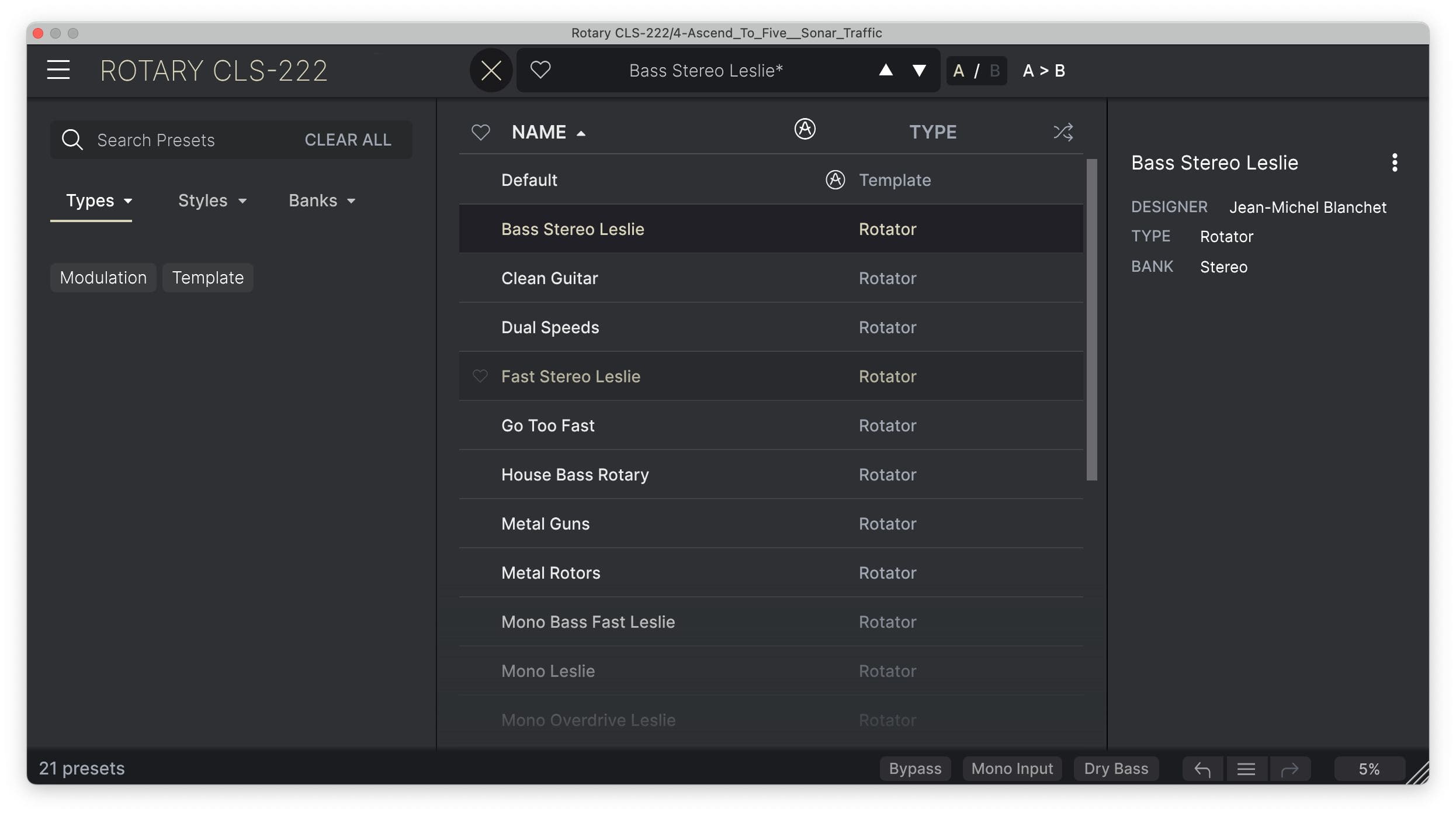
Built-in preset library

A/B comparison

NKS-ready

Platform Specifications

Windows

  • Win 10+ (64bit)

  • 4 GB RAM

  • 4 cores CPU, 3.4 GHz (4.0 GHz Turbo-boost)

  • 1 GB free hard disk space

  • OpenGL 2.0 compatible GPU

  • ARM processors not supported on Windows

Required configuration

  • Works in Standalone, VST, AAX, Audio Unit, NKS (64-bit DAWs only).

Apple

  • Mac OS 11+

  • 4 GB RAM

  • 4 cores CPU, 3.4 GHz (4.0 GHz Turbo-boost) or M1 CPU

  • 1 GB free hard disk space

  • OpenGL 2.0 compatible GPU

Work with ASC

  • An elegant and simple solution to help you install, activate, and update your Arturia software instruments.