Get Augmented PERSIA for an exclusive intro price→ Check the offer
ARTURIA

fr

Produits

SonsStoreCommunautéassistance

Get started
with MiniFreak Vocoder Edition

Get your MiniFreak Vocoder Edition up and running and kick start your musical journey.

Set up
MiniFreak Vocoder Edition

  1. Register your MiniFreak Vocoder Edition to unlock your included MiniFreak V licence.

    Included with your MiniFreak is an identical VST counterpart, bringing the same wild hybrid sound, complete with modeled analog filters. You can fire it up in your DAW, use the same presets physically or virtually, sync the VST with MiniFreak’s controls, and access firmware updates.

  2. Téléchargez et installez l'Arturia Software Center.

  3. Login to the Arturia Software Center, activate, and install MiniFreak V on your computer.
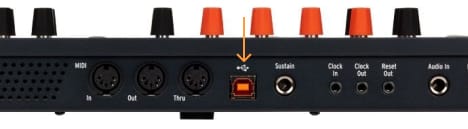
  4. Connect your MiniFreak with USB, turn it on, and open MiniFreak V, making sure you’re connected to the internet. If you don’t have the latest firmware, you’ll see instructions on how to update.

Why the MiniFreak V?

MiniFreak V is MiniFreak Vocoder Edition's software counterpart. It ensures that your controller is always up-to-date.

If you're experiencing issues with the installation process, let us help you →

Learn more
with our MiniFreak Vocoder Edition tutorials

Start your creative journey with confidence. Explore essential features, tips and tricks on how to design your own sounds, other music production hacks and much more.

Tutorials playlist

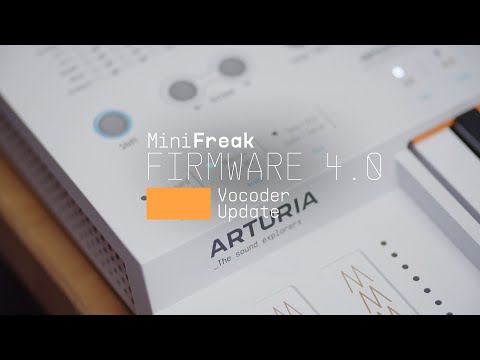
1. Update 4.0 | Vocoder
In this in-depth tutorial, we'll walk you through everything you need to know to harness the creative power of the MiniFreak's new vocoder capabilities. Discover how to set it up, explore its unique parameters, and start transforming your voice, drums, and other audio sources into incredible new textures. Whether you're aiming for classic robot vocals or groundbreaking sound design, Update 4.0 opens up a universe of sonic possibilities for your Freak.
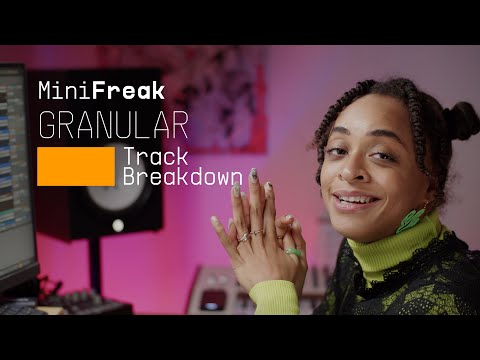
2. Track Breakdown | MiniFreak FW 3.0 - Culprate
Discover how MiniFreak's new granular engines add some incredible sonic energy to a production by Culprate. Yetundey breaks down some of the key sounds used in the track and shows us the power and range of the new engines!
4min33
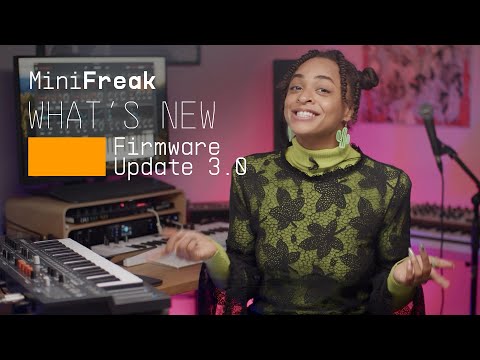
3. MiniFreak Update 3.0 | What's new
Yetundey walks you through the killer new features of firmware 3.0 for the MiniFreak, unlocking the full potential of granular synthesis. With 8 new engines, granular-focused samples, an expanded factory bank, and more, this update takes your Freak to the next level of sonic exploration.
12min51
4. Utilities
Matt taps into MiniFreaks settings and configurations, guiding you through how to customize its creative features to suit your own workflow, from preset management to Scale quantization.
9min42
5. Effects
In this tutorial, Matt walks you through MiniFreak's 3 FX slots and explores the ways it can embellish, color, or totally destroy your sound - in perfect mix-ready stereo, of course.
19min06
6. Sequencer & Arpeggiator
Matt Pike expores how MiniFreak blurs the lines between sequencing & arpeggiation, making it easier than ever to craft wildly creative melodies, chord movements, and ever-evolving ideas that you can tweak in real-time.
14min35
7. Modulation Matrix
In this video, Matt Pike gives you a full tutorial on MiniFreak's complex but accessible modulation matrix, exploring its polyphonic envelope generators, 2 LFOs per voice, and creative flexibility with assignable modulation destinations.
20min50
8. Oscillators & Filters
In this tutorial video, Matt Pike goes in-depth on MiniFreak's dual digital engines and analog filters. Explore how to stack oscillator modes, how to process Engine 1 with Engine 2, and how the digital & analog combo can produce oustanding sonic results.
27min01
9. Overview
Matt Pike gives you the lowdown on the 6-voice hybrid synthesizer that's out to break all the rules. In this tutorial, check out MiniFreak's features, hidden talents, and wild sounds.
16min31

Update 4.0 | Vocoder

In this in-depth tutorial, we'll walk you through everything you need to know to harness the creative power of the MiniFreak's new vocoder capabilities. Discover how to set it up, explore its unique parameters, and start transforming your voice, drums, and other audio sources into incredible new textures. Whether you're aiming for classic robot vocals or groundbreaking sound design, Update 4.0 opens up a universe of sonic possibilities for your Freak.

Find more information
with our manuals

To learn even more, you can find the manuals on MiniFreak Vocoder Edition's Resources page:

Read our manuals for MiniFreak Vocoder Edition →