
MiniFreak V
孪生算法软合成器
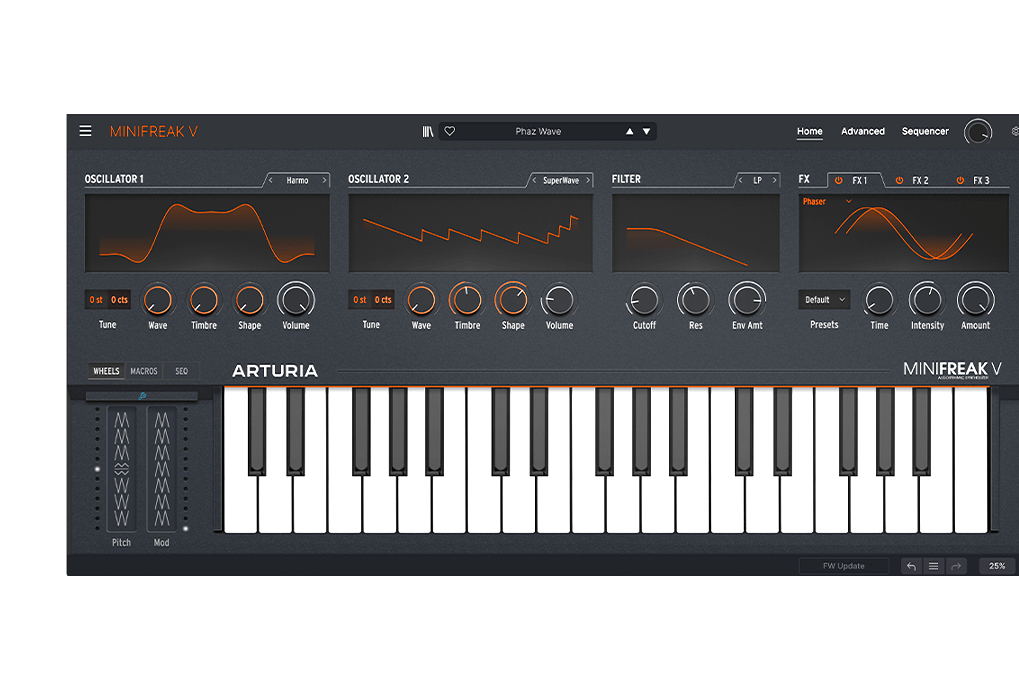
1. Download & install the Arturia Software Center (ASC)
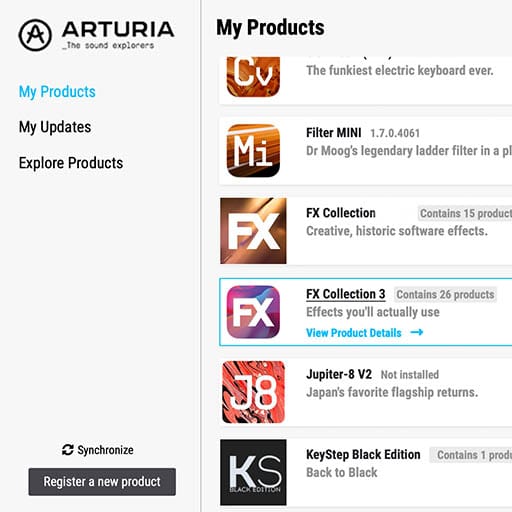
Arturia 软件中心(又名 ASC)可让您在计算机上激活、安装和更新 Arturia 虚拟乐器。
它将让您访问您拥有的软件,以及 Arturia 其他软件的演示版本。
2. 登录 Arturia Software Center (ASC)
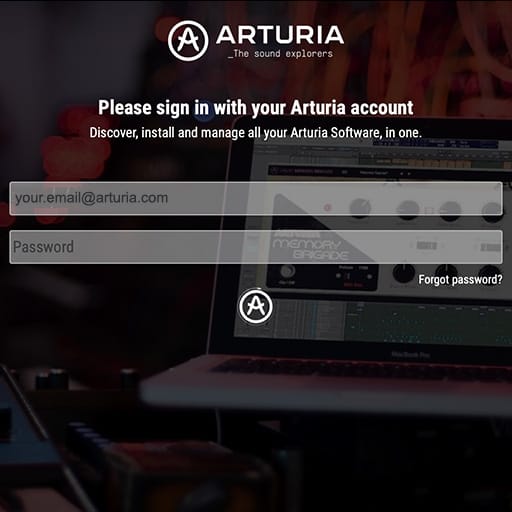
Enter the same email address and password as for your My Arturia account. You will then be able to find your Product License on the main panel.
如果您没有 Arturia 帐户,请单击“创建帐户”并按照流程创建帐户。
If you're using an offline computer, please follow the process described in this 这篇文章
如果您在 Arturia 网站上购买了软件许可证,它已自动注册到您的账户中。否则,请点击主窗口顶部的“注册新产品”按钮。
3. 通过 ASC 安装并激活您的产品
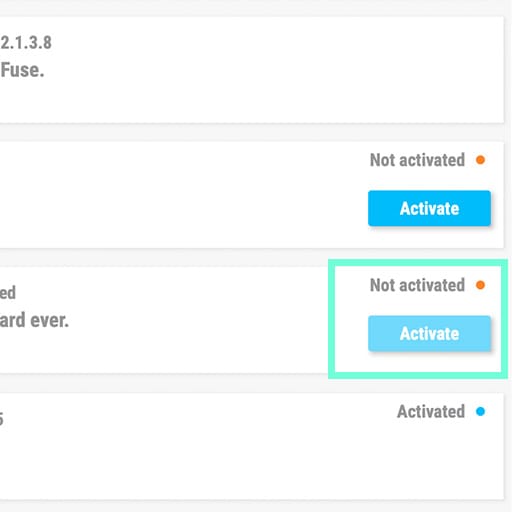
在列表中查找您的产品并点击“安装”按钮,启动静默安装过程。
You will be asked to define the destination folders on the first time.
Your product will remain in demo mode until it is activated. To do so click on the “Activate” button. Your brand new effect will now be activated.
您现在可以在最多 5 台不同的电脑上无限制地使用它。要做到这一点,请在您的其他电脑上重复此操作。
4. Launch Your Product
Your product is not available as a standalone software.
It must be used in a DAW (Digital Audio Workstation).
Click on the icons to see how to select and use your new effect in the most popular DAWs:
Discover, experiment, enjoy!

Ableton Live

Bitwig

Cubase

FL Studio
Logic Pro X

Pro Tools

Studio One
Digital Performer
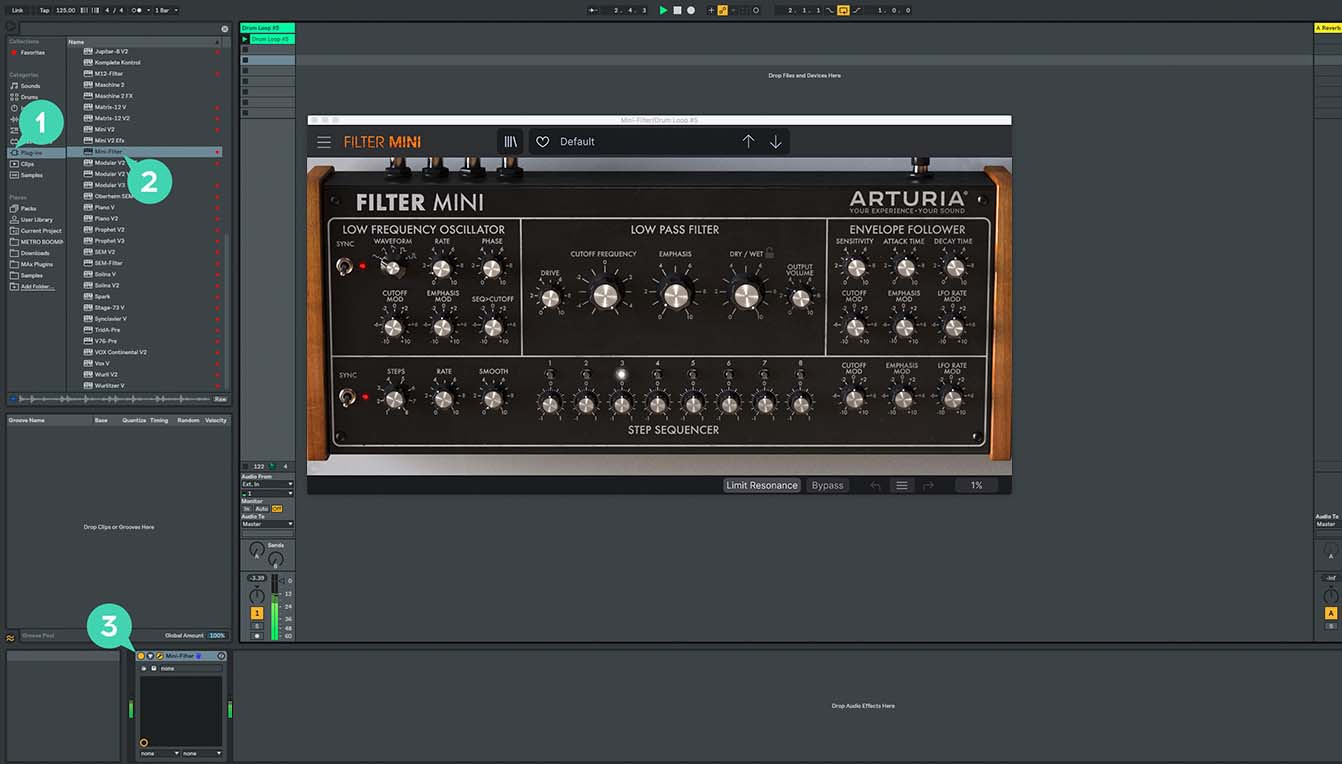
For Ableton Live
1/ Open the Live browser, and click on the 'Plug-ins' section.
2/ In the VST or Audio Unit* folder, browse the virtual effect of your choice.
3/ Drag & drop it in your track or FX return.
MiniFreak V
Tutorials
Tutorials | MiniFreak V - Overview
Explore the MiniFreak hardware counterpart - MiniFreak V.
Sound designer Matt Pike takes you on a journey to explore MiniFreak V - fully independent software synthesizer which is a counterpart of the hardware MiniFreak. In this video you will learn about its features, hear how it sounds, and see how well it integrates with the hardware machine.
Tutorials | Update 4.0 | Vocoder
In this in-depth tutorial, we'll walk you through everything you need to know to harness the creative power of the MiniFreak's new vocoder capabilities. Discover how to set it up, explore its unique parameters, and start transforming your voice, drums, and other audio sources into incredible new textures. Whether you're aiming for classic robot vocals or groundbreaking sound design, Update 4.0 opens up a universe of sonic possibilities for your Freak.
Tutorials | Track Breakdown | MiniFreak FW 3.0 - Culprate
Granular Power: Inside a Full Track!
Discover how MiniFreak's new granular engines add some incredible sonic energy to a production by Culprate. Yetundey breaks down some of the key sounds used in the track and shows us the power and range of the new engines!
Tutorials | MiniFreak Update 3.0 | What's new
Yetundey walks you through the killer new features of firmware 3.0 for the MiniFreak, unlocking the full potential of granular synthesis. With 8 new engines, granular-focused samples, an expanded factory bank, and more, this update takes your Freak to the next level of sonic exploration.
MiniFreak V
How To's
Tutorials | How To | Use paraphony for cinematic sounds
MiniFreak & MiniFreak V's voices can be extended to 12 with paraphony, letting you produce powerful, dense sounds. In this video, Lena shows you how to set yours up for truly cinematic musical soundscapes using more voices.
Tutorials | How To | Process external audio sources
External audio processing is one of MiniFreak & MiniFreak V's most creative talents - take advantage of its filters, distortions, and effects to breathe new life into your sounds and instruments.
Tutorials | How To | Use macros for expressive patches
MiniFreak & MiniFreak V's customizable macros play a central role in the instrument's arsenal of performance tools. Explore how to use them to inject drastic changes to tone and rhythm for bringing your ideas to life.
Tutorials | How To | Create Performative Arpeggios
In this video, Lena shows you how to create evolving generative melodies using a combination of MiniFreak & MiniFreak V's features, centering on the arpeggiator.
Tutorials | How To | Create Your Own LFO Shapes
Follow Lena to explore the LFO Shaper built into both MiniFreak and MiniFreak V, which allows you to create your own custom LFOs to radically shape, transform, and animate your sound design.
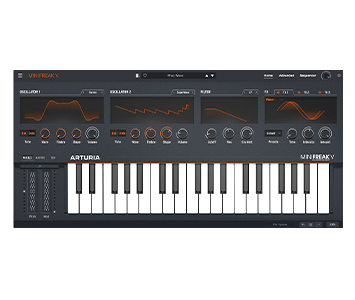
MiniFreak V
Software
Manuals
MiniFreak V EN Manual
版本en - 4.0.1|39.89 MB|7/4/2025