
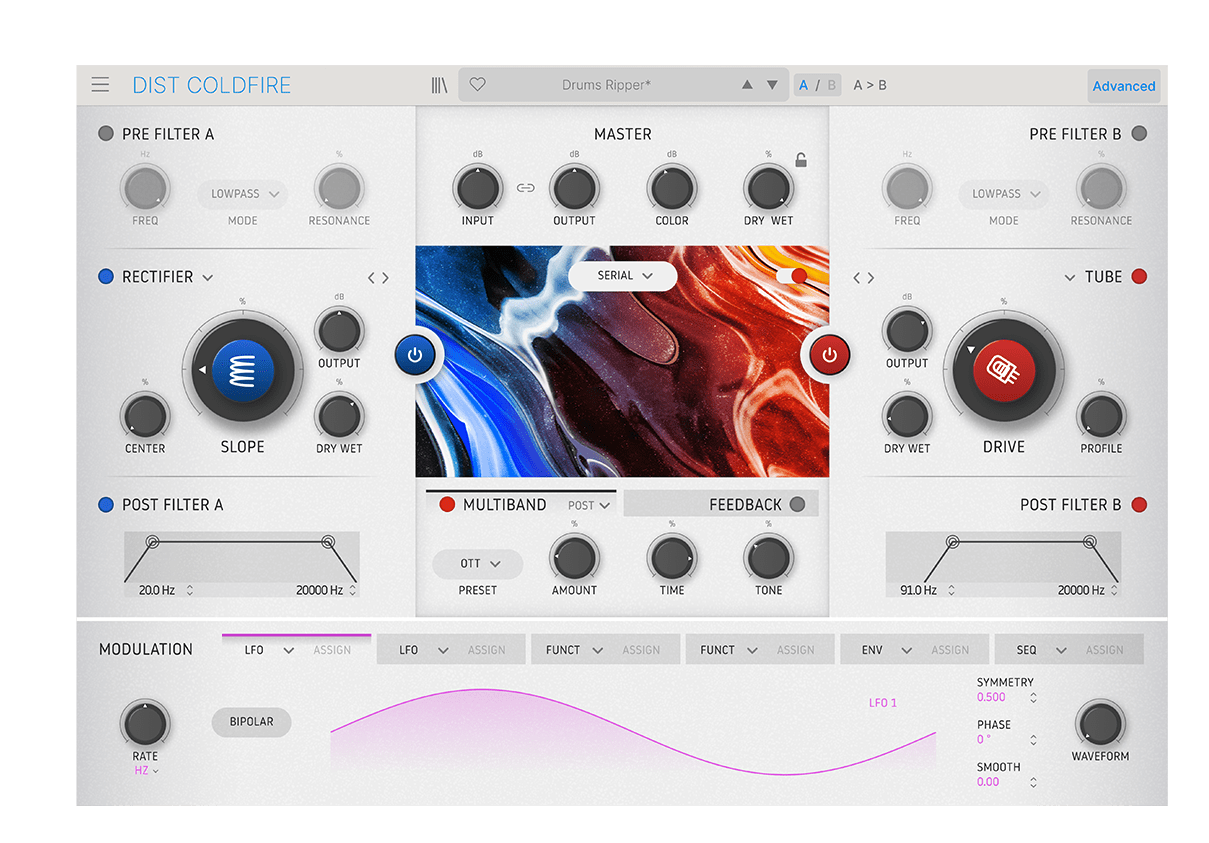
Dist COLDFIRE
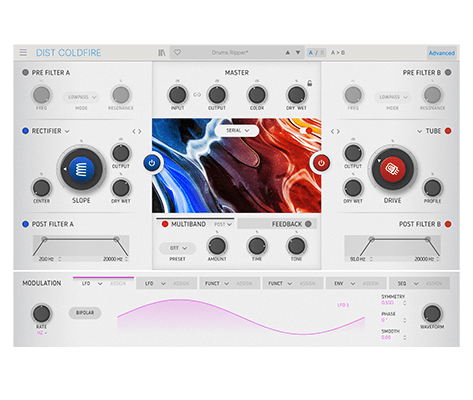
デュアル・ディストーション・リアクター
1. Arturia Software Center(ASC)をダウンロードしてインストールします
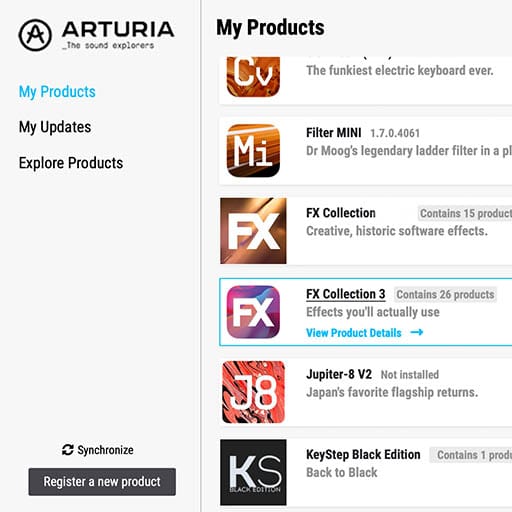
Arturia Software Center (ASC) では、Arturiaバーチャル・インストゥルメントのアクティベーション、インストール、アップデートをコンピュータ上で行うことができます。
Arturiaの他のソフトウェアのデモ版だけでなく、お持ちのソフトウェアにもアクセスできます。
2. Arturia Software Centerにログインします。
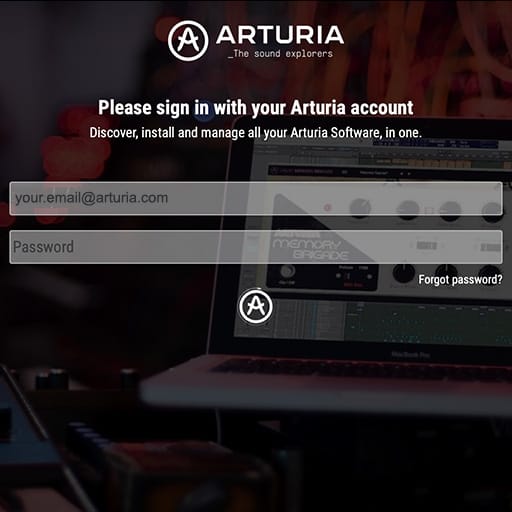
My Arturiaアカウントと同じメールアドレスとパスワードを入力します。その後、製品ライセンスがメインパネルに表示されます。
My Arturiaアカウントをお持ちでない場合は、「Create Account」(アカウント作成) をクリックし、表示される手順に従ってアカウントを作成してください。
オフラインのコンピュータをお使いの場合は、以下に記載の手順で行えます:オフラインの場合
Arturiaのウェブサイト上でソフトウェアのライセンスをご購入された場合、自動的にアカウントが登録されます。もしまだウェブサイト上での購入をされていない場合は、メイン画面の上部にある「Register a new product」(新しく購入した製品を登録する) ボタンをクリックしてください。
3. ASCで製品をインストールし、アクティベートします。
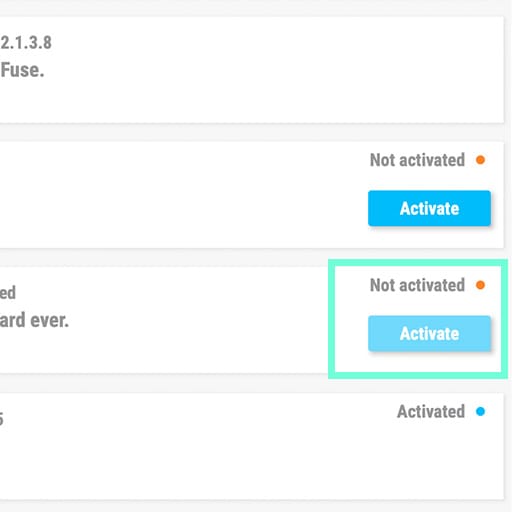
リストの中からお使いの製品を探し、「Install」(インストール) ボタンをクリックすると、サイレント・インストールが始まります。
初回は保存先フォルダを設定するよう求められます。
アクティベートされるまでは、製品はデモモードのままです。「Activate」ボタンをクリックしてください。これで新しいエフェクトがアクティベートされます。
これで、最大5台のコンピュータまで同時に使用できるようになります。他のコンピュータでも同様の操作を繰り返してください。
4. お持ちの製品を公開する
本製品はスタンドアローンではご使用いただけません。
本製品の使用には、DAW(デジタル・オーディオ・ワークステーション)が必要です。
各アイコンをクリックすると、主要なDAWでのエフェクトの読み込み方法や使い方をご覧いただけます:
探求し、実験し、存分に楽しむ。

Ableton Live

Bitwig

Cubase

FL Studio
Logic Pro X
Pro Tools

Studio One
Digital Performer
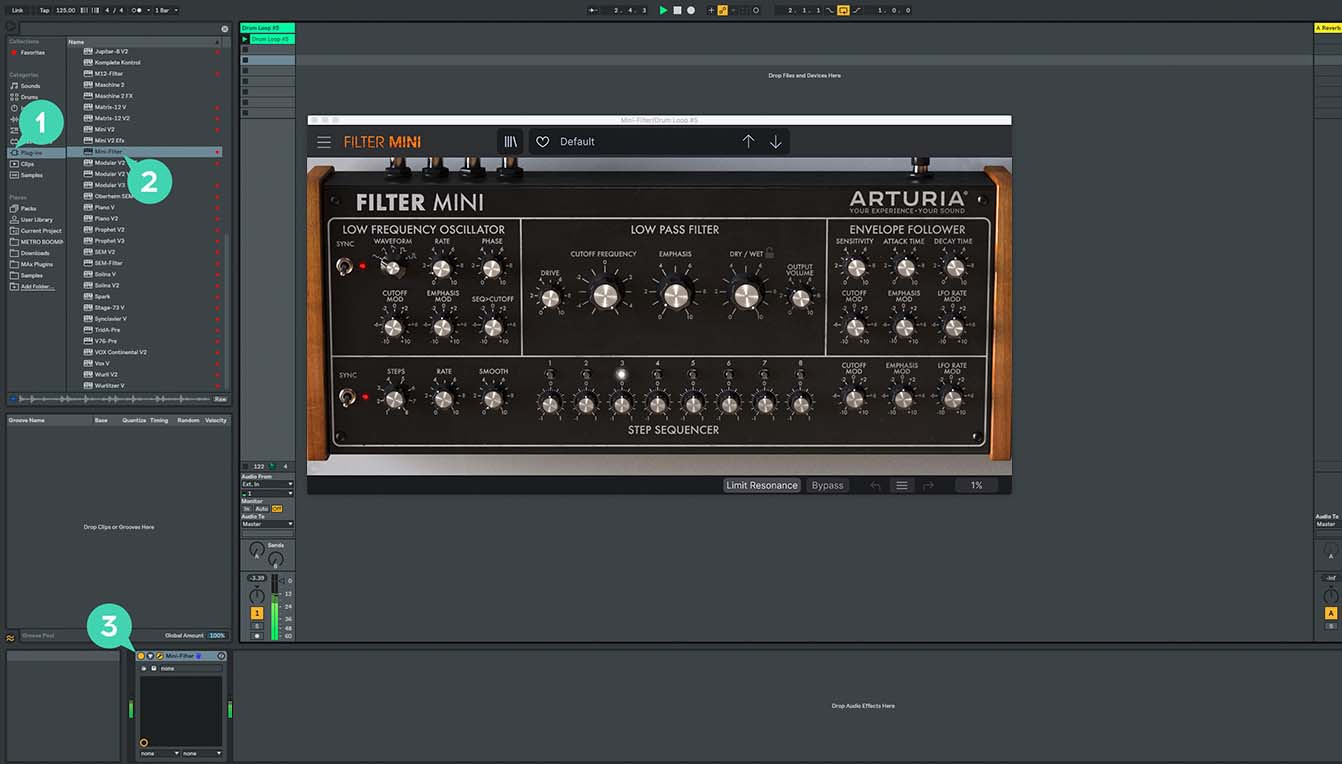
Ableton Liveの場合
1/ Liveのブラウザを開き、「Plug-ins」セクションをクリックします。
2/ VSTまたはAudio Unit*フォルダから、使用したいエフェクトを選択します。
3/ 選択したエフェクトをトラックまたはエフェクトリターンにドラッグ&ドロップします。
Dist COLDFIRE
チュートリアル
チュートリアル | Ep. 1: Overview
Explore our Dual Distortion Reactor in-depth
In this tutorial video, Lena takes you through the interface, advanced features, and wild sonic range of Dist COLDFIRE, demoing its flexible modules one by one.
チュートリアル | Ep. 2: How to Distort Your Drums Creatively
Get your sound red-hot in no time
By combining Dist COLDFIREs Tube & Waveshaper modes with some creative modulation, Yetundey shows you how to turn any drum loop into a glitchy, crunchy pattern that’ll enhance any mix.
チュートリアル | Ep. 3: How to Create Step-sequenced Distortion Bass
Transform familiar sounds into crunchy, impactful bass
Yetundey turns a sub-heavy bassline into an elaborate rhythmic motif that swells and evolves with every beat - in this video, she shows you how it’s done.
Dist COLDFIRE
ソフトウェア
マニュアル
Dist COLDFIRE JA Manual
バージョンja - 1.0.0|36.73 MB|9/14/2022