
PolyBrute
Sintetizador analógico polifónico de transformación
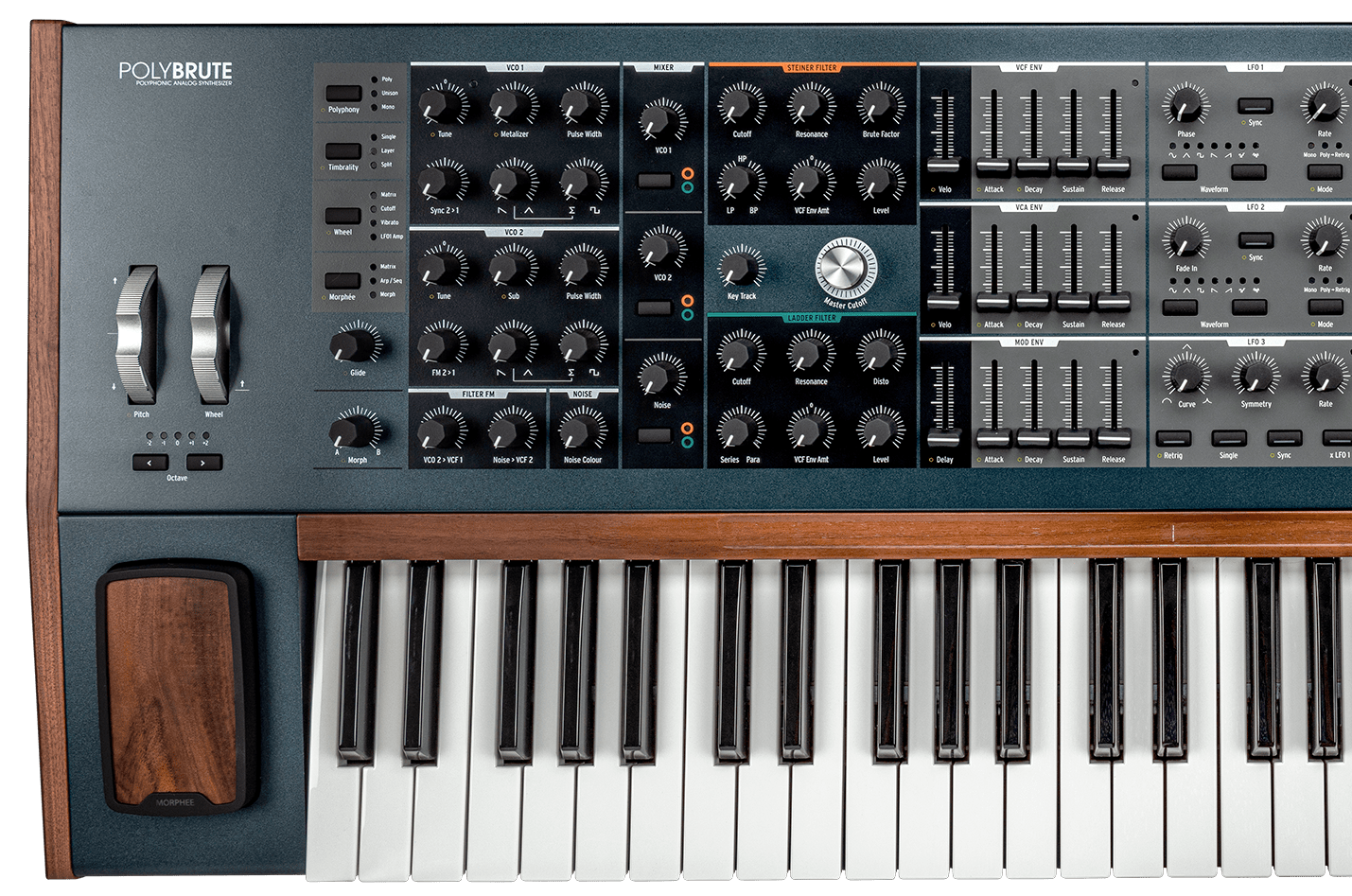
PolyBrute
Tutoriales
Tutoriales | Ep. 1: Voice Architecture
What shapes PolyBrute's sound
In this episode, Matt dissects the many components, controls, and settings that define PolyBrute's expansive range of voices before modulation or expression. This includes the dual Brute VCOs, the twin VCF setup, the LFO section, and more.
Tutoriales | Ep. 2: Modulation
Shape, twist, tame
Now that you've got PolyBrute's massive voice architecture down, it's time to modulate. In this episode, Matt breaks down every aspect of the Mod Matrix, an expansive digital patch bay that lets you reroute PolyBrute's components to taste - offering unlimited creative freedom.
Tutoriales | Ep. 3: Morphing
A to B and everything in between
The third episode of the PolyBrute tutorial series touches upon, undoubtedly, one of its most important features - morphing and the expression controls. Throughout the video sound designer and composer Matt Pike guides you through its charms, showing the depths and sharing the tips on how to keep your sound in a state of constant motion with musical expressiveness in mind.
Tutoriales | Ep. 4: Effects
From Bitcrusher to tape echo
In this episode of our PolyBrute tutorial series, Matt shows you the full extent of its FX capabilities. Fully-loaded with pristine digital modulation, delay, and reverb algorithms, these FX don't just provide the perfect finishing touch to PolyBrute's massive sound - they're yet another axis for its expansive expression and morphing features.
Tutoriales | Ep. 5: Sequencer
Patterns emerging
In this episode of our PolyBrute tutorial series, we're exploring its 64-step sequencer. Matt Pike goes in-depth, showing you the sequencer's intuitive visual interface via the Matrix, the simple transport controls, and how you can use it to weave intricate polyphonic patterns and complex automation.
Tutoriales | Ep. 6: PolyBrute Connect
Virtual control of your dream synth
In the final episode of the PolyBrute tutorial series Matt Pike talks you through its behind the scenes utilities and essential settings. He also takes a look at PolyBrute Connect, PolyBrute's advanced software companion that lets you control your synth from a like-for-like virtual interface.
Tutoriales | Ep. 7: Firmware 3.0 update
Discover deeper creative features
Matt Pike gives you a guided tour of the fresh creative features, sonic enhancements, and useful fixes arriving with PolyBrute's firmware 3.0, from built-in distortion to new tuning options.
PolyBrute
Guías prácticas
Tutoriales | PolyBrute Connect - Episode 1: Get Started
Tutoriales | PolyBrute Connect - Episode 2: DAW Workflow
Tutoriales | PolyBrute Connect - Episode 3: Morphing Visualised
Tutoriales | PolyBrute connect - Tutorial Ep.4 Sounds Management
Tutoriales | PolyBrute Connect | Hardware Synthesizers | ARTURIA
Tutoriales | Rodriguez Jr. | Performance with PolyBrute
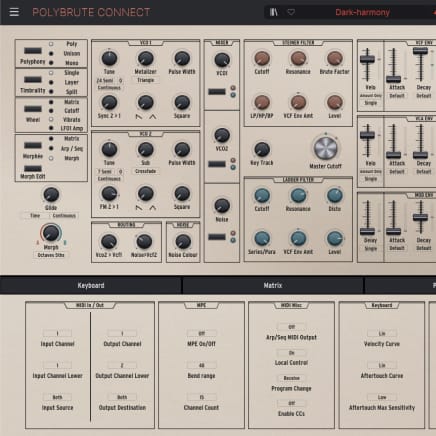
2. Abre PolyBrute Connect
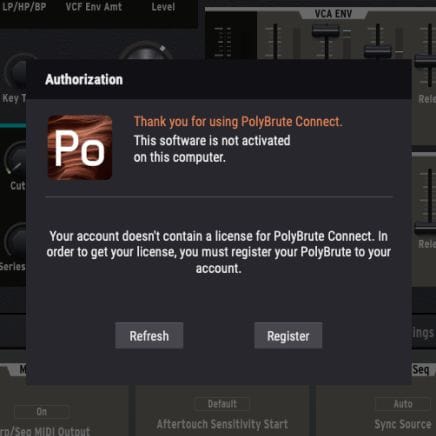
Una vez instalado, conecta el PolyBrute a tu ordenador y abre la aplicación. Asegúrate de que el ordenador esté conectado a Internet. Te guiará por todos los pasos necesarios para actualizar el firmware.
Si estás usando un ordenador sin conexión, descarga el archivo de firmware en el página de recursos antes de copiarlo en una memoria USB junto con el instalador de PolyBrute Connect.
Para obtener más ayuda, consulta las preguntas frecuentes Asistencia sobre la actualización del firmware del PolyBrute
3. Actualiza el firmware del PolyBrute
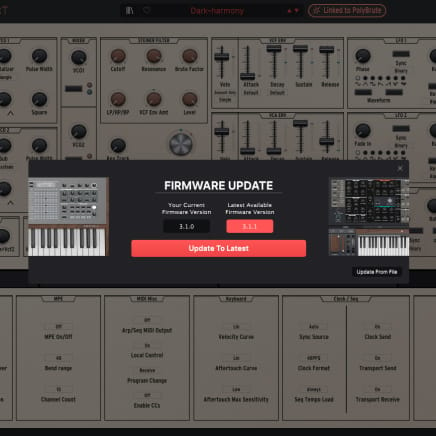
Al abrirse, PolyBrute Connect te avisará automáticamente si el firmware no está actualizado. En ese caso, puedes actualizarlo automáticamente (botón “Update to Latest”) o manualmente (botón “Update from file”).

PolyBrute
Manuales
PolyBrute ES Manual
Versiónes - 3.0.0|3.19 MB|10/18/2023
Polybrute Connect
Software
Manuales
Polybrute Connect ES Manual
Versiónes - 2.0.0|31.97 MB|12/30/2021
¿Necesitas más ayuda?
Nuestro equipo de asistencia estará encantado de ayudarte con tus preguntas sobre el uso de instrumentos Arturia. Puedes contactar con ellos en esta página:
¿Necesitas ayuda?