ARTURIA

es

productos

sonidostiendacomunidadasistencia

Rev OCEAN

Tidal reverb

Rev OCEAN

Tidal reverb

FX Collection 6 Pro

Efectos de referencia para creación musical

(incl. Rev OCEAN)

Rev OCEAN is out!

Until July 14th, access special launch pricing plus get Rev OCEAN included at no extra cost with FX Collection 6 PRO

¿Ya eres cliente de Arturia?

Submerge
your sound

Rev OCEAN combines a state-of-the-art delay network with multi-stage diffusion, letting waves of reflections drift, blur, and dissolve into vast beds of sound.

From downtempo production and ambient composition to guitar washes, vocal spaces and immersive electronic textures, create reverbs that feel alive, responsive and endlessly evolving.

Hyper-fluid reverb tails

Create long, smooth tails with a pristine FDN reverberator and multi-stage diffusion - delivering stable reflections with constant movement and spatial depth.

Three expressive modes

Abyss, Tide, and Foam transform a simple reverb tail into a living sonic current, each with its own movement, diffusion behavior, and subaquatic modulation effects.

Effortless mix control

Shape space with focused controls for size, decay, brightness, filtering, ducking, transients and width; keeping every reverb deep, clear, and mix-ready.

Into the
abyss

Let drums breathe, melodies blur, vocals drift and textures dissolve into deep subaquatic reverberations.

From over-processed shoegaze guitars to distant vocal washes, Rev OCEAN gives every sound a sense of motion and depth, making it easy to create atmosphere that feels alive from the first touch.

Un vistazo
de cerca

From subtle ambience to vast oceanic reverb, dive into the core controls below and see how Rev OCEAN shapes depth, motion, clarity and flow.

Overview

Rev OCEAN

1

Mode

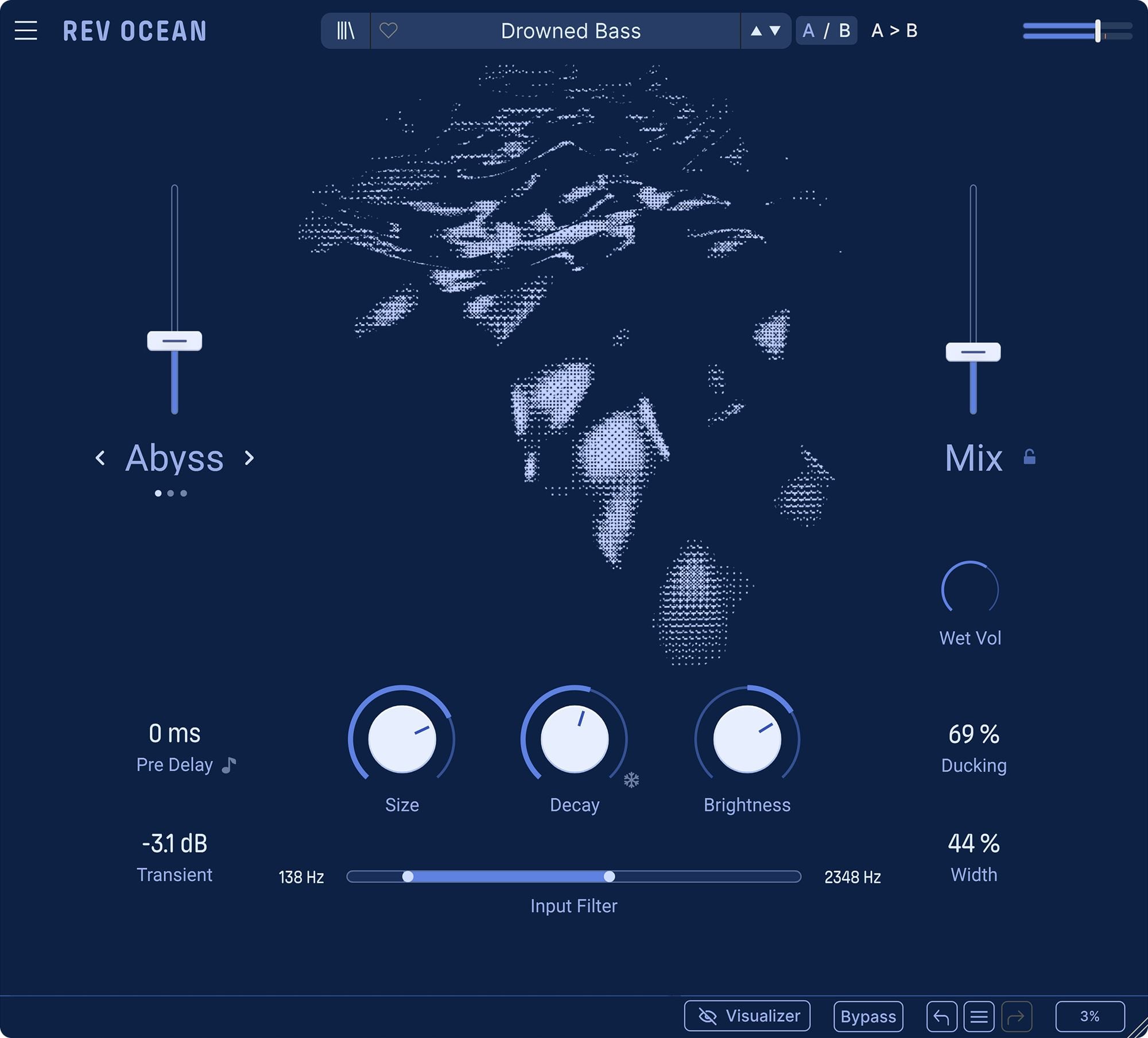
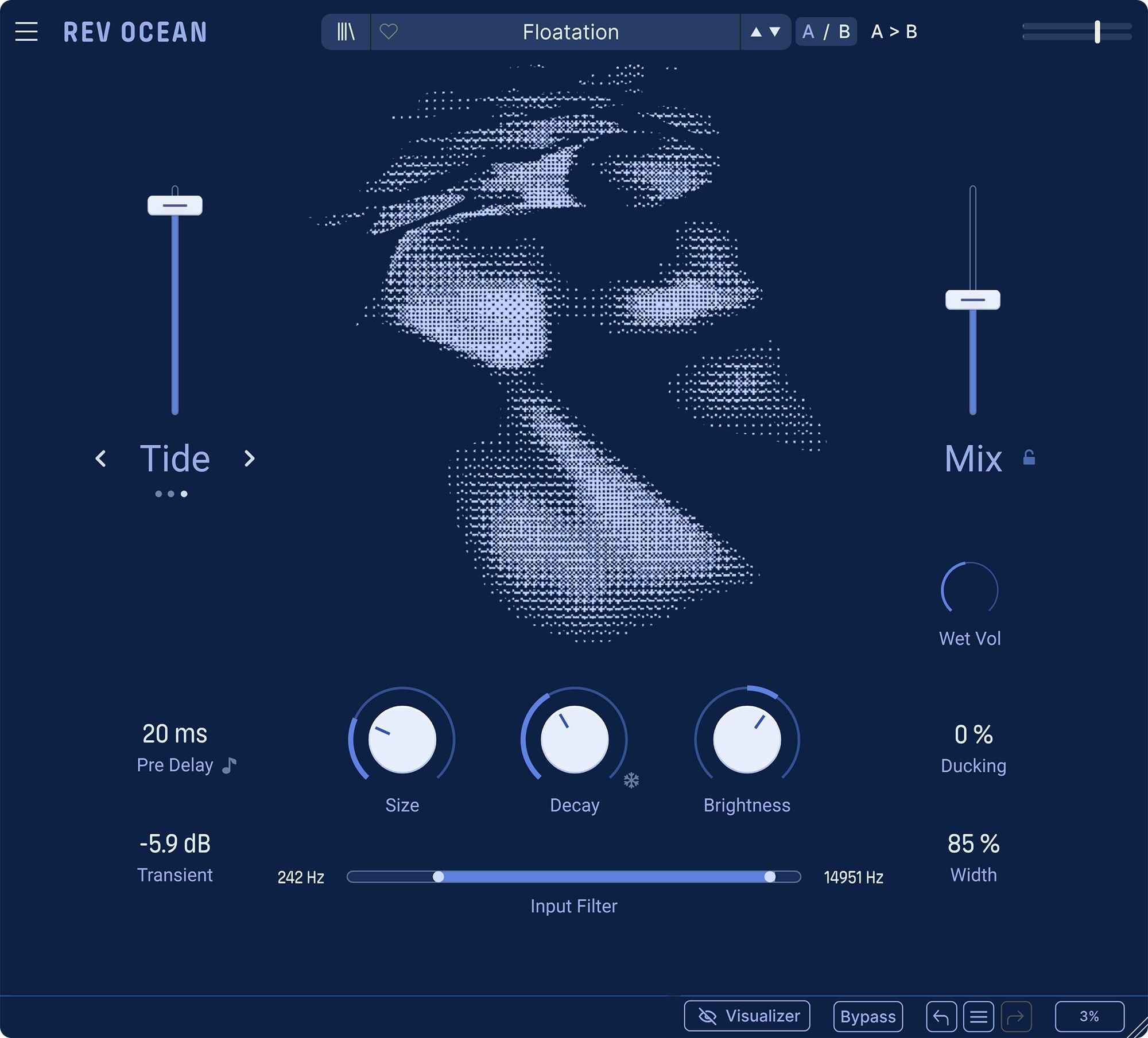
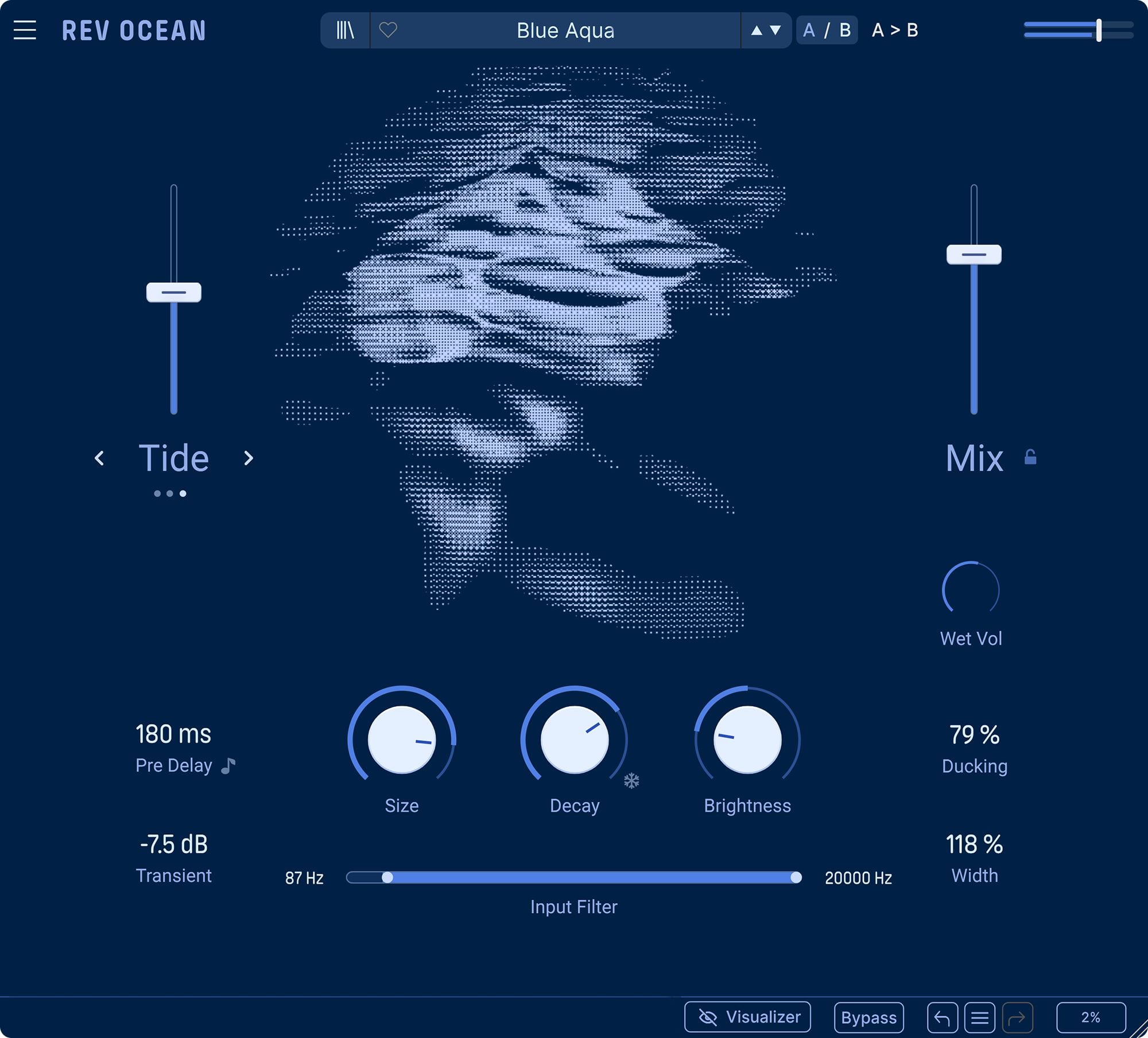
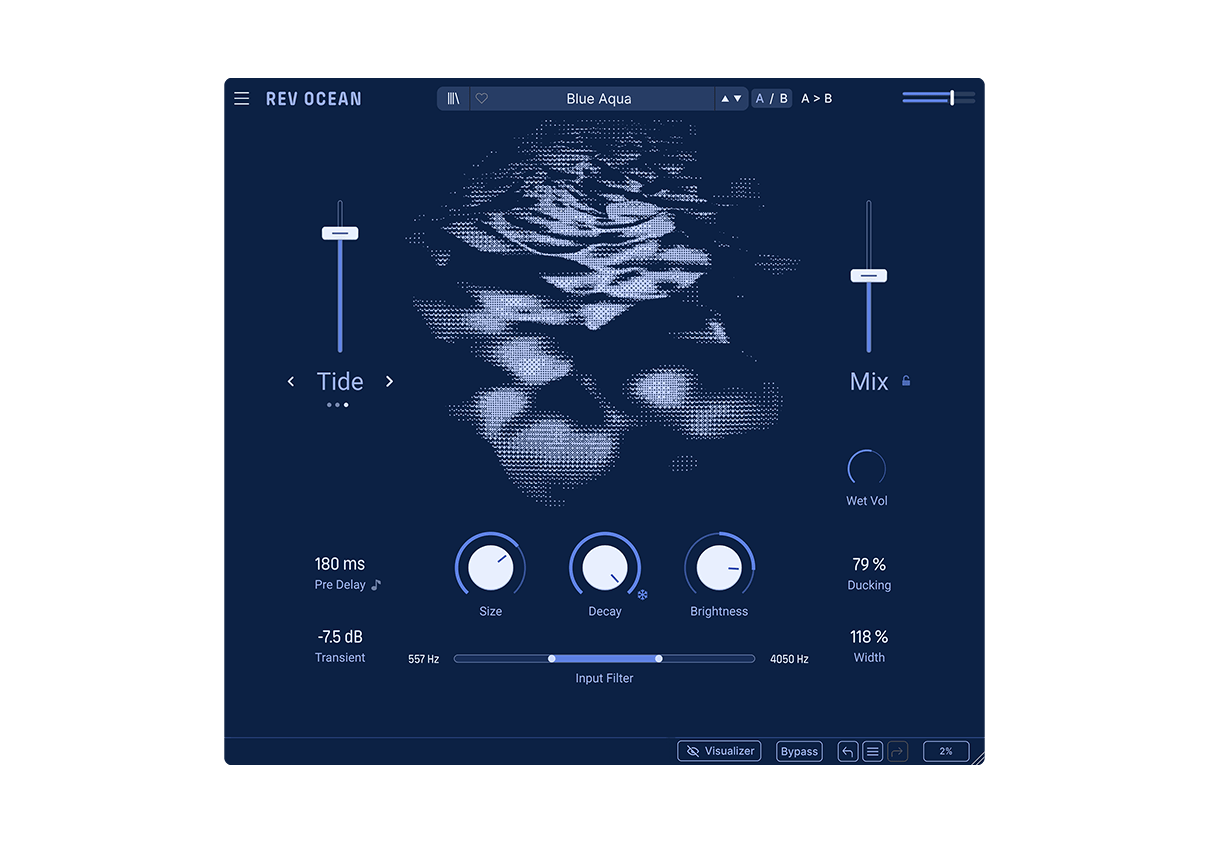
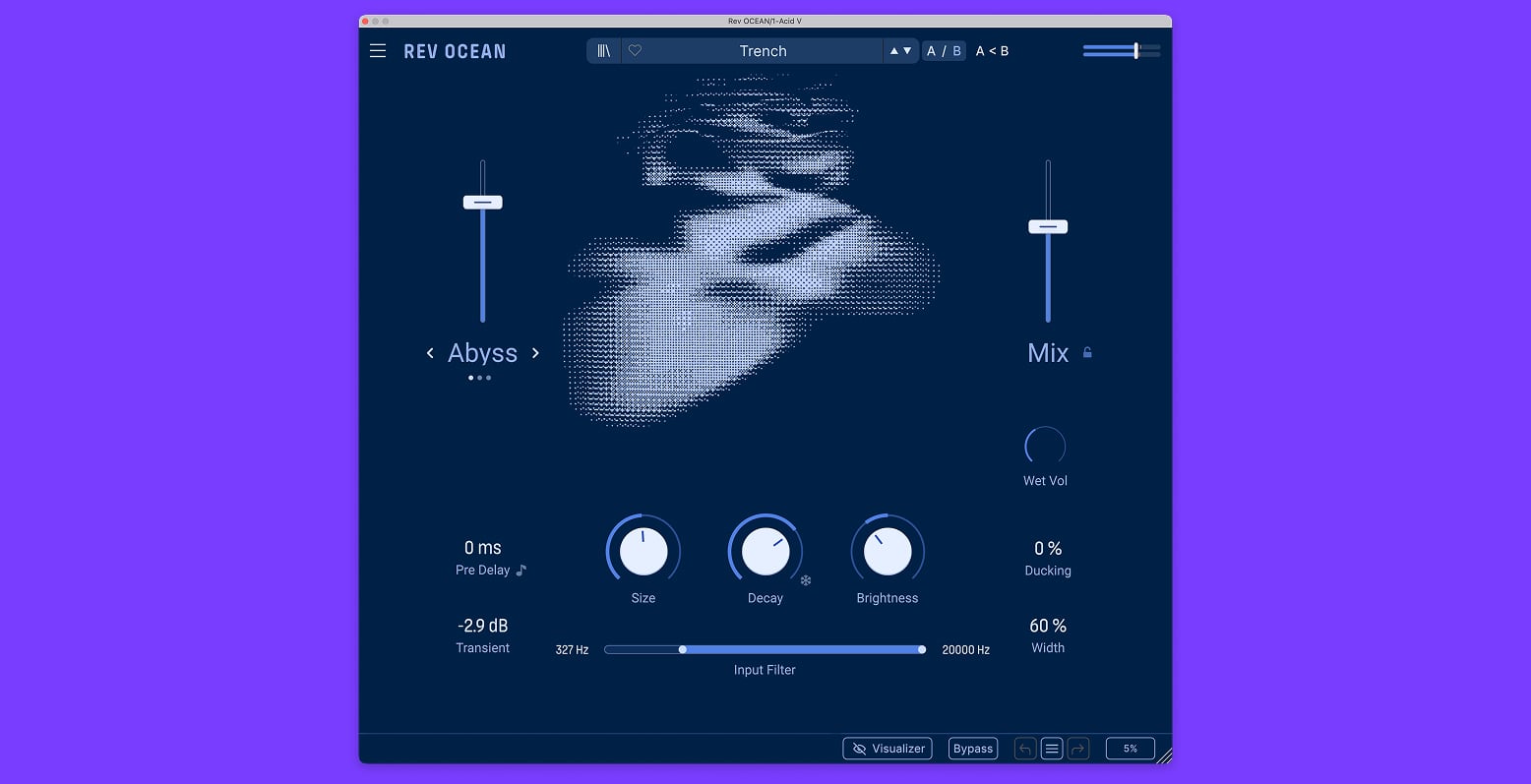
Choose the current that shapes the character of the reverb tail. Abyss adds layered reverse depth, Tide creates modulated spectral motion, and Foam builds soft diffused swells - each giving the space its own movement and behaviour.

2

Macro

Use the left-hand Macro slider to control the intensity of the selected mode. Push it to bring more reverse motion, wave-like filtering, or diffused attack into the tail, depending on whether Abyss, Tide, or Foam is active.

3

Reverb

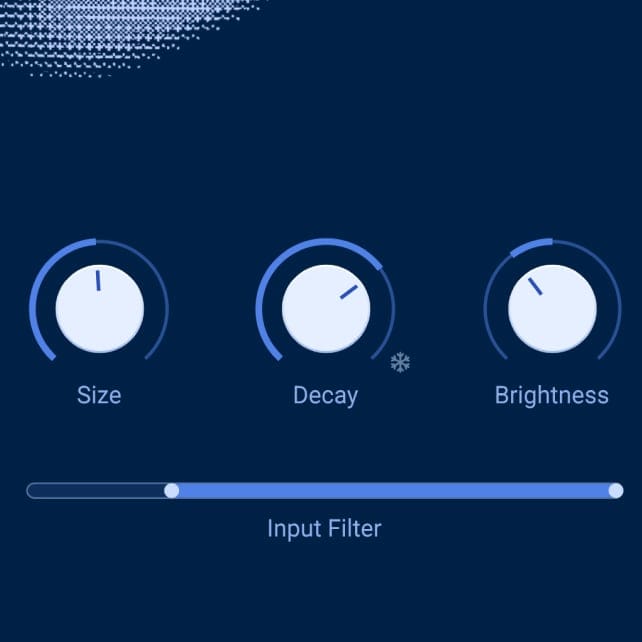
Shape the main body of the space with Size, Decay, and Brightness. Resize the virtual room, set how long the tail fades, and adjust the tone of the reverb from dark and absorbed to bright and open. Press the snowflake icon or push Decay to maximum to freeze the tail for suspended textures and infinite spaces.

4

Utilities

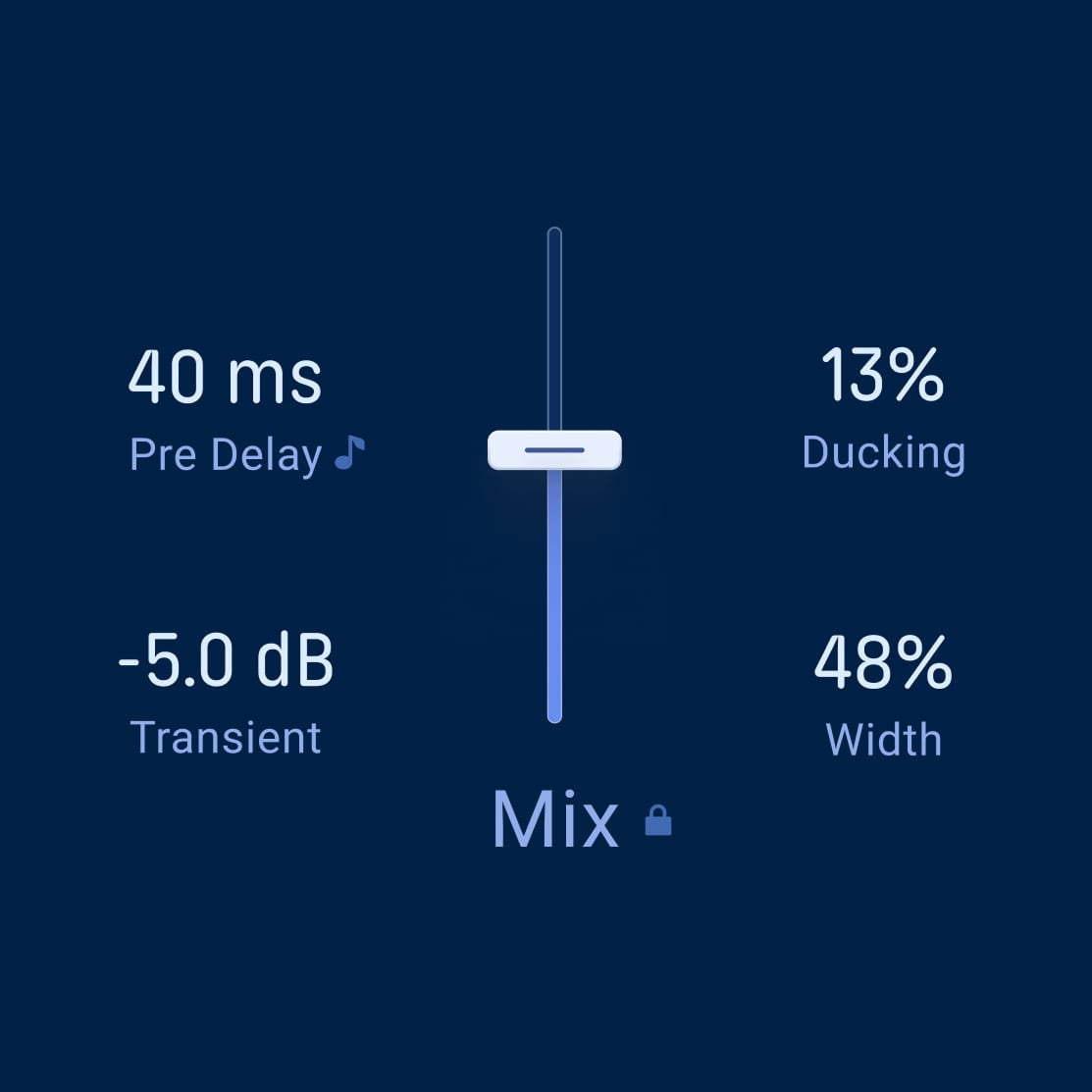
Fine-tune how the source feeds and interacts with the reverb. Set Pre Delay, smooth sharp attacks with Transients, filter what enters the tank with the HPF/LPF Input Filter, use Ducking to keep the source clear, and adjust Width for a wider or more focused stereo image.

5

Salida

Balance the final result with Mix, Wet Vol, and Mix Lock. Blend dry and wet signal, set the return level, and browse presets while keeping your mix position exactly where you want it.
Overview

Rev OCEAN

1

Mode

Choose the current that shapes the character of the reverb tail. Abyss adds layered reverse depth, Tide creates modulated spectral motion, and Foam builds soft diffused swells - each giving the space its own movement and behaviour.

2

Macro

Use the left-hand Macro slider to control the intensity of the selected mode. Push it to bring more reverse motion, wave-like filtering, or diffused attack into the tail, depending on whether Abyss, Tide, or Foam is active.

3

Reverb

Shape the main body of the space with Size, Decay, and Brightness. Resize the virtual room, set how long the tail fades, and adjust the tone of the reverb from dark and absorbed to bright and open. Press the snowflake icon or push Decay to maximum to freeze the tail for suspended textures and infinite spaces.

4

Utilities

Fine-tune how the source feeds and interacts with the reverb. Set Pre Delay, smooth sharp attacks with Transients, filter what enters the tank with the HPF/LPF Input Filter, use Ducking to keep the source clear, and adjust Width for a wider or more focused stereo image.

5

Salida

Balance the final result with Mix, Wet Vol, and Mix Lock. Blend dry and wet signal, set the return level, and browse presets while keeping your mix position exactly where you want it.

Overview

Rev OCEAN

1

Mode

Choose the current that shapes the character of the reverb tail. Abyss adds layered reverse depth, Tide creates modulated spectral motion, and Foam builds soft diffused swells - each giving the space its own movement and behaviour.

2

Macro

Use the left-hand Macro slider to control the intensity of the selected mode. Push it to bring more reverse motion, wave-like filtering, or diffused attack into the tail, depending on whether Abyss, Tide, or Foam is active.

3

Reverb

Shape the main body of the space with Size, Decay, and Brightness. Resize the virtual room, set how long the tail fades, and adjust the tone of the reverb from dark and absorbed to bright and open. Press the snowflake icon or push Decay to maximum to freeze the tail for suspended textures and infinite spaces.

4

Utilities

Fine-tune how the source feeds and interacts with the reverb. Set Pre Delay, smooth sharp attacks with Transients, filter what enters the tank with the HPF/LPF Input Filter, use Ducking to keep the source clear, and adjust Width for a wider or more focused stereo image.

5

Salida

Balance the final result with Mix, Wet Vol, and Mix Lock. Blend dry and wet signal, set the return level, and browse presets while keeping your mix position exactly where you want it.

1

2

3

4

5

Choose
your current

Discover three expressive reverb modes with distinct motion and diffusion behaviors

From reverse-pitched depth to phase-like spectral movement and soft, swelling ambience - each mode reshapes the way your reverb tail evolves.

Abyss
REVERSE DEPTH

Add cinematic depth to vocals, synths, transitions and ambient textures. Push the Macro slider to let the tail rise, shimmer and drift beneath the surface.

Adds multiple reverse layers in parallel, with subtle pitch-shifted movement, creating a harmonically rich evolving tail.

Tide
SPECTRAL MOTION

Add gentle animation to pads, keys, guitars and melodic phrases. Ideal for making a reverb tail feel alive without overwhelming the source.

Introduces left/right independent filtering across the reverb output, creating wave-like movement with evolving stereo depth.

Foam
DIFFUSED SWELLS

Use it on guitar arpeggios, plucked synths, vocals, and shoegaze textures to create smooth, diffused tails that bloom gradually over time.

Builds a long, blurred attack into the reverb, softening transients and creating a swelling, cloud-like texture.

Traverse
the depths

Hear three ways Rev OCEAN reshapes space, from shifting room size and frozen tails to fluid, speaker-wide reflections.

Hydrosphere radius

Joseph Gilling

Hear the space shift around a keys performance as the reverb size evolves, changing the perceived distance, scale and depth of the sound.

Lock currents

Joseph Gilling

Freeze the decay tail, reshape it with size modulation and automate the mix to create rhythmic swells, suspended textures and repitched ambient motion.

Instant liquifier

Joseph Gilling

Push the wet signal on short decay settings to dissolve mallets into fluid, speaker-wide reflections that blur the source into oceanic space.

Every source, set adrift

Let drum loops swell around the groove, open vocals into infinite space and dissolve guitars into shoegaze-haze. Rev OCEAN turns familiar sources into fluid environments full of motion and depth.

Drums that breathe

Send a slow drum loop into Rev OCEAN and use Ducking to carve space around each hit, from subtle reverb beds to deep rhythmic pumping. Add synced Pre Delay for movement that locks to a groove.

Vocals that drift

Filter out the lows, lift the Brightness and let the voice open into smooth, airy space without cluttering the mix. Push Decay for infinite blooming or use Abyss to add cinematic depth.

Guitars that bloom

Arpeggiate a guitar chord, raise Foam, and listen as the attack softens into a slowly unfolding guitar haze. Keep it ambient and fluid, or push the sound further for washed-out shoegaze textures.

Artist
Corner

Kaitlyn Aurelia Smith

Producer, composer

"I’ve never thought of reverb as something that enlarges a sound. For me, its purpose is to illuminate the silence around it—to give shape to the air between notes. The best reverbs don't decorate the music; they reveal the spaces where it breathes and accompany it. This one makes those spaces feel alive."

Efdemin

Producer, Dj

"I am especially thrilled by Rev Ocean's "ducking" feature, which allows you to add subtle movements when things become too static. It's a fascinating tool for intensifying and blurring things in a pleasing way. The visual appearance is simple and beautiful. It's something to stare at, even when no sound is playing. It doesn't replace going to the seaside, but it does bring magical depth to your studio."

Marco Shuttle

Producer, DJ

"The Rev Ocean is a very cool reverb. Different, yet very intuitive and easy to get around with cleverly designed parameters that make it very easy to come up with interesting, creative solutions outside the classic spectrum of reverb processing. The sound quality is also very very good."

Tauceti

Producer, Dj

"It has a great, shimmering quality, and even with the brightness rolled off, it still holds up well for special effects and synth textures."

Rafael Anton Irisarri

Producer, composer, sound artist

"Amazing reverb plug-in. Great options for modulating all the parameters and the "foam" algorithm is absolutely magical for all things ambient/shoegaze. Great features like an input filter and width control (really useful to have in a reverb!) - Rafael Anton Irisarri, artist and producer, Black Knoll."

Sie Medway-Smith

Producer, Mixer

"Rev Ocean immediately connected with me in that way. Rather than simply placing sounds in a space, it creates worlds around them. What I love most is that it feels less like a reverb and more like an instrument in its own right—one that invites exploration and rewards curiosity. It has a depth, character and musicality that feels genuinely inspiring, and that’s something I don’t say lightly. "

Maarten Vos

Composer / Producer

"It has a great, shimmering quality, and even with the brightness rolled off, it still holds up well for special effects and synth textures."

Léonard de Léonard

Producer, composer

"I really like the way Rev OCEAN brings movement and depth while remaining easy to use. It’s quick to find the right balance, whether you’re adding a subtle yet lively sense of space or building larger, evolving atmospheres. It’s a modern reverb that finds its place in a mix effortlessly."

Reseñas
de prensa

Sound On Sound

On rev OCEAN

"An ever-changing character that can turn a simple piano line into an ambient epic with hints of ghostly strings and disembodied voices appearing in the reverb tail."

Sound On Sound

On rev OCEAN

"If you think that the world has enough reverb plug-ins already, I can say at the outset that Rev Ocean offers something different and will be appreciated particularly by those creating down-tempo music where there's plenty of space between notes to leave time for the reverb tail to evolve and blossom."

Sound On Sound

On rev OCEAN

"For ambient, cinematic or shoe gaze genres, Rev Ocean is a perfect fit that combines wonderfully fluid, musically supportive reverb effects with ease of use"

Las funciones
que necesitas

Listos para tu DAW

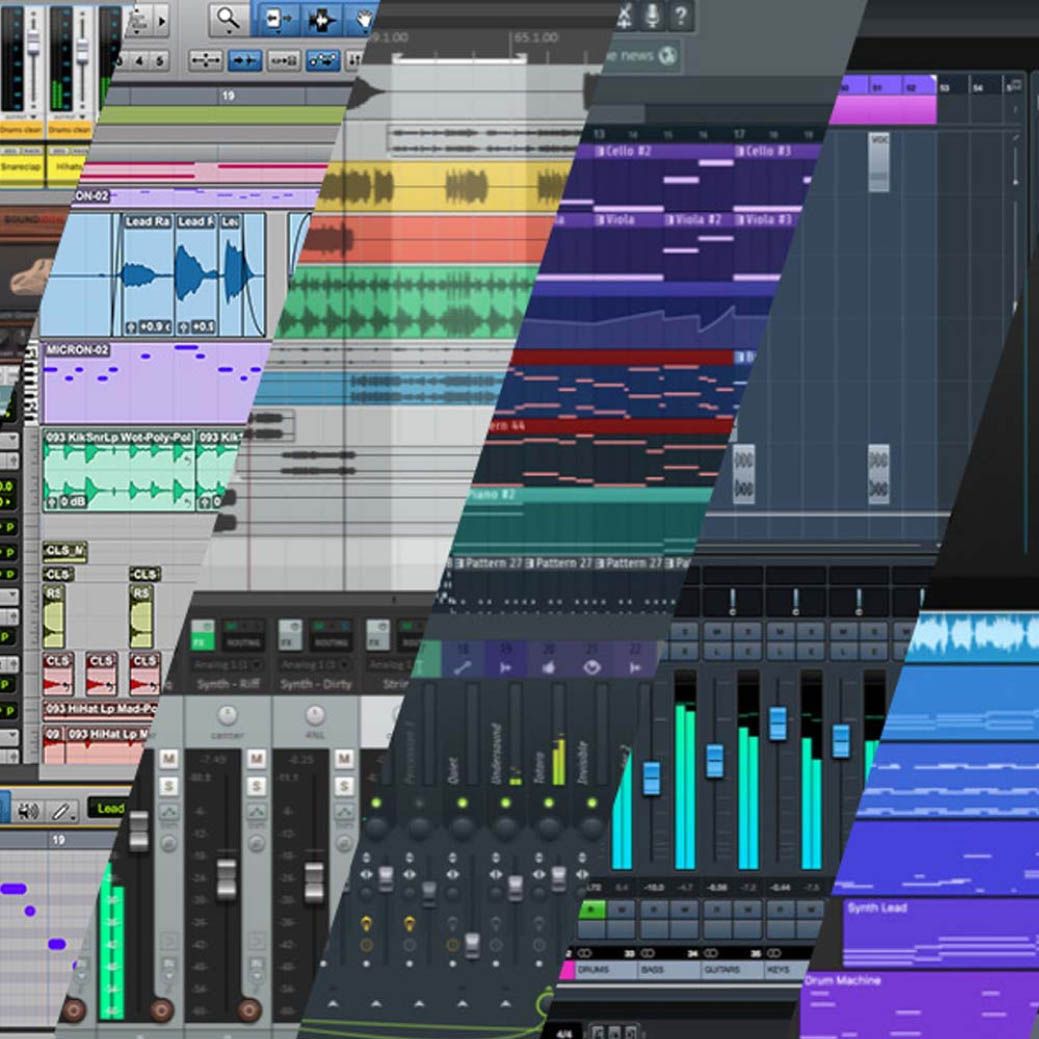
Whatever your workflow - mixing, sound design, or production, all plugins integrates smoothly into your setup, support major DAWs, running on Windows and macOS in the formats producers rely on every day.

ASC

Arturia Software Center te permite descargar, organizar y actualizar todo tu software de Arturia en un sólo lugar, además de gestionar tus licencias en varios dispositivos. Así de sencillo.

Interfaz gráfica redimensionable

Scale every interface to fit your session. Go full visual immersion when you want detail, or shrink the UI to save screen real estate and keep your project in focus.

Control en tiempo real

Todos los parámetros de cualquier plugin de la FX Collection se pueden asignar a tu controlador MIDI favorito para tener un control instantáneo y directo de tu mezcla. Haz un barrido de filtro, dale caña a un previo o transforma la modulación al momento.

Tutoriales integrados en la app

Todos los plugins de la FX Collection incluyen tutoriales integrados que te guían paso a paso por los parámetros y opciones fundamentales, y te enseñan truquitos de mezcla para sacar el máximo partido de tu sonido. El panel de tutoriales también te explica los controles que estás utilizando en tiempo real para que no se te escape ni un ajuste.

Explorador de presets

El explorador simplificado de presets de la FX Collection te permite filtrar, organizar y guardar tus presets favoritos para recuperarlos al instante. Busca por tipo de instrumento, género musical, técnica de producción y mucho más: podrás encontrar rápidamente el ajuste que necesitas y ahorrar un valioso tiempo que está mejor empleado en la parte creativa.

Main Features

Creative tidal reverb

Delay-network engine:

  • Smooth, stable reverb with multi-stage diffusion, designed for cohesive tails and musical results across a wide range of sources.

Three Macro Modes:

  • Abyss, Tide, and Foam animate the reverb tail with layered reverse depth, phase-like spectral motion, and soft diffused swells.

Core controls:

  • Size, Decay, Brightness, and Macro shape the scale, length, tone, and movement of the reverb space.

Freeze function:

  • Hold the reverb tail indefinitely to create infinite textures, suspended atmospheres, and evolving transitions.

Mix utilities

  • Pre Delay, filtering, Transients, Ducking, and Width help place deep reverbs in the mix while keeping the source clear.

Output control:

  • Mix, Return, and Mix Lock let you balance wet/dry levels, control reverb volume, and browse presets without losing your mix position.

Presets & browsing:

  • Curated presets offer instant depth, motion, and atmosphere - from subtle spaces to vast evolving textures.

Workflow:

  • Ocean-inspired visualizer, A/B comparison, resizable GUI, real-time control, in-app tutorials, and compatibility with major DAWs.

Platform Specifications

Windows

  • Win 10+ (64bit)
  • 4 GB RAM
  • 4 cores CPU, 3.4 GHz (4.0 GHz Turbo-boost)
  • 3 GB free hard disk space
  • OpenGL 2.0 compatible GPU
  • ARM processors not supported on Windows

Required configuration

  • Works in Standalone, VST, AAX, Audio Unit, NKS (64-bit DAWs only).
    audio units vst3 aax vst nks

Apple

  • Mac OS 11+
  • 4 GB RAM
  • 4 cores CPU, 3.4 GHz (4.0 GHz Turbo-boost) or M1 CPU
  • 3 GB free hard disk space
  • OpenGL 2.0 compatible GPU

Work with ASC

  • An elegant and simple solution to help you install, activate, and update your Arturia software instruments.