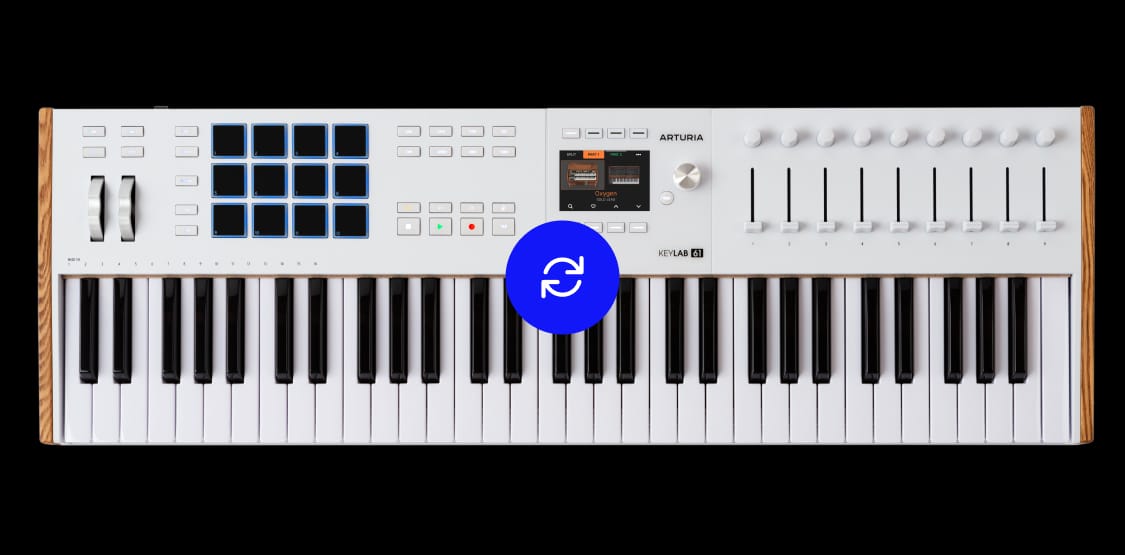
KeyLab mk3
update
KeyLab mk3 keeps evolving with focused workflow improvements for modern performance, production, and software control.
What’s included
Version 1.5
Version 1.5 introduces a series of focused workflow enhancements for KeyLab mk3, designed to make performance and production feel smoother, clearer, and more controller-led.
MainStage integration
View patch information directly on KeyLab mk3, browse with confidence, and control essential MainStage features while you play. Spend less time checking your screen and stay focused on your performance.
Improved Analog Lab navigation
Browsing in Analog Lab is now smoother and more intuitive from the controller itself. Updated visual icons make sound selection clearer, faster, and easier to follow.
Clearer on-screen workflow
Refreshed GUI elements make on-device navigation clearer and more readable. A new split visualisation also makes keyboard separation easier when creating split parts and performance setups.
Ever evolving
for modern workflows
KeyLab mk3 is Arturia’s premium MIDI controller series, built to give musicians, producers, and performers deeper control over their software instruments, DAWs, and live setups.
With Update 1.5, KeyLab mk3 continues to evolve through practical, user-led refinements that make everyday music-making more seamless, intuitive, and direct.