
Get started
with MiniFreak
Get your MiniFreak up and running and kick start your musical journey.
セットアップ
MiniFreak
- MiniFreakの製品登録をして 次の付属ソフトウェア・ライセンスをアクティベートします: MiniFreak V.
MiniFreakには、モデリングされたアナログフィルターを備えた同等のVSTプラグインが付属しており、あのワイルドなハイブリッドサウンドを再現します。DAW上で使用したり、ハードウェアとVSTの両方で同じプリセットを使用したり、VSTをMiniFreakのパラメーターと同期させたり、ファームウェアのアップデートを行ったりすることができます。
- Arturia Software Centerをダウンロードし、インストールします。
- Arturia Software Centerにログインし、MiniFreak Vのアクティベートとインストールを行ってください。
MiniFreakをコンピュータにUSBケーブルで接続してMiniFreakの電源を入れ、MiniFreak Vを開き、インターネットに接続していることをご確認ください。最新のファームウェアでない場合は、アップデートの手順が表示されます。
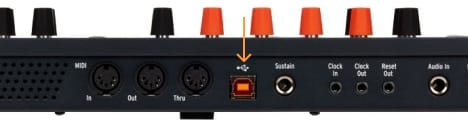
MiniFreak Vが必要な理由
MiniFreak Vは、MiniFreakのソフトウェア版として機能し、コントローラーを常に最新の状態に保ちます。
インストール中に問題が発生した場合、サポートが必要な場合はこちら →
Learn more
with our MiniFreak tutorials
自信を持って、創造の旅へ。基本機能の解説からサウンドデザインのヒント、音楽制作テクニックまで、豊富なコンテンツをご用意しています。
チュートリアル・プレイリスト
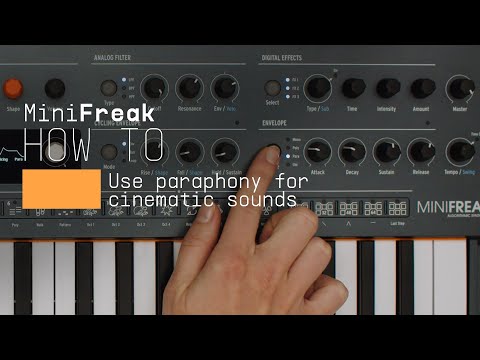
1. How To | Use paraphony for cinematic sounds
MiniFreak & MiniFreak V's voices can be extended to 12 with paraphony, letting you produce powerful, dense sounds. In this video, Lena shows you how to set yours up for truly cinematic musical soundscapes using more voices.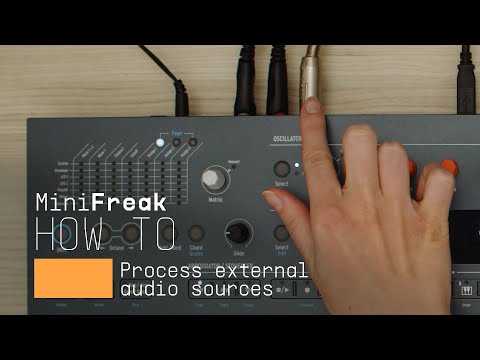
2. How To | Process external audio sources
External audio processing is one of MiniFreak & MiniFreak V's most creative talents - take advantage of its filters, distortions, and effects to breathe new life into your sounds and instruments.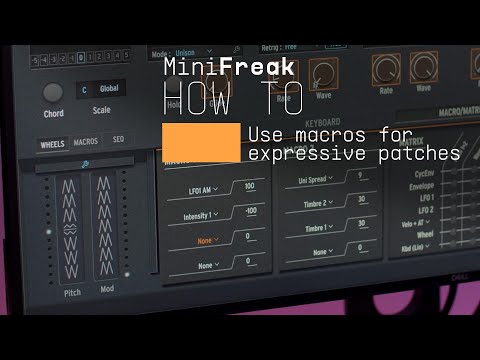
3. How To | Use macros for expressive patches
MiniFreak & MiniFreak V's customizable macros play a central role in the instrument's arsenal of performance tools. Explore how to use them to inject drastic changes to tone and rhythm for bringing your ideas to life.
4. How To | Create Performative Arpeggios
In this video, Lena shows you how to create evolving generative melodies using a combination of MiniFreak & MiniFreak V's features, centering on the arpeggiator.
5. How To | Create Your Own LFO Shapes
Follow Lena to explore the LFO Shaper built into both MiniFreak and MiniFreak V, which allows you to create your own custom LFOs to radically shape, transform, and animate your sound design.
6. Update 4.0 | Vocoder
In this in-depth tutorial, we'll walk you through everything you need to know to harness the creative power of the MiniFreak's new vocoder capabilities. Discover how to set it up, explore its unique parameters, and start transforming your voice, drums, and other audio sources into incredible new textures. Whether you're aiming for classic robot vocals or groundbreaking sound design, Update 4.0 opens up a universe of sonic possibilities for your Freak.
7. Track Breakdown | MiniFreak FW 3.0 - Culprate
Discover how MiniFreak's new granular engines add some incredible sonic energy to a production by Culprate. Yetundey breaks down some of the key sounds used in the track and shows us the power and range of the new engines!
8. MiniFreak Update 3.0 | What's new
Yetundey walks you through the killer new features of firmware 3.0 for the MiniFreak, unlocking the full potential of granular synthesis. With 8 new engines, granular-focused samples, an expanded factory bank, and more, this update takes your Freak to the next level of sonic exploration.
9. Utilities
Matt taps into MiniFreaks settings and configurations, guiding you through how to customize its creative features to suit your own workflow, from preset management to Scale quantization.
10. Effects
In this tutorial, Matt walks you through MiniFreak's 3 FX slots and explores the ways it can embellish, color, or totally destroy your sound - in perfect mix-ready stereo, of course.
11. Sequencer & Arpeggiator
Matt Pike expores how MiniFreak blurs the lines between sequencing & arpeggiation, making it easier than ever to craft wildly creative melodies, chord movements, and ever-evolving ideas that you can tweak in real-time.
12. Modulation Matrix
In this video, Matt Pike gives you a full tutorial on MiniFreak's complex but accessible modulation matrix, exploring its polyphonic envelope generators, 2 LFOs per voice, and creative flexibility with assignable modulation destinations. 
13. Oscillators & Filters
In this tutorial video, Matt Pike goes in-depth on MiniFreak's dual digital engines and analog filters. Explore how to stack oscillator modes, how to process Engine 1 with Engine 2, and how the digital & analog combo can produce oustanding sonic results. 
14. Overview
Matt Pike gives you the lowdown on the 6-voice hybrid synthesizer that's out to break all the rules. In this tutorial, check out MiniFreak's features, hidden talents, and wild sounds.
15. What's new | MiniFreak Update 5.0 | User Sample & Wavetable
Join Leona for a walkthrough of MiniFreak Update 5.0. Discover the new sound bank, learn how to update MiniFreak V and your hardware firmware and explore the new Imported content workflow for bringing your own samples and wavetables into MiniFreak - plus creative tips to get the most from your new custom library.
How To | Use paraphony for cinematic sounds
MiniFreak & MiniFreak V's voices can be extended to 12 with paraphony, letting you produce powerful, dense sounds. In this video, Lena shows you how to set yours up for truly cinematic musical soundscapes using more voices.
機能や使用法などの詳細はこちら
マニュアル
To learn even more, you can find the manuals on MiniFreak's Resources page:
